EFEITOS
EM IMAGENS: Papel
Queimado - Ret�cula - Pl�stico - C�rculos - Televis�o - Esfera - Aura - Linha Pontilhada
- Bot�o 1 -
Bot�o 2
EFEITOS EM
TEXTO: Texto
Sombra - Texto
Bevel - Texto Contorno 1 - Texto Contorno 2 - Texto Fogo -
Texto Gelo - TextoTinta -
Texto Glow
Crie um novo arquivo RGB.
No menu File: File>New, 10X3 cm. V� ao menu Window: Window>Show Channels e crie um
canal novo, clic na setinha no canto superior direito e em New Channel. Agora na barra de
ferramentas clic na ferramenta Type Mask Tool e digite a letra P em caixa alta.
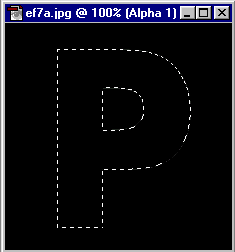
Agora, ainda na
barra de ferramentas, selecione a ferramenta Airbrush Tool e pinte de branco o interior da
sele��o.
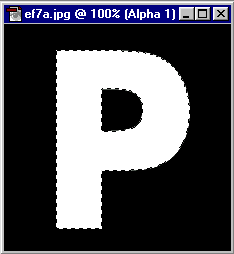
Na janela Channels, o canal
Alpha 1 mostra a letra P j� com a nova cor. V� ao menu Select: Select>Deselect.
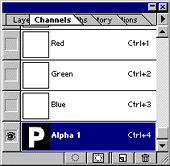
Agora no menu
Filter: Filter>blur>Gaussian Blur com Radius de 10 ou mais e aplique o efeito. Seu
trabalho deve ficar parecido com o exemplo abaixo.
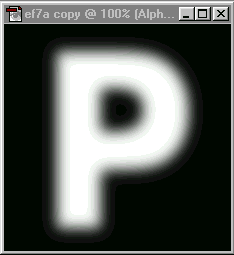
Agora vamos
reticular o trabalho. No menu Filter: Filter>Pixelate>Color Halftone, use o padr�o.
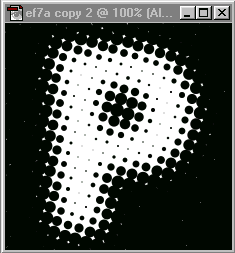
Na janela Channels,
clic em RGB. Na barra de ferramentas, selecione a ferramenta Airbruhs Tool e pinte de
vermelho toda a �rea em branco.
Agora no menu
Select: Select>Load Selection>Alpha 1. Ir� aparecer uma sele��o na �rea em
vermelho. Na barra de ferramentas, selecione a ferramenta Airbruhs Tool e com a cor azul
pinte o interior da sele��o. Seu trabalhoest� terminado com o efeito aplicado. Fa�a
outros testes.
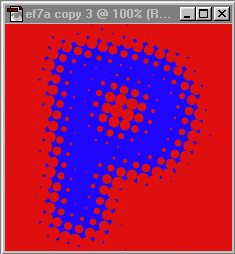
|








