EFEITOS
EM IMAGENS: Papel
Queimado - Ret�cula - Pl�stico - C�rculos - Televis�o - Esfera - Aura - Linha Pontilhada
- Bot�o 1 -
Bot�o 2
EFEITOS EM
TEXTO: Texto
Sombra - Texto
Bevel - Texto Contorno 1 - Texto Contorno 2 - Texto Fogo -
Texto Gelo - TextoTinta -
Texto Glow
Este efeito � de uma
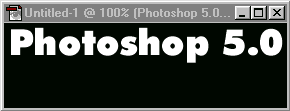
simplicidade enorme. Inicie um novo arquivo File>New, 10X3 cm, as cores padr�o do Photoshop
devem estar ativas. Na barra de ferramentas slecione Type Tool e digite a palavra
PHOTOSHOP com letras brancas.
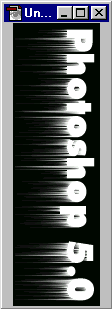
V� para a barra de
menus Image>Rotate Canvas>90� CW. No menu Layer: Layer>Flatten Image. Agora em
Filter: Filter>Stylise>Wind, marque Direction From Left. Aplique este filtro duas ou
mais vezes.
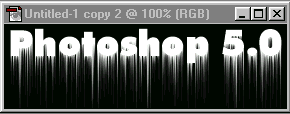
Volte para o menu
Image: Image.Rotate Canvas>90� CCW. Seu quadro volta a posi��o original com um belo
e f�cil efeito de tinta escorrendo.
|








