3: Getting Started II


Page 3: Getting Started II
 After
buying the solar collecter you need to launch it into space. This is
done on the following screen. This screen will also tell you the status
of all your units.
After
buying the solar collecter you need to launch it into space. This is
done on the following screen. This screen will also tell you the status
of all your units.
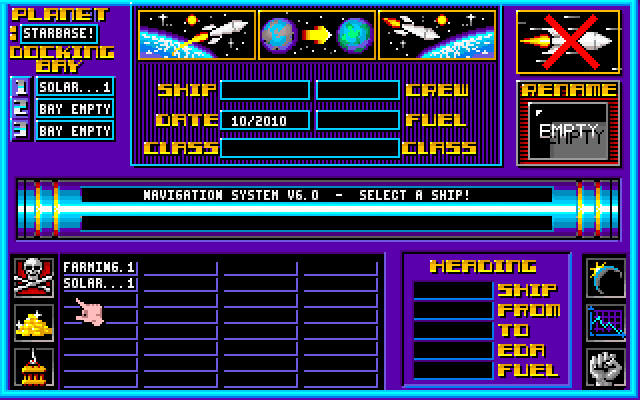
tNote
the three icons on the top middle of the screen.
First click on the SOLAR...1, then the left Icon to launch it above
the planets.
As the game progresses (and after you terraformed some planets) you'll
be sending cargo ships, food & Mineral processors, battle ships
etc to other planets. You use the same left Icon to launch, the middle
one to indicate you want to go somewhere, (It'll ask where and indicate
possible destinations) and when you get there, you use the left side
Icon to land.
Now
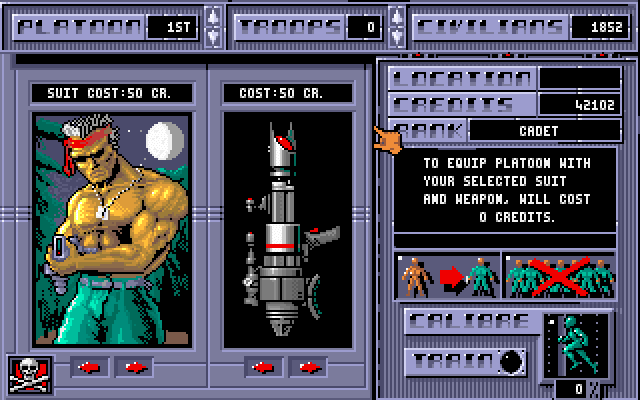
get an army going. Click on  to bring up this screen:
Take
a minute & study the screen. Use the arrow next to TROOPS to "recruit"
up to 200 civilians into platoon 1. (there's 24 platoons total) Note
that the runner at the bottom right starts to move. When the number
reachs 100, there's trained to the max. (you can, but it's not advised,
equip & comission the platoon with less training)
Use the red arrows under the guy and weapon to scroll through the various
combinations of weapons % armor.
Go off & do other stuff, like buy more food processors, adjust your
taxrate for optimum growth/credits, etc. When the running man, in this
case, reachs 100, click the EQUIP icon (see balow)
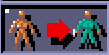
Use the one with the X next to it to decommission the indicated platoon. Useful if, due to battles, it's down to a few troops & you want to recruit a fresh platoon.
 Use this Icon to go to the "War" screen. This is gives your
armies status on the planet selected (which in this case is your base,
or starbase) and where the battles are fought.
Use this Icon to go to the "War" screen. This is gives your
armies status on the planet selected (which in this case is your base,
or starbase) and where the battles are fought.
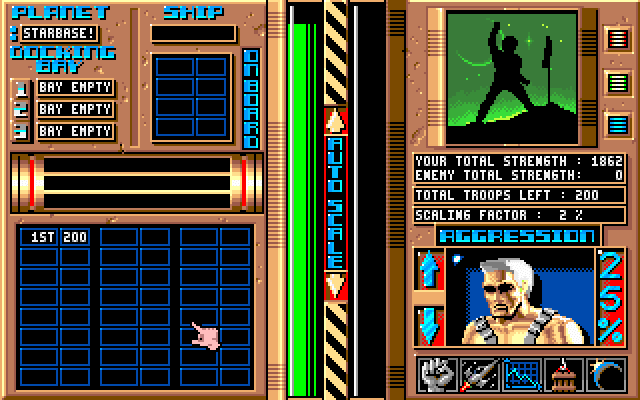
The docking bays will show what Battleships are docked (in this case, non yet) which are used for transport to another planet. Assuming there was a ship docked, clicking on a platoon will transfer it to the ship.
The
green indicator "rod" in the middle shows your strength. During
a battle, the side next to it will be in red showing the enemies strength.
The Agression sub screen: Used during battle. Raise the agression, and
you'll speed up the battle & at first, gain momentum. But in a time
you'll suffer greater casulties.
It's dependent on how "battle trained" (as they gain experience)
your troops are vs. the enemies and other factors as your overall strength
vs. the enemies. Play with it to get a better feel.
Battles
are fought both in offence & defense. Defeating the enemies base
wins the game, but you can conquer the enemies terraformed planets for
positioning, and capture the spoils of war.
(the bad guy usually leaves good stuff behind in the docking bays or
on the surface)