2: Getting Started

Page 2: Getting Started
Note: the following isn't necessarily the only or best way to play the game. It's the easiest and fastest way to learn the gameplay.
Start the game and take on the first bad guy, Wotok. (He's the easiest)
In
the main screen (shown previously) click the  Icon to get to the buy screen (not shown)
Use the arrows to get to the Horticultural Station. Buy it. (it'll be autonamed FARMING.1)
Right
click to get to the main screen. Now click the  to get to the loading dock (see below)
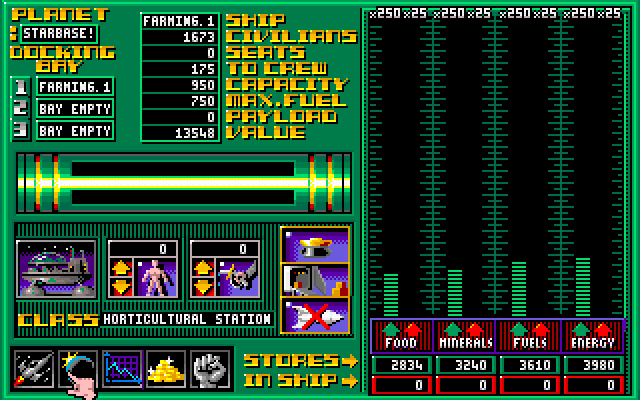
Note the row of icons on the bottom left. Most screen will have 'em. You see an image of FARMING.1 on your left, just above the word CLASS. To the right of that (sorta looks like a person) is used for "storing" or transporting civilians. As you play the game it'll make sense. Next right is for loading or unloading fuel.
The right side shows your food, minerals etc. for that planet. You use the arrows to load and unload (most units have storage capacity.
First you assign a crew. See the three larger icons above where it says STORES:
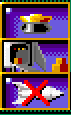
The top one assigns the crew. (the middle one auto unloads the hold of any ship. Useful for cargo carriers. The bottom one decommissions ships)
Now
click on the  icon to get to the surface of your planet.
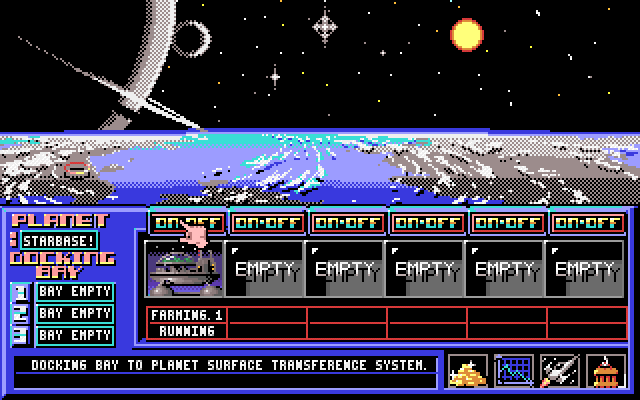
Click the number 1 to move the unit to the surface, then the ON-OFF to start it running.
Now
click the  icon at the bottom right to get to the "stats" screen.
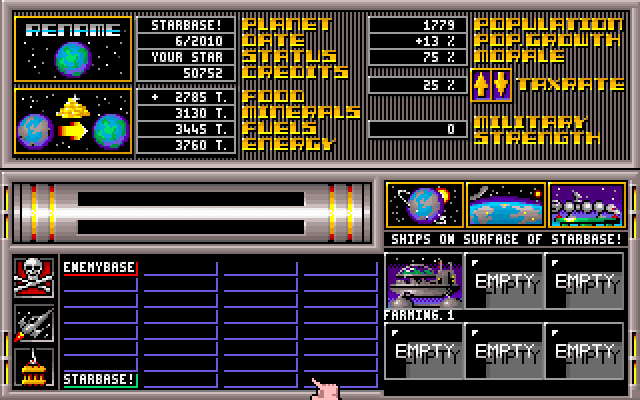
Lots of stuff happens here. Since it's the beginning of the game, no other planets have been terraformed so there's no planets between you and the enemybase.
Note the TAXRATE at the top left. The lower the rate, the less credits & the higher population growth. Opposite the higher the rate. 40% will give you zero growth.
On the next page you'll go back to the purchase Icon & buy a solar collector. This one you'll need to launch into space for it to do its thing.