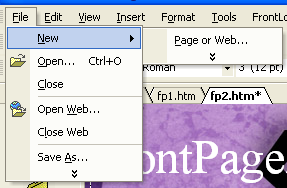
FrontPage2002 Tutorial FrontPage2002 Creating your "web" Before starting your web project, you will have to first create a "web." A web is simply a folder where all the pages and images are stored. To create a web, open FrontPage. In the menu toolbar, select File--New--Page or Web.
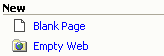
Once you select that option the task pane will appear. In the task pane, select "Empty Web."
|