STEP 1
To install Winrar, you must first download this program by clicking here.
First off,. Winrar is a program that is used to compress files, some exactly the way Winzip does. What happens when
the files are compressed, is that the files extension is transformed into an rar file or zip. When you see these extension,
remember that are compressed files which need to be uncompressed in order for you to access these files correctly.
To start with, simply click on the file labeled "wrar330.exe" to begin installing.
STEP 2
Next, a window will pop up asking you which directory you want to install this program to. By default, it will be installed to
C:\Program Files\WinRAR, which I suggest that you use. However, you can pick any directory that you want to install to,
but after you are done, simply click on the install button.
STEP 3
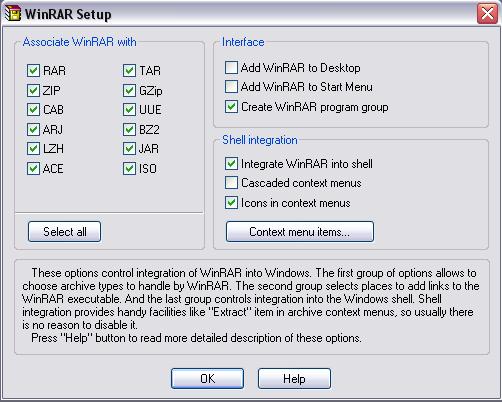
After clicking the install button, it will proceed to another window where you will be asked to setup this program. I
suggest that you do not mess around in this window, and just proceed to pressing the "OK" button.
|
|
STEP 4
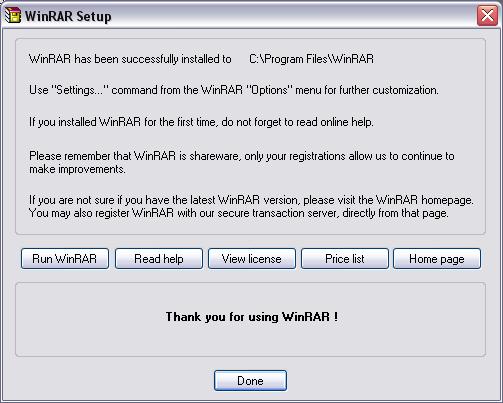
When you have clicked the "OK" button, you will be brought to another window that informs you, that the installation is
complete. In this window, the only thing you need to do is click the button labeled "Done"
Congratulations, you have successfully installed "Winrar"
|
|