|
|
|
|
|
|
|
|
|
|
|
|
|
|
|
|
|
|
|
|
|
|
|
|
|
|
|
Tools for remodeling object in Halo
|
|
|
|
|
|
Remodeling with Milk Shape 3D
Here you will learn how to reshape objects used in Halo
|
|
|
|
|
Tools to make and apply patch files to Halo
|
|
|
|
|
|
Applying a ppf (patch file) with PPF-O-Matic
This will teach you how to apply mod to Halo
|
You are currently
viewing this tutorial
|
|
|
|
|
STEP 1
First of all mods are usually put into a ppf file format, which is just a patch file that needs to be applied to a specified
map. The map that the ppf is made for, will usually be listed on the post that you download the mod from. The ppf file will
need to be applied to your map using a program called "PPF-O-Matic", which you can download by clicking here.
When applying a ppf file, keep in mind that you can only apply it to the map it was made for, (ege. if the ppf file is made
for the Blood Gulch map, then it can only be applied to that map).
STEP 2
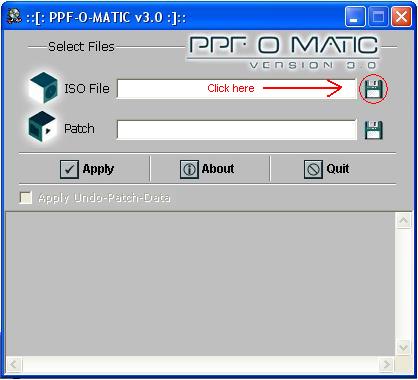
To start with, load up the ppf-o-matic and then where it says "ISO File" click on the little disk icon to the right of the field.
|
|
|
|
 |
|
|
STEP 3
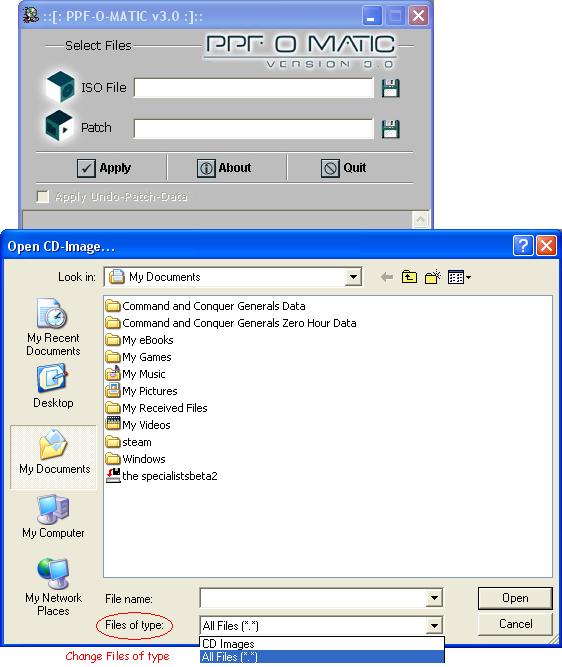
This will bring up a window, which will be asking for the map that you want to patch.
NOTE: you will need to change "Files of type" from CD Images to All Files (*.*), in order for you to see your map file.
|
|
|
|
 |
|
|
STEP 4
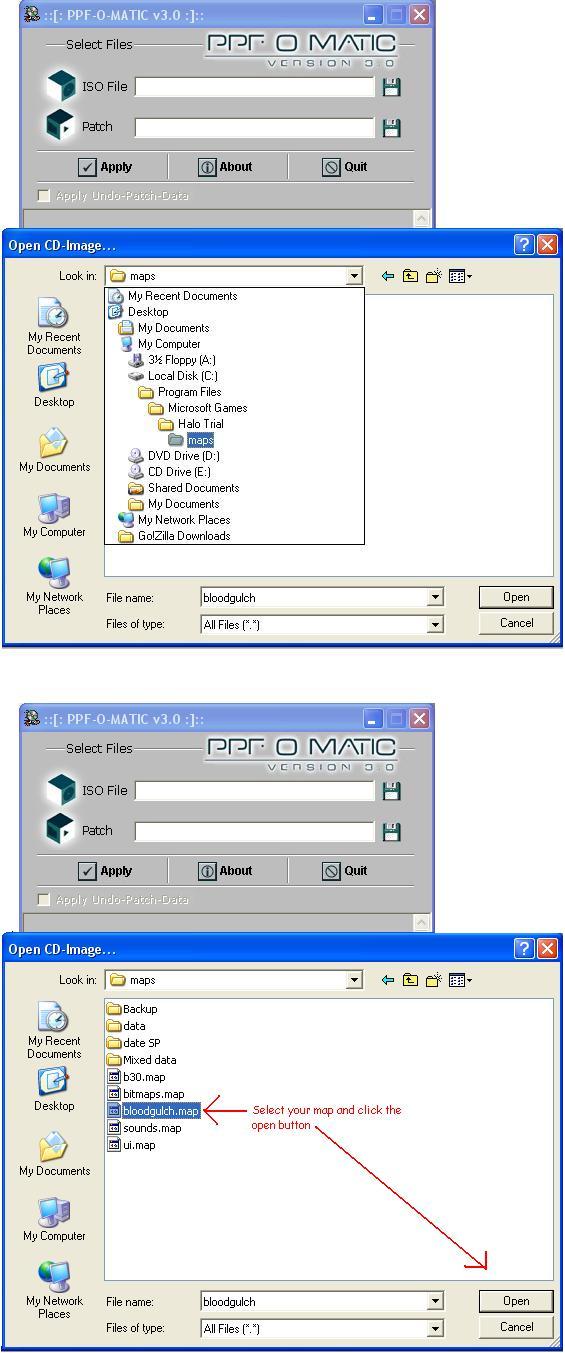
When you have changed the file type, then selecte the map that you want to patch. You might have to go through a
bunch of folders in order for you to find your Halo maps.
In my case, I need to go through:
C:\Program Files\Microsoft Games\Halo Trial\maps
|
|
|
|
 |
|
|
STEP 5
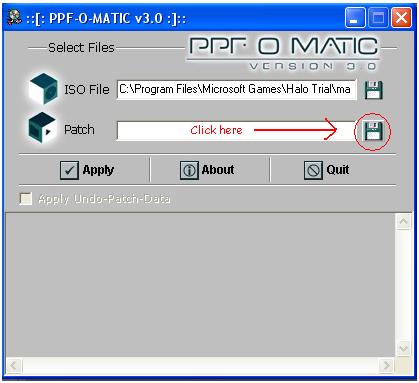
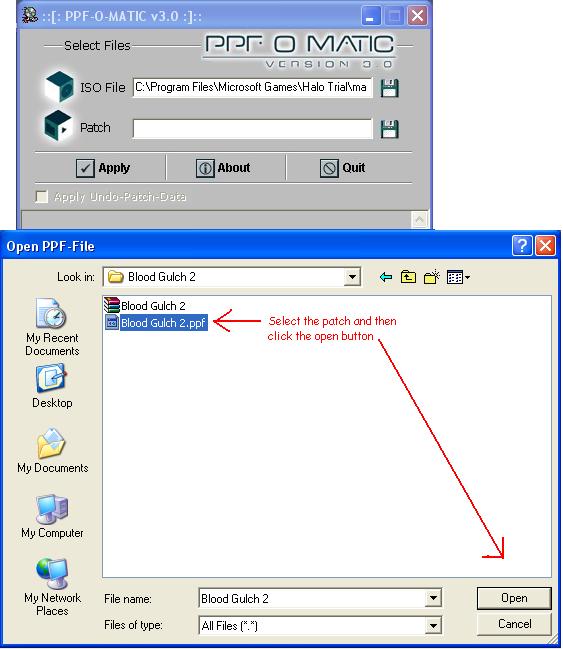
After selecting your map, then you will need to locate your patch. In the second field click on the little disk to the right.
|
|
|
|
 |
|
|
STEP 6
From this window you will need to find the patch that you have downloaded.
|
|
|
|
 |
|
|
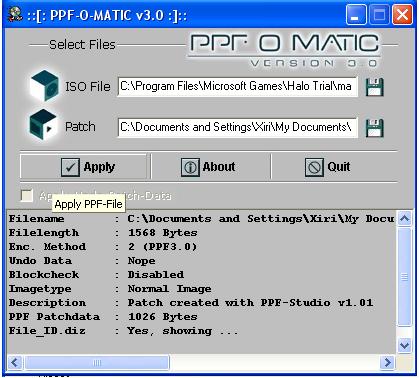
STEP 7
After you have found and selected the patch, all you need to do now is to click the Apply button.
Congratulations your map is now modded.
|
|
|
|
 |
|
|
|
|
|
|
Tools to uncompress files which are compressed
|
|
|
|
|
|
|
|