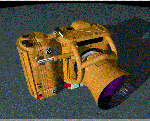
In this section you'll start creating a sample project. This project uses an image created with the Advanced Visualizer. (This image should have been loaded on your workstation when you installed VizPaint2D.) This section takes approximately 1-1/2 hours.
Tip: To begin this section with a clean canvas, use the clear tool described on page 396. |
The load tool shows a list of available pictures in the current directory.
The load tool lists the pictures that came with the VizPaint2D distribution. If these pictures were installed in a directory other than the home or default directory, enter that pathname. If you are not sure what it is, contact your system administrator.
VizPaint2D displays the image of a conceptual 35mm camera with tractor-like details.