|
This feature is available in Alias Studio and AutoStudio, and is a purchasable PowerModeling and ConceptModeling option.
Sketch render is a convenient method of previewing a surface that you have created with the aid of a 2D sketch image plane. Sketch render automatically converts the image plane to a shader, assigns it to the model, and then Quick Renders the scene.
Using Sketch Render
When you sketch render a model, the following processes are automatically performed:
-
1
-
A new shader is created in the Multi-lister based on a projection of the image plane. That is, the new shader has a Projection texture mapped to its Color parameter, the Projection texture has a File texture mapped to its Source Texture parameter, and the File texture has the image plane file mapped to its Image parameter. You must have an image plane defined in order to use Sketch Render.
-
2
-
The new shader is temporarily assigned to all surfaces.
|
|
See Quick Render on
page 362.
|
-
3
-
Either all surfaces or only active surfaces are Quick Rendered in the active window (based on the current settings in the Sketch Rendering Options window and in the Global Quick Rendering Parameters window).
When you close the Quick Render window (for example, by clicking in it), the new shader remains in the Multi-lister; however, all original shaders are re-assigned to their respective surfaces.
To sketch render a scene:
- Select Render > Sketch render. The model Quick Renders in the active window (based on the current settings for the Sketch Rendering Options and the Global Quick Rendering Parameters). You must have an image plane defined in order to use Sketch Render.
To open the Sketch Rendering Options window:
- Select Render > Sketch render
 . .
Sketch Rendering Options
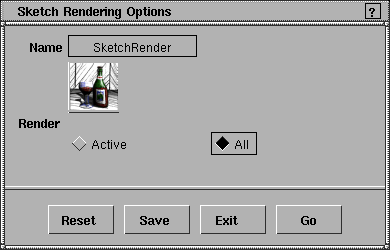
Render
-
- Determines whether all objects are sketch rendered (All), or only active (picked) objects are sketch rendered (Active). The default setting is All.
|


