


|
Preferences > Command Stepper > Restart |
Restarting the Command Sequence | ||
|
| |||
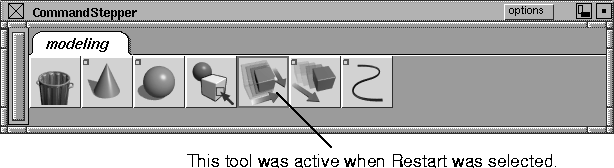
Stops the command sequence wherever you are and begins again at the start of the sequence. For information on the Command Stepper, see Creating Custom Shelves and Menus on page 564. How to Use | |||
|
|
Select Preferences > Command Stepper > Restart or click its icon. The sequence of tools or commands in the Command Stepper starts again from the beginning, without executing the first command. | ||
| |||
| |||
| Copyright © 1998, Alias|Wavefront, a division of Silicon Graphics Limited. All rights reserved. | Please send questions or comments regarding the documentation to: [email protected] |
