|
Layers > New |
Creating New Layers |
|
| |
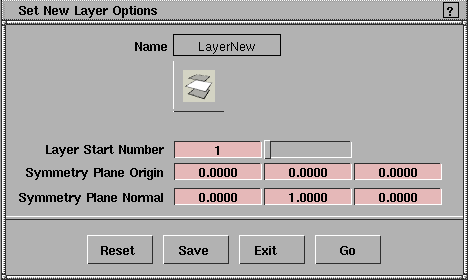
Lets you create a new layer. To make use of layers, you should create new layers. Otherwise, all the objects are automatically assigned to the default layer. You can create a maximum of 255 layers. How to UseSelect Layers > New. A new layer with a default name (for example, L1 ) is created. To change the new layer's name, double-click on that layer's button in the Layers Bar, and then type the desired name. New Layer OptionsBy default, layers are numbered starting with the number 1 (one). To change the layer start number:
| |
|
For more information on symmetry, see Setting Symmetry on Layers on page 263. |
You can also set the default symmetry plane for the new layer by entering the coordinates for the Symmetry Plane Origin and Symmetry Plane Normal in the option box. |
| Copyright © 1998, Alias|Wavefront, a division of Silicon Graphics Limited. All rights reserved. | Please send questions or comments regarding the documentation to: [email protected] |
 . The Set New Layer Options window appears.