|
Edit > Mirror |
Making a Mirror Copy | ||||||
|
| |||||||
Lets you create a symmetrical copy of hierarchies according to an axis plane. This works for skeletons as well as ordinary hierarchies and will mirror IK handles, constraints, rest poses, limits, animation, and selection handles. >
This function lets you:
How to Use
Select Edit > Mirror-
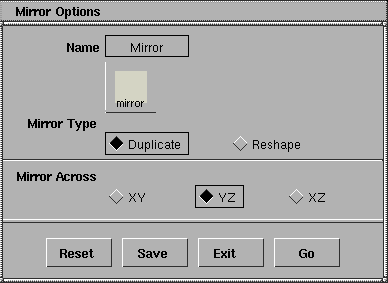
Mirror DuplicateLets you pick a branch as the source branch-the tool duplicates the branch and mirrors all nodes on the new branch. A new branch is created as the sibling of the picked one, and it is mirrored across the plane defined in the option box (Mirror Across settings). All IK handles, constraints, animations, and skeletons on the branch are also duplicated and mirrored. >
Mirror Reshape | |||||||
|
Geometries are not mirrored for this option. |
Lets you pick an existing branch as the destination (rather than have the tool create it). The first branch is reshaped as a mirror of the second branch. All IK handles, constraints, animations, and skeletons on the first branch are replaced by new objects copied and mirrored according to the second branch. Mirror AcrossMirror provides three mirroring planes: XY, YZ and ZX planes under world space.
|
| Copyright © 1998, Alias|Wavefront, a division of Silicon Graphics Limited. All rights reserved. | Please send questions or comments regarding the documentation to: [email protected] |
 to open the Mirror Options box. There are two types of mirroring and three mirroring planes you can select from the option box.