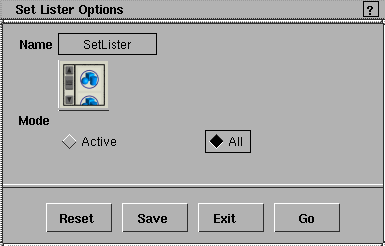
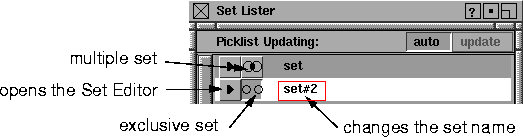
Select Windows > Sets > Set Lister or select Sets > Lister from the layers bar to open the Set Lister window.
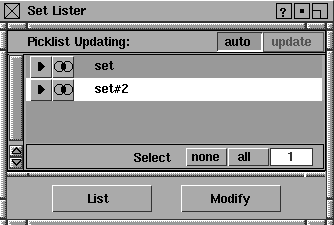
This window displays all sets of the current stage in the lister, by default. Sets can be picked or unpicked in either the SBD window, the modeling window, or the Set Lister window. You pick a set in the SBD or modeling window by selecting all members of the set.
To pick a set from the Set Lister window, click on the name of the set.
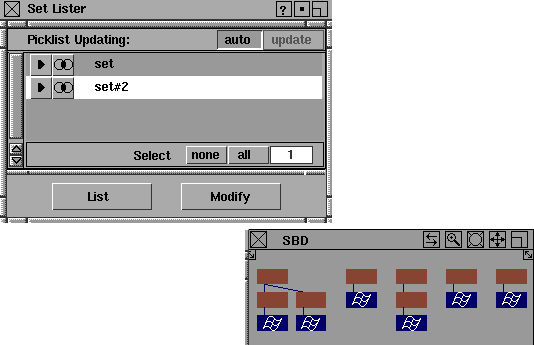
In the following example, two sets have been created. If you click set #2 in the Set Lister window, all members of this set are picked. You can see the picked objects in the SBD window.
If you unpick one of the set members, set #2 is un-highlighted in the Set Lister window since not all its members are picked.
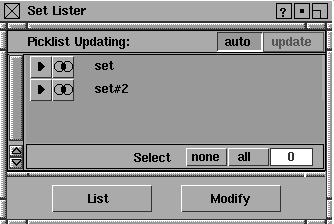
If you deselect one of the set names in the Set Lister, all members of the set are unpicked (and un-highlighted) in the modeling window.
Picklist - auto
If the auto button is highlighted (ON), selecting a set in the Set Lister window picks all its members in the modeling window. Also, picking all the members of a set in the modeling window selects the set in the Set Lister window. The auto button is on by default.
If the auto button is not highlighted (OFF), selecting sets in the Set Lister window does not affect the modeling picklist, and vice versa. This is useful if you want to invoke functions that act upon sets without changing the pick status of objects in the modeling world (for example, Animation > Set keyframe).
Notes:
- Unpicking a set will unpick all of its members in the modeling window if the auto option is toggled on.
- One common reason for set picking to fail occurs when some members of the set are invisible. If this is the case, turn auto off if you want to select the set in the lister (or set the member in the Set Editor).
Picklist - update
If auto is set OFF, the update button can be used to periodically change the picklist so only members of selected sets are picked in the modeling window. To update the picklist, click the update button. This causes all members of highlighted sets to be picked in the modeling and SBD windows.
Select
none
-
- All the sets in the lister are deselected.
all
-
- All the sets in the Set Lister are selected. Sets already selected remain unaffected.
The value at the far right indicates how many sets are currently selected.
| 


 to display the Set Lister Options window.