|
Edit > Rest pose > Assume rest pose |
Returning Joints and IK Skeletons to a Rest Pose |
|
| |
Overview | |
|
The rest pose and neutral pose are the same by default. The rest pose can be changed by using Edit > Rest pose > Set rest pose. For more information, see page 305. |
Each skeleton joint can assume a rest value for its translation, rotation, X, Y, and Z values. You can also return a joint or a regular node back to its neutral pose (that is, having its translation, rotation, X, Y, and Z values set to be zero). How to Use |
|
You can also pick an IK handle for all joints on the IK chain to assume a rest pose. |
Rest Pose Options |
|
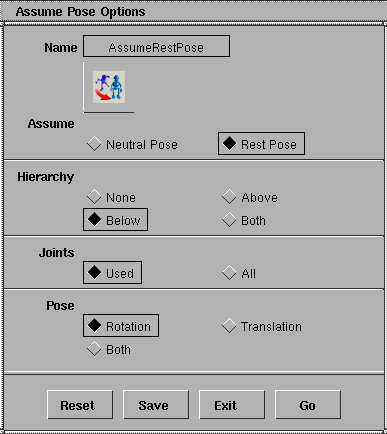
Select Edit > Rest pose >
Assume rest pose - |
AssumeNeutral Pose
Rest Pose
HierarchyNone
Above
Below
Both
JointsUsed
All
PoseRotation
Translation
Both
|
| Copyright © 1998, Alias|Wavefront, a division of Silicon Graphics Limited. All rights reserved. | Please send questions or comments regarding the documentation to: [email protected] |
 to
open the Rest Pose Options
window.
to
open the Rest Pose Options
window.