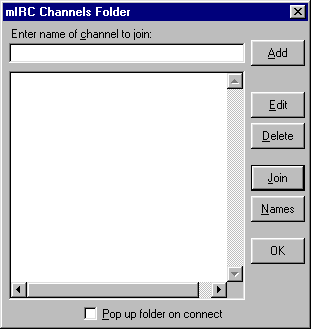
To get back to the Channel folder at any time ,
just click on the 3rd icon from the left in the top of your mIRC menu
To list the channels on a network just type /list after being connected to that server .
With some of the larger networks that will most likely flood you off forcing you to reconnect
To avoid that narrow down your search by either using the List Channels menu (4th Icon from the left)
or to type /list channel and your interest for example : /list mp3
Then only channels with the word mp3 in their channelname or channeltopic will list
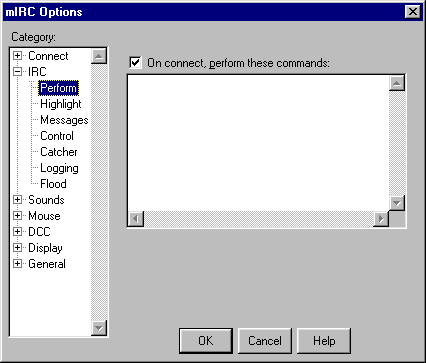 |
This window lets you excecute commands or even programs as soon as you are connected to Irc .
For example you can set it to autojoin favourite channels , to identify to nickserv and to set usermodes
The commands are the same as if you had to type them out on Irc
|
Here are some examples:
/join #channelname
/msg nickserv identify yourpassword
/run c:\program files\winamp\winamp.exe
/umode -ne
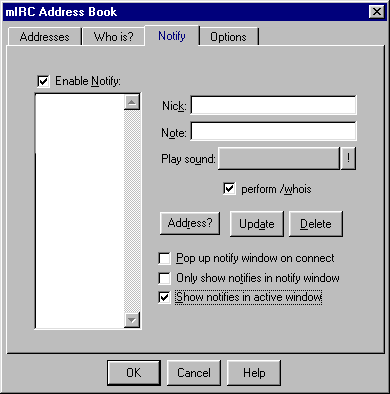 |
This menu allows you to add users so you can see them as soon as they connect with the nickname that you Added them with
Just type in a nickname and click on the Add button (shown here as Update)
making sure that the Enable notify checkbox is marked
If you wish you can add .wav sounds to each nickname
The soundfiles are not required to be in your mIRC sound folder
Enable Show notifies in active window otherwise the notifications will only be send to the Status window
|
These are some of the basic things you can do to enhance your Irc sessions.
Furthermore after you get used to the mIRC commands and menus you can move on to scripting.
mIRC scripting
IRC Abbreviations
Nickserv Commands
Chanserv Commands