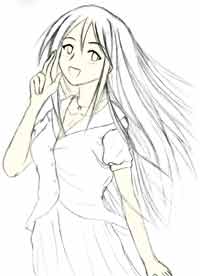
2.0 BASE COLOUR


2.1

The first thing I usually colour is the skin. Create a new layer just above Background (shorcut = shift + ctrl + N) rename the layer name to "skin".

Select a very light skin tone.

Use the lasso tool (shortcut = L, use the polygonal lasso tool, much faster to work with) to
select the skin areas. Press Alt + backspace to fill in the selected area.


2.2

Repeat the same process as 2.1 and you will eventually end up with something like this ->

Remember to pick the base colour to be the lightest colour you will use for that area. Also, use separate layers for each different colour.

Keep in mind that this process can take a while. Remember you need lots of patience for colouring.


Ok, the easy parts are now done. What's coming up next will require some skills. The difference between a good and bad colouring will be determined from the following parts. But as long as you follow what I'm doing then you should be fine.

NEXT: Shading (skin tone)

BACK: Create layers


  Diary | Gallery | About me | Links | Photoshop Tutorial | Home    
Hosted by www.Geocities.ws

1