CSIS-101 Home  |   Class Information  |   Class Notes  |   Class Tips  |   Class Schedule  |   Feedback  |   Search  

MSJC - The Community College FOR YOUR FUTURE . . .  

CSIS-101 ~ Introduction To Computers

Class Tips - Mr. Ron Lehr ~ Fall, 2002

Tips and Hints from Ron Lehr . . .


So ... Want tips for staying afloat in Mr. Lehr's class? Take advantage of this PowerPoint Presentation by a former student on What to do AND What NOT to do in Mr. Lehr's Classes. How To Survive.   Not sure why your grade is what it is? Try this link and see what - if any - points apply to you. You might be surprised. And this is just a partial list! My Grade - Why?    Need to try a "What-If"? Go to this link and "play" in an Excel grade sheet - (the same as what you see in class). Try "What-If" on your grade. Interactive Grade Sheet

How to get the most of your textbook
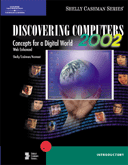
Getting familiar with your text book(s) is essential to getting the most out of the book. Things like reading the 'Preface' or studying the layout of the textbook's Index and Glossary and Appendix (if any). Also, look at what kinds of 'end-of-chapter' activities are available. What about "Web Exercises"? What tips are printed in the margins? What types of concepts or terms are in bold? How would you outline a chapter? Try this link for some important items to help you – your textbook - get to know it!


  get to know your class mates; get e-mail and/or phone numbers of two or three other class members.  You'll be surprised how much this can help you.
The class sign-in sheet has the names of all the students in our class. They are all in the same boat as you. Approach someone you don't know - become friends. The more the class works as a group - make that - a team - the better for all.
 Try CampusCruiser for e-mail addresses of your classmates.


Speaking of CampusCruiser - - -
Do you know that you can have a chat room set-up for CSIS-101 topics? It's there and waiting! Do you know you can start a message board there? It's there and waiting! Do you know you have a calendar of your very own? It's there and waiting. Do you know you can set-up your address book of e-mail addresses there? It's there and waiting! Do you know - well why don't you just go there and see for yourself! Click here: CampusCruiser.  By the way, Extra Credit is currently available to you just for using your  CampusCruiser e-mail - see "Class Notes" web page for details.


and What about "Course Test Manager"?
Well - I think this is one good place to take practice tests. When you do, any missed question will give you a "study guide page number" to look up the correct answer. Why would anyone pass-up the opportunity to study using potential test questions? The major concepts and topics (that foreseeable would be included in tests) will be covered in the practice tests. It's available on both MSJC campuses in the Instructional Computers Labs [click here for Lab schedule/Hours Computer Lab]. For the Discovering Computers 2002 Textbook [not our Office XP textbook] try the online practice area: Learn It Online. Be sure to try some of the other ways of learning at this site [like
'Crossword Puzzle Challenge',   'Wheel of Terms', or 'Who Wants to Be a Computer Genius?'].


Search this site for any word, phrase or topic.


 MSJC OnlineClick to go to MSJC Home Page

 MSJC - CSIS-101

Send me an E-Mail Click to send e-mail to Ron Lehr


Syllabus Pages:

Class Information
Class Notes
0613 Schedule

  Top of Page

MSJC - Helping Students Soar . . .

Hit Counter

Download Microsoft Internet Explorer (Site best viewed with Internet Explorer)

Ronald L. Lehr, MSJC Instructor.
Copyright © 1996 - 2002, R. Lehr / MSJC. All rights reserved.
Revised: August 27, 2002.


Hosted by www.Geocities.ws

1