CSIS-101 is a course designed to be the student’s introduction to computers and data processing.
The
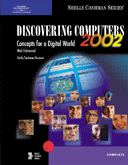
primary textbook is from the Shelly-Cashman Series titled: Discovering
Computers 2002 - Concepts for a Digital World - Web Enhanced. (Shelly, Cashman, and Vermaat; Course Technology - International
Thomson Publishing Company, 2001) [more]
[ISBN:
0-7895-6185-9]
(Online: www.course.com and www.scsite.com/dc2002)
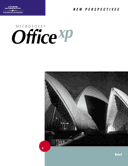
The application software textbook is from the New Perspectives Series titled: Microsoft New Perspectives on Microsoft Office XP - Brief. (Shaffer, Carey, Finnegan, Adamski, Zimmerman, et al; Course Technology - International Thompson Publishing, 2002. [more]
(Online: www.course.com and www.scsite.com/dc2002)
The text booklet that covers Windows XP operating
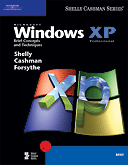
system is from the Shelly-Cashman Series titled: Microsoft Windows XP Brief Concepts and Techniques. (Shelly, Cashman, and Forsyth; Course Technology - International
Thomson Publishing Company, 2002). [more]
[ISBN:
0-7895-6419-X]
(Online: www.course.com and www.scseries.com)
|
|
|
|
Please read the preface for full information.
|
|
The CSIS-101 Discovering Computers textbook contains 16 chapters: |
Introduction to Computers
Special Feature: Timeline 2002: Milestones in
Computer History
The Internet
and World
Wide Web
Special Feature: Guide to World Wide Web Sites
and Searching Techniques
Special Feature: Multimedia: A Virtual Experience
Storage
Operating Systems and Utility Programs
Special Feature: Buyer's Guide 2002: How to
Purchase, Install, and Maintain a Personal Computer
Communications and Networks
Special Feature: A World Without Wires
E-Commerce: A Revolution in the Way We Do
Business
Computers and Society: Home, Work, and Ethical Issues
Computers and Society: Security and Privacy
Databases and Information Management
Information Systems Development
Program Development and Programming Languages
Special Feature: Trends 2002: A Look to the Future
Each chapter contains features including:
Ø
Technology Trailblazer
and Company On The Cutting Edge:
This feature presents people and
companies who have made a difference in the computer revolution.
Each chapter has boxed write-ups on two leaders in technology and two computer
companies.
Ø
E-Revolution:
This two-page section introduces
the reader to Web applications such as e-finance, e-travel, e-arts,
e-learning, e-auctions, and e-entertainment as well as exercises to apply
the topics described.
Ø
In Summary:
This section summarizes the chapter
material in the form of questions and answers.
Ø
Key Terms:
The key terms found in each
chapter are provided with the page number where the definition of the
term can be found.
Ø
Learn It Online:
This section contains Web-based interactive
exercise that allows the student to augment their understanding and
interest in the chapter content. It
includes activities such as scavenger hunt, search sleuth, practice tests,
and learning games.
Ø
CheckPoint:
These exercises include label the
figure, matching, multiple-choice, short answer, and working together.
The Web page for CheckPoint allows the student to answer the questions
in an interactive forum.
Ø
In The Lab:
This feature is a series of Windows
lab exercises designed to assist the student in using the Windows operating system.
They help solidify and reinforce Windows proficiency.
Ø
Web Work:
These exercises have students connect
to the Web page where they can complete various chapter related tasks.
This section provides related links on the WWW and suggested
tasks to complete. In addition, this section allows the student to connect to
the Internet for up-to-date streaming videos on computer related topics.
It also allows the student to use the Shelly-Cashman Interactive Lab online. This
feature contains eighteen hands-on interactive labs that take from ten to
fifteen minutes each. They help
solidify and reinforce mouse and keyboard usage and computer concepts.
The last part of this section allows the student to discuss topics in the
textbook with other students throughout the world using the newsgroups
and Chat room dedicated to the textbook.
The Shelly-Cashman Series has several supplements for this textbook available (as an option) to the student:
Ø
Study Guide:
This is an optional textbook titled: Study
Guide for Discovering Computers 2002 - Concepts for a Digital World.
(Shelly, Cashman, and Walker); Course Technology - International Thompson
Publishing, 2001. [ISBN:
0-7895-6189-1]
The study guide is intended as a supplement to the primary text. A variety of
learning activities are provides in a format that is easy to follow and helps
students recall, review, and master introductory computer concepts.
Ø
Audio Chapter Review on CD-ROM:
This is an optional two CD set
ancillary product titled: Audio Chapter Review on CD-ROM.
(Shelly-Cashman Series); Course Technology - International Thompson Publishing,
2000. [ISBN:
0-7895-6192-1]
The CD set is intended as a supplement to the primary text. The set contains an
audio version of the In Summary section of each chapter. The
student may use a CD player or a PC to listen to the audio reviews and gain a
better understanding of the chapter contents.
(This same Audio Chapter Review is available at no cost on the Web by clicking
the Audio button on the In Summary page.)
Ø
Interactive Labs with Audio on
CD-ROM:
This is an optional CD-ROM ancillary
product titled: Interactive Labs with Audio on CD-ROM.
(Shelly-Cashman Series); Course Technology - International Thompson Publishing,
2001. [ISBN: 0-7895-6111-5]
The CD-ROM is intended as a supplement to the primary text. The CD is a fully
interactive multimedia learning process, exploring eighteen subjects ranging
from “Using the Mouse” to “Choosing a Programming Language”. Each
lab takes approximately 15 minutes to complete on a personal computer and helps
the student gain a better understanding of a specific subject covered in a
chapter.
(The Interactive Labs is available on the Web as exercises in the Web Work
area. Students may also explore the Interactive Labs at the Computer Lab
on the San Jacinto campus.)
An optional study guide for the Interactive Labs is available titled: A
Record of Discovery for Exploring Computers, Third Edition.
(Shelly-Cashman Series); Course Technology - International Thompson Publishing,
2000. [ISBN: 0-7895-5840-8] The
study guide reviews the Interactive Labs content, shows relationships, and
provides additional facts.
Ø
Course Test Manager:
Course Test Manager is a testing and
assessment package that allows MSJC instructors to administer, grade, and track
tests over our LAN for CSIS-101 sections using the textbook Discovering
Computers 2002 - Concepts for a Digital World.
MSJC students can use Course Test Manager to take online practice
tests, which generate customized study guides that indicate where
in the textbook the student can find more information for each question.
[Note: Course Test Manager is available at MSJC campus only. This is
not a supplement to the textbook that a student can obtain.]
(Please read the preface for full information on
the information above.)
|
|
CSIS-101 also includes the hands-on use of the popular application suite from Microsoft called Office XP. |
Visit Microsoft’s Office XP Web Site for software updates, tips and helpful information.
The textbook used with this application is from the New Perspectives Series titled: Microsoft New Perspectives on Microsoft Office XP - Brief. (Shaffer, Carey, Finnegan, Adamski, Zimmerman, et al; Course Technology - International Thompson Publishing, 2002. [ISBN: 0-619-02096-2]
The textbook is in the form of a tutorial - a “step-by-step” process of using a computer while reading and doing the steps described.
It begins with two hands-on tutorial projects on Microsoft’s Windows 2000 Operating System. Since we use Windows XP, these two projects are not used [See Microsoft Windows XP Brief Concepts and Techniques. (Shelly, Cashman, and Forsyth; Course Technology - International Thomson Publishing Company, 2002) below.]
The textbook follows with eleven hands-on tutorial projects designed to teach the fundamentals of Microsoft’s Office XP. The tutorials are arranged in six sections:
“Office XP” – Introducing Microsoft Office XP (Tutorial 1)
“Word 2002” – The Word Processor Program (Tutorials 1 and 2)
“Excel 2002” – The Spreadsheet Program (Tutorials 1, 2, and 3)
“Access 2002” – The Database Tool Program (Tutorials 1, 2, and 3)
“PowerPoint 2002” – The Presentations Graphics Program (Tutorial 1)
“Outlook 2002” – Information Management Program (Tutorial 1) [Note: This tutorial will not be covered.]
These projects are designed to provide the student with the basic understanding for creating word processing documents, spreadsheets, databases, and presentation files. It also provides a knowledge base in using application software on which students can build upon.
The New Perspectives Series has the following supplements for this textbook:
Ø
Course Test Manager Exam View:
Course Test Manager is a testing and
assessment package that allows MSJC instructors to administer, grade, and track
tests over our LAN for CSIS-101 sections using the textbook Microsoft
Office XP – Professional Edition - Brief.
MSJC students can use Course Test Manager to take online practice
tests, which generate customized study guides that indicate where
in the textbook the student can find more information for each question.
Ø Student Online Companion:
Students can use the Online Companion to explore
the Web and gain access to Web sites that are referenced in the textbook.
Go online to www.course.com and click on “Student Online Companion”.
(Please read the preface for full information on
the information above.)
[Note: Course Test Manager / Exam View
is available at MSJC campus
only. This is not a supplement to the textbook that a student can obtain.]
|
|
CSIS-101 also includes the hands-on use of the popular operating system from Microsoft called Windows XP. |
Visit Microsoft’s Windows XP Web Site for software updates, tips and helpful information.
The text booklet that covers Windows XP operating system is from the Shelly-Cashman Series titled: Microsoft Windows XP Brief Concepts and Techniques. (Shelly, Cashman, and Forsyth; Course Technology - International Thomson Publishing Company, 2002). [ISBN: 0-7895-6419-X]
The textbook is in the form of a tutorial - a “step-by-step” process of using a computer while reading and doing the steps described.
It contain two hands-on tutorial projects on Microsoft’s Windows XP Operating System:
“Fundamental of Using Microsoft Windows XP” – (Project 1)
“Using Windows XP Explorer” – (Project 2)
These projects are designed to provide the student with the basic understanding in using this versatile and user-friendly operating system. It also provides a knowledge base in using operating system software on which students can build upon.
The course is designed to
be very informative. It contains quite a bit of technical information - which
will be new to most students.
The course requires quite
a bit of reading and computer time. (The hands-on projects
may sometimes be very time consuming.)
Lab hours are a must
for this class. Doing all the
assignments is critical.
A clear mind and a good nights sleep are definitely required for this class.
In the end . . . It will be worth it!

Falling behind? Ask yourself these questions [no particular order]:
Ø How motivated are you?
Ø When did you get your textbooks - the first week? the second week? the third week? Still don’t have the textbooks?
Ø Did you read the preface of each textbook - especially the sections “To the Student”? Did you try to familiarize yourself with the general layout and format of each textbook?
Ø Did you get the phone numbers and/or e-mail address of three other students in our class - as suggested?
Ø Did you read and understand all sections of the syllabus?
Ø Did you enroll late? Did you make up past work?
Ø Did you read and understand all additional hand-outs?
Ø Did you get a 3-ring binder - as suggested?
Ø When did you have your diskettes for class? Do you bring them to each class meeting? Is a label on them with your name and course?
Ø When did you copy the student files [required for some homework assignment] to your diskette?
Ø I gave you an outline of Chapter 1. Did you outline any other chapter for yourself?
Ø Do you read assigned Chapters (Discovering Computers 2002) before we review in class? Do you read the “OBJECTIVES” of the chapter before you read the chapter - then re-read after you’ve studied the chapter?
Ø Do you read and DO THE STEPS for assigned Tutorials (Office XP) before we review in class? Do you read the “OBJECTIVES” of the project before you read and do the steps in the tutorial - then re-read after you’ve studied the project?
Ø How many class meetings have you missed? How much class time? - late? - leave early?
Ø Are you trying to use software at home that isn’t the same as the one we use in class? - If so, don’t! See next question:
Ø Do you use the MSJC Computer Lab? How much time?
Ø Did you take the “Windows XP Tour”?
Ø Did you take ‘Course Test Manager’ practice tests in Discovering Computers 2002? In Office XP?
Ø Have you used “Shelly-Cashman Course Labs” in our Computer Lab?
Ø Do you go to my web pages frequently? [No Internet access at home? - the Computer Lab is connected!]
Ø Do you go to Course Technology web pages (Discovering Computers 2002) and use the various web-based interactivity found there? (Like practice tests, chapter reviews, Interactive Labs, etc.) [No Internet access at home? - the Computer Lab is connected!]
Ø Have you used my reference links on SchoolNotes.com or CSIS-101 - Notes web pages? How about links like: “Dictionary of Computer Terms”? or “Site of the Week”? [No Internet access at home? - the Computer Lab is connected!]
Ø Do you pay attention in class? [Playing solitaire or surfing the web IS NOT paying attention!]
Ø Do you take notes in class?
Ø Do you ask questions in class?
Ø Do you ask me to repeat or clarify something I said in class?
Ø Do you follow instructions for tests and assignments?
Ø Are you doing ALL the assigned homework? Do you do it on the date suggested in the “Syllabus - Class Schedule” - or the night before it’s due?
Ø Are you prepared for each class?
Ø You probably like ‘Open-Book’ tests - but do you try to answer each question as if the test was a ‘Closed-Book’ test? Then looking up in the text only those questions that you flat don’t remember?
Ø You’re lost - did you ask me what to do?
Ø Did you e-mail me your questions? [You don’t need an e-mail account - use SchoolNotes.com or my online web pages.]
Ø Did you see me during my office hours?
Ø Did you schedule an appointment if you could not see me during office hours?
Ø Did you leave a voice-mail on my MSJC campus phone message system?
Ø Do you do extra credit?
Ø Do you watch any of the computer related TV programs listed in the syllabus?
Ø Have you used MSJC’s library to read any of the computer related magazines I mentioned several times in class - and listed [some] in the syllabus?
Ø This is a college level course - transferable units. How serious are you? Is your semester load too much for you? [maybe reconsider your schedule] - see next questions:
Ø Have you talked to a MSJC counselor?
Ø Have you talked to a Career Center Representative?
Ø Have you used a tutor?
Ø ASK YOURSELF THIS: What do I want to get out of this class? How dedicated am I?
Remember:
In this Age of Technology, the computer may be the most important tool you will
ever learn to use.


 Click to send e-mail to Ron Lehr
 Click to go to Student
Feedback Page
Click to go to Student
Feedback Page

Click to return to CSIS-101 Home Page

 (Site best viewed with
Internet Explorer)
(Site best viewed with
Internet Explorer)
Ronald L. Lehr
- MSJC Instructor.
Copyright © 1996 - 2002, R. Lehr / MSJC. All rights reserved.
Revised: September 14, 2002.