 |
|
|
|
First game walkthroughThis walkthrough takes you from character creation to level 2, step by step. It will not explain everything in detail, so you might want to refer to the game controls page while playing. Start the game, and when you get to the selection screen (see login) chose "[Create new character]" in the character selection. Also check the box for playing in window mode, and chose a resolution (in the display screen) that is lower than your desktop resolution. That way you can easily switch back and forth between the game and this page. Character creationAs you select 'play' and log in you now get to the character creation. This consists of three rooms. If you enter seeing the game in 1st person view, hit F8 now to get to camera view.The first room ('breed room') is where you chose breed, face and body shape. First select your breed by activating (right click) the large panels with blue shapes. There are seven panels, one for each breed / gender combination. All atrox are male. Next, turn your character towards the purple buttons. Between these there's a sign that says 'face'. Move closer to the buttons and try to position the camera so that you can get a good view of your character's face while still able to click at least one of the buttons. Move through the faces (or rather heads) available by activating the buttons. Last, move over to the blue and green buttons. These determine your height (green) and body fat (blue). For simplicity in this walkthrough you might just pick a solitus and keep the default face and body shape. Activate the orange button to move to the next room. 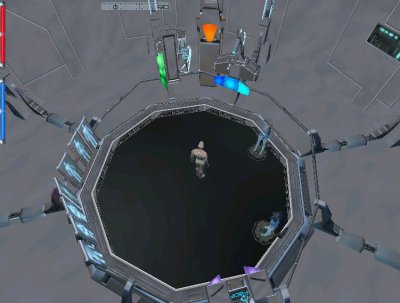 The breed room. Breed selection to the left, face selection at the bottom. Height, body fat, and continue button at the top. The next room allows you to select your starting profession. You chose a profession by activating the panel displaying the profession's name. Change profession simply by chosing another one. The last profession selected will be your starting one. For this walkthrough chose an adventurer. It's one of the easier professions to begin play with. Activate the orange button pointing down to move on, or the one pointing up to go back to the breed room. You might also want to name your character now. Write "/name" followed by whatever you'd like to call your character in the chat input. E.g. "/name John". 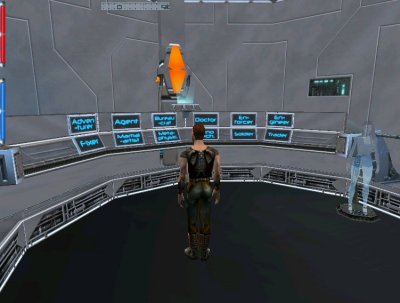 The profession room. The final room of character creation is the room where you chose your allegiance. To chose side (or no side) in the conflict simply walk into the correct doorway. There's also a 'tutorial' doorway, but this is not active as of late phase 2. For this walkthrough we play an OmniTek character, so walk into the left doorway. 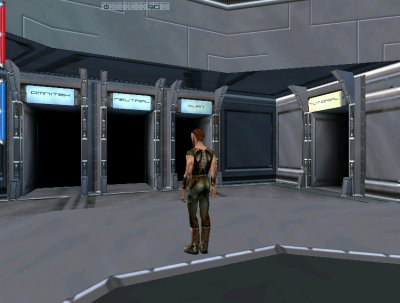 The allegiance room. You will now be transported to the OmniTek starting point in Omni-1 Entertainment District. Move on to readying your character. |