Viewing the Chronicle Library
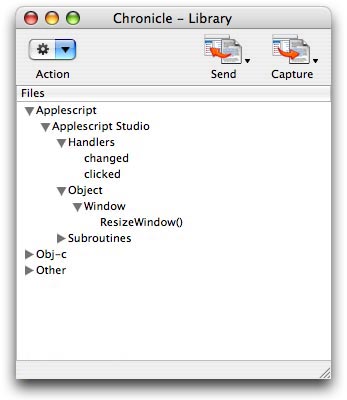
The Chronicle Library window is the primary interface for the plugin. The default view for the window is the Files list (See Fig. 1 below). To show the Chronicle Library window while using Xcode, choose "Show LIbrary" from the Chronicle menu.
Tip: The "Show LIbrary" menu item can also be activated by using it's key equivalent (Command+1).