Chronicle Plugin for Xcode
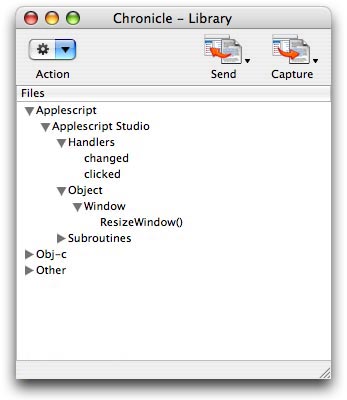
Chronicle is a code archiving tool, implemented as a plugin for the Xcode IDE distributed with Mac OSX. It allows you to easily organize and access frequently used text... such as subroutines, methods, or comments... in one simple interface. Chronicle's integration with Xcode makes adding the contents of your files to the active Xcode document quick and easy. And, Chronicle's ability to capture text from the frontmost Xcode text document makes adding text to your Chronicle Library painless and fast.
The Chronicle plugin was developed to take the redundancy out of developing applications in Applescript Studio (Xcode). It is frustrating to have to repeatedly rewrite code that I have written many times before. Now, with Chronicle, you can simply write a bit of code, and then save it into a Chronicle file. When the need to reuse that same code arises in the future, it is easily accessible in one predictable place... within Xcode itself, via the Chronicle Plugin. No more searching for an important piece of code in directories cluttered with half-finished scripts and forgotten projects. Simply navigate through Chronicle to the location you've saved your code in, and insert it quickly into your current Xcode text document.
Although Chronicle was developed with the Applescript Studio developer in mind, it works equally as well for developers using any language or platform. The plugin's strength comes from it's simple approach to managing text. Chronicle merely provides you with a clear mechanism for storing your code archive in plain text format. It does not try to evaluate the code type, does not stylize or format text, and is never concerned with it's completeness or ability to compile. For this reason, ANY type of data that can be meaningfully expressed as plain text can be used with Chronicle. Applescripts, C files, shell scripts, perl, comments, raw image data... whatever... can be saved to file using Chronicle. Then, when you are ready to use code contained in a Chronicle file, simply insert it into an active Xcode text document, where Xcode will evaluate it as any other plain text.
Screenshots