|
Ultimate Tutorials |
|
|
|
Before we start you will need DVD Decrypter, Nero and DVD2One. These can be obtained in the download section.
First, open up dvd decrypter, then select file mode by pressing "f" on the keyboard.
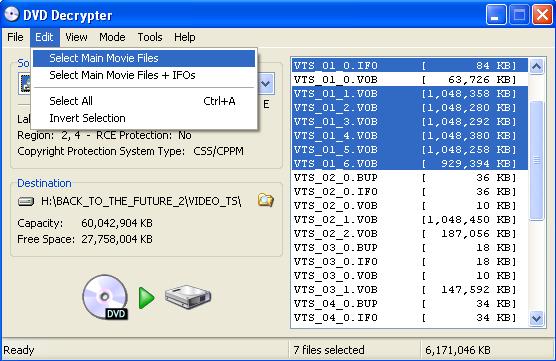
You can now either select all to get the movies, menus and extras, or you can select just the main movie files. In this tutorial i will only select the main movie files.
Now click the decrypt button to begin.
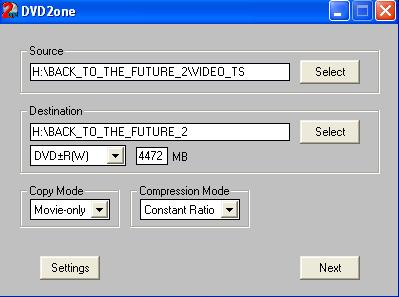
After you have Decrypted the movie to somewhere on your Hard Drive, open up dvd2one. Click next on the first screen that appears and then you should have the following screen.
Make Sure you set the source to where you decrypted the movie and set the destination as where you want the movie to go. Also make sure you change copy mode to movie only if you only selected the main movie files in DVD Decrypter. If you selected all files in DVD Decrypter be sure to set it to full disk mode.
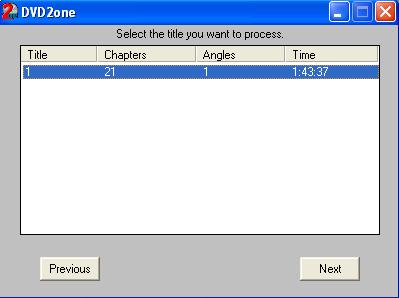
On the next screen select what you want to compress.
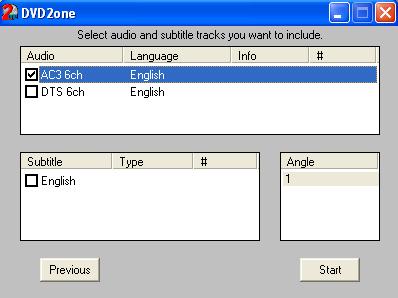
On the next screen just click next. On the following screen choose the audio you wish to use, Make sure you choose the right language and also if the movie is partially in another language be sure to turn on subtitles (movies such as the last samurai and kill bill).
After Selecting your audio click start. The proccess time will vary depending on the size of the movie and the power of your machine.
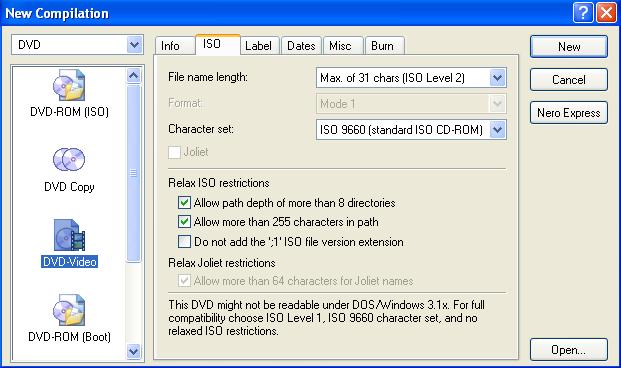
After DVD2One has finished open up nero. You should have the following screen.
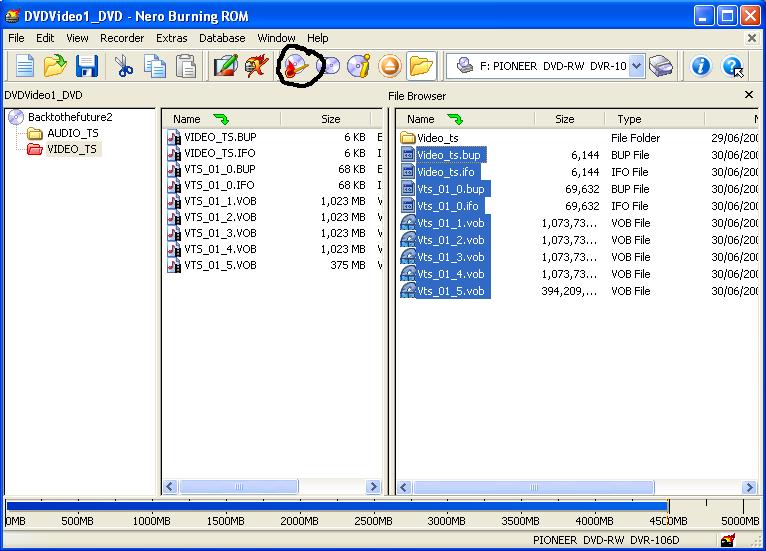
Select DVD Video on the left and then click new, then select the location of the movie and drag all the files to the video_ts folder as shown below.
Then Click the burn button at the top of the screen.
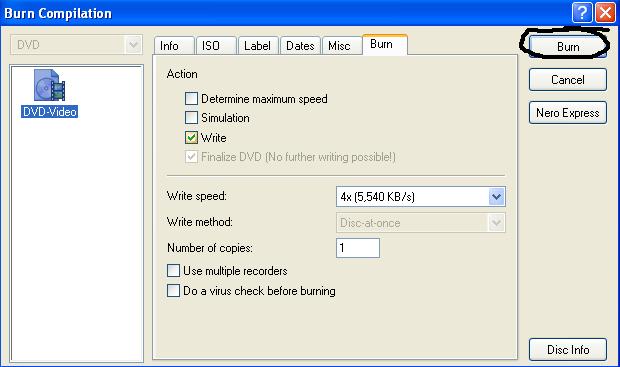
Then Select your burn speed and click burn. Congratulations you have now burnt a DVD! |
|
|
|
|
Copyright 2004 Ultimate Tutorials. All Rights Reserved. |