| |
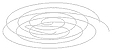 |
1. coreldraw > buatlah background |
|
| lihat property bar > ukuran letter > tampilan landscape > unit millimeters > |
|
| |
|
| x |
| |
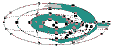 |
2. coreldraw > background |
|
| klik objek spiral > lihat toolbox > klik interactive mesh fill tool > pilih area warna > |
|
| klik pilihan warna di color palette |
|
| x |
| |
 |
3. coreldraw > background |
|
| lakukan lagi pilihan warna di area lainnya > perhatikan komposisi warna |
|
| ukuran jadi 163.783 mm (width) |
|
| x |
| |
 |
4. coreldraw > background |
|
| setelah jadi > perbesar objek menjadi 240 mm (width) scale size > lihat menu bar |
|
| klik bitmaps > convert to bitmap > RGB 24 bit / 200 dpi > siap untuk copy ke photoshop |
|
| x |
| |
 |
5. photoshop > objek 1 |
|
| image > mode > RGB > save dalam .jpg |
|
| image ukuran 40 mm (width) sebagai menu > lihat komposisi bentuk |
|
| x |
| |
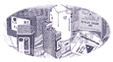 |
6. photoshop > objek 2 |
|
| image > mode > RGB > save dalam .jpg |
|
| image ukuran 32 mm (width) sebagai menu > lihat komposisi bentuk |
|
| x |
| |
 |
7. photoshop > objek 3 |
|
| image > mode > RGB > save dalam .jpg |
|
| image ukuran 21.59 mm (width) sebagai menu > lihat komposisi bentuk |
|
| x |
| |
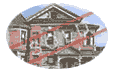 |
8. photoshop > objek 4 |
|
| image > mode > RGB > save dalam .jpg |
|
| image ukuran 25.65 mm (width) sebagai menu > lihat komposisi bentuk |
|
| x |
| |
 |
9. coreldraw > objek 5a |
|
| logo 16.559 mm (width) > convert to bitmap > RGB 24 bit / 200 dpi > copy (Ctrl C) ke photoshop |
|
| x |
| |
 |
10. photoshop > objek 5b |
|
| new (Ctrl N) > paste (Ctrl V ) > tracing ulang > 48 mm (width) > layer > layer style > emboss |
|
| x |
| |
  |
11. photoshop > objek 6 , digunakan untuk mail dan pdf file |
|
| x |
| |
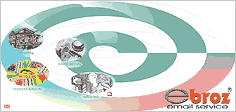 |
12. photoshop > background / objek |
| untuk background opacity 83% fill 84% > layer terbawah screen putih |
| komposisikan objek pada bidang background > sesuaikan opacity dan fillnya |
| ukuran akhir : width 169.93 mm, height 80.52 resolusi 100 atau |
| ukuran akhir : width 669 pixel, height 317 pixel resolusi 100 |
| |
| x |
| |
 |
13. photoshop > background / objek / teks |
| beri teks judul , subjudul, keterangan > beri teks disamping objek 6 |
| komposisikan teks dengan objeknya > jadikan satu layer > merge links |
| save for web > simpan dalam format .gif atau .jpeg |
| gunakan size kecil tanpa mengurangi intensitas warna > siap di ekspor ke |
| dalam dreamweaver |
| periksa lagi intensitas warnanya atau ulangi lagi proses save for web. |
| x |
|
|
|
|
