|
|
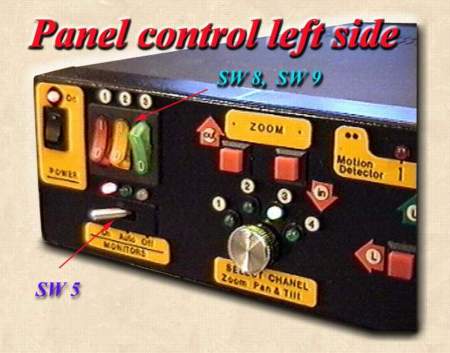
This is an detailed view of Power unit's left side control panel.
There are :
General On / Off, POWER SWITCH
SW 5 - From this switch is possible to select Working mode for monitors :
ON - Always monitors are on. You can put each monitor Off, separately by local switch, or by General POWER SWITCH of Power Unit.
Auto - All monitors are in ON position up to 15 - 20 minutes after last moving is detected by Motion detector in place where is settled Power Unit. In this way if no one is there to watch on monitors, after 15 minutes, monitors will be turned Off automatically... If monitors are turned Off and any motion is detected by Motion detector, then monitors will turn back in ON position automatically.
OFF - If you want to keep Surveillance System in service, but you don't want to watch on monitors, use this position to turn it OFF.
|
Return
to : |
|
 Surveillance
System Surveillance
System |
|
|
Camera
modification
|
 Power Unit,
LEFT Side
Power Unit,
LEFT Side