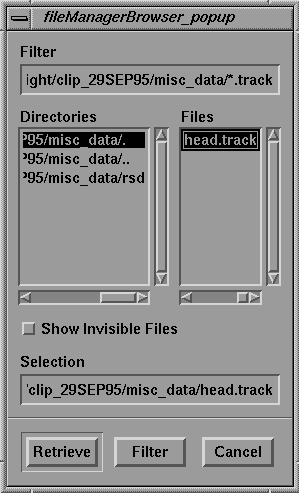
Open Track. The fileManagerBrowser is displayed as follows:
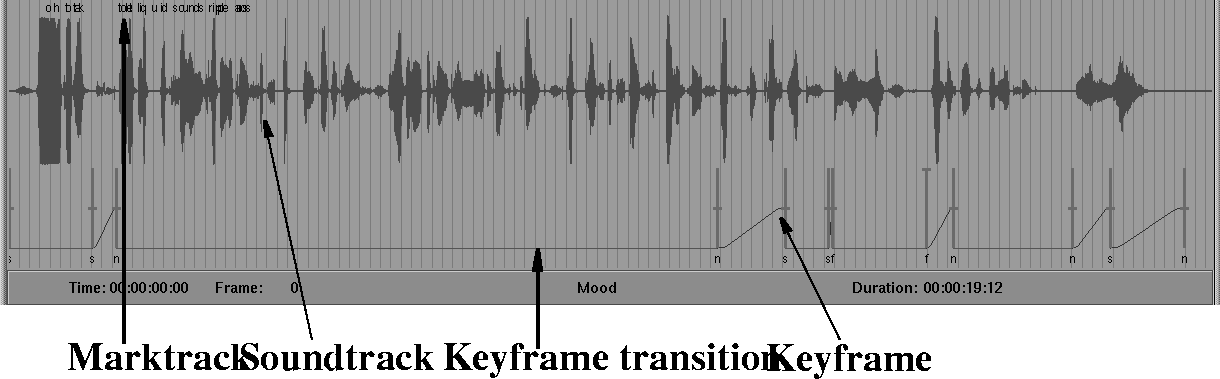
When the soundtrack is loaded, the green line drawing of the soundtrack, the red vertical bars of the keyframes, and the marktrack are displayed in the soundtrack display area.
The soundtrack's green graph shows the magnitude of the sound samples: the greater the length of the vertical lines, the louder the sound.
No sound editing capabilities are provided with SoundSync, but any files created with sound editing programs on the SGI can be loaded into the program.
In the upper part of the soundtrack display area you can see the characters that make up the marktrack, which is simply a convenience track for animators.
In the soundtrack you have loaded, the marktrack is used to show the text the character speaks.
At the bottom of the soundtrack display area is the keyframe list. Each keyframe is displayed as a vertical red bar. The transitions between keyframes are drawn as lines that approximate the type of keyframe smoothing that has been selected.
| Keyframe smoothing will be discussed in more detail below. |