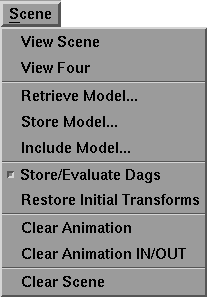
The Scene menu appears as follows:
The menu options are selected by dragging down until the option you want is highlighted. The option functions are as follows:
Selecting View Scene switches the View/Edit area of MotionSampler to display the large, 3D scene view.
This option performs the same function as clicking the following button under the shuttle bank:
Selecting View Four switches the View/Edit area of MotionSampler to display all four of MotionSampler's 3D scene views.
This option performs the same function as clicking the following button under the shuttle bank:
Selecting Retrieve Model... is the same as selecting File  Retrieve Model....
Selecting Store Model... is the same as selecting File Store Model....
Selecting Include Model... is the same as selecting File Include Model....
If there are dag nodes in the scene when you select Store/Evaluate Dags, MotionSampler stores static information about the motion capture data on the dag nodes and attempts to retrieve information about "evaluated" dag nodes, such as those being used with constraints or expressions.
"Evaluated" dag nodes are automatically determined when the wire file is loaded and consist of only the dag nodes that are connected via joints in a constraint hierarchy or those dag nodes that contain expressions.
| Because this option uses OpenModel to compute these values, it can significantly slow down the redraw processing of MotionSampler. We do not recommend that you use this option unless you are using constraint or expression dag nodes as a direct part of your MotionSampler session. |
Selecting Restore Initial Transforms sets objects back to their original, unsampled position. This is a useful command if you are setting characters in complicated positions, but want to return to a simple pose to begin again.
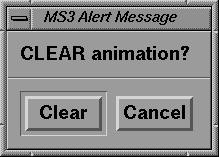
Selecting Clear Animation opens the following message box:
If you click the Clear button, MotionSampler deletes any animation that has been sampled in the current session. This command does not delete all animation; animation loaded from a wire file remains.
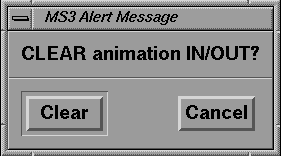
Selecting Clear Animation IN/OUT opens the following message box:
If you click the Clear button, MotionSampler deletes any animation between the In and Out edit points that has been sampled in the current session.
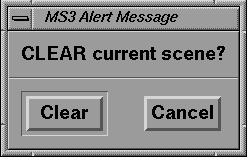
Selecting Clear Scene opens the following message box:
If you click the Clear button, MotionSampler deletes all models, cameras, lights, animation, and other objects loaded from wire files. Elements cannot be selectively deleted from the scene.