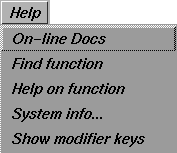
The Help menu provides access to online documentation and system information.
Online Docs
Accesses online documentation.
To view the online documentation:
-
1
-
Select Help > On-line Docs.
-
2
-
Netscape Navigator is launched and you can access the Alias online library from its bookshelf file.
Find function
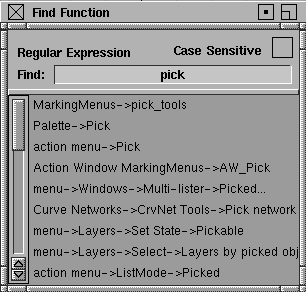
Helps you find a particular function and shows you how to access it.
Type the function name in the Find field and press the Enter key.
The function displays a list of found instances. The input field for the search string supports full regular expression matching.
Help on function
Opens a Netscape window that displays information about a particular function.
To use this tool, click Help on function. The next function selected opens the Netscape window to the tool or menu description. If Netscape is already open, the Netscape browser is updated to show the correct function description.
|
Tip:
|
This is a useful tool to access on-line help for tools that don't
have option boxes.
|
System info
This window provides helpful information about your machine set-up and the Alias system you are running. Sometimes it is required to obtain an encrypted string. If you are having problems with your system, it's useful to have this information handy before calling Alias Assist for assistance.
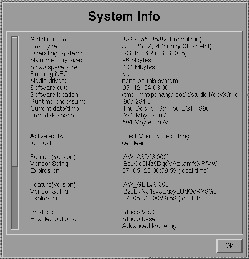
Drag the scroll bar at the left of the window to see more system information.
|
Tip:
|
The same information is also available from the shell command
line by typing:
|
|
|
/usr/aw/alias/bin/getid -i -v
|
Show modifier keys
Displays help that shows you the various functions you can access by using the mouse and keyboard
|