|
DisplayTgls > Smooth |
Smoothing Aliased Lines | ||
|
| |||
Use smoothing to turn anti-aliased lines on and off. Anti-aliasing is a method used to reduce or eliminate aliasing and to help produce smoother, higher quality lines. Angled or curved lines tend to appear jagged. This effect, known as aliasing, or more commonly the jaggies or staircasing, is caused by limited screen resolution. >
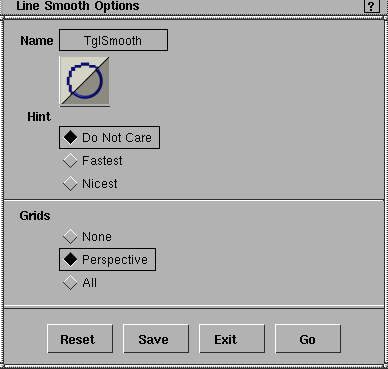
The model is automatically updated in each window while the grid smoothness can be toggled on and off in all windows, or just the Perspective window. Line Smooth Options
Select DisplayTgls > Smooth-
HintDo Not Care
Fastest
Nicest
GridsNone
Perspective
All
|
| Copyright © 1998, Alias|Wavefront, a division of Silicon Graphics Limited. All rights reserved. | Please send questions or comments regarding the documentation to: [email protected] |
 to open the Line Smooth Options box.