|
Toggles the wireframe display of models on or off.
>
|
Note:
|
If models are toggled off, curves and surfaces still display
their hulls and CVs.
|
How to Use
Select DisplayTgls > Model. To toggle only certain windows or selected objects, select DisplayTgls > Model- . .
Model Options
Select DisplayTgls > Model- to display the Toggle Model Options window. to display the Toggle Model Options window.
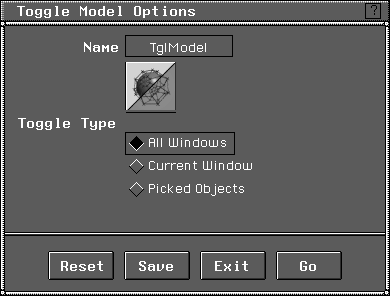
All Windows
-
- Affects the model display in all existing windows. This is the default.
Current Window
-
- Affects only the model display in the current active window. To toggle other windows, position the cursor anywhere inside the desired window, click a mouse button, then select DisplayTgls > Model.
Picked Objects
-
- Affects only the active objects. Models can be toggled off on a selective basis using Pick > Object to select the objects to be toggled off.
>
|
Note:
|
Since the display of models can be toggled for objects and/
or windows, both must have display enabled for models to
be visible. For example, if the display of an object is toggled
invisible (Object Display > Invisible), then toggling the
Current or All window options does not make the model
visible.
|
|


