|
DisplayTgls > Pivots |
Setting Pivots |
|
| |
PurposeToggles the display of pivot points on or off. OverviewPivot points (which appear as small green asterisks and bull's eyes) are used in the Xform functions to control an object's center of rotation and scaling. How to Use
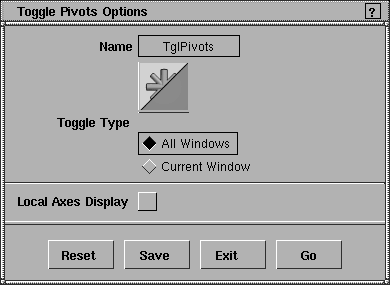
Toggle Pivots Options
Select DisplayTgls > Pivots-
All Windows
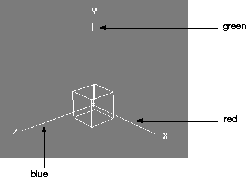
Local Axes DisplayClick to toggle the display of Local Axes ON (indicated by a check mark), or OFF. Local Axes are a set of X, Y, and Z axes that are displayed at the pivot point. The local axes represent the directions about which local rotations take place, and in which local scaling happens. The X axis is displayed in red, the Y axis in green, and the Z axis in blue. The following diagram shows how these look in the perspective window.
Notes
|
| Copyright © 1998, Alias|Wavefront, a division of Silicon Graphics Limited. All rights reserved. | Please send questions or comments regarding the documentation to: [email protected] |
 to display the Toggle Pivots Options window.