Setting
Adobe GoLive to Type and Display
International Characters on a PC (Windows Platform)
Step 1
Launch Adobe GoLive HTML generator application.
Step 2
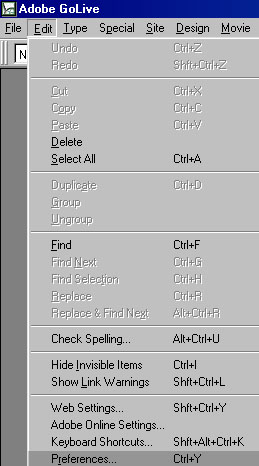
To choose font encoding for a Web document, go to Edit - Preferences.
Step
3
In Preferences window
select Fonts in the left window and Cyrillic in the right
window.
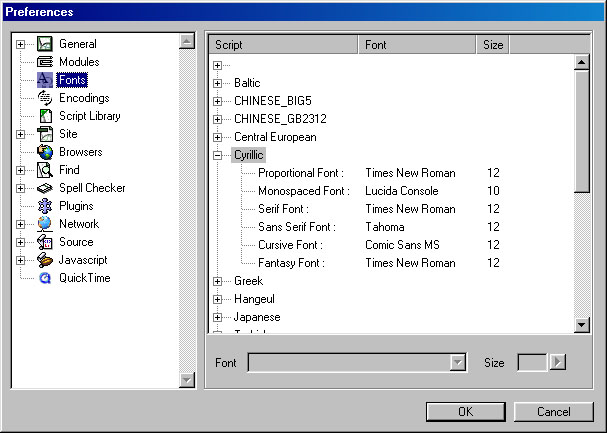
Step
4
With the same Preferences
window open, select Encodings to see what font encodings are
currently active.
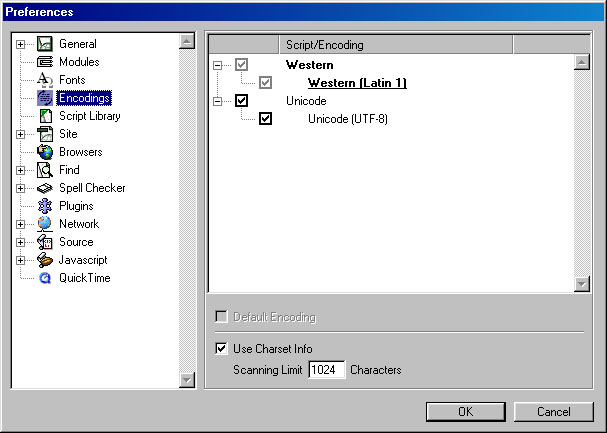
If you see only Western and Unicode encoding provided in the list (like in this example), you need to activate other encodings.
Step
5
When other encodings are activated, find Cyrillic (Windows 1251) encoding
under the list of Cyrillic encodings.
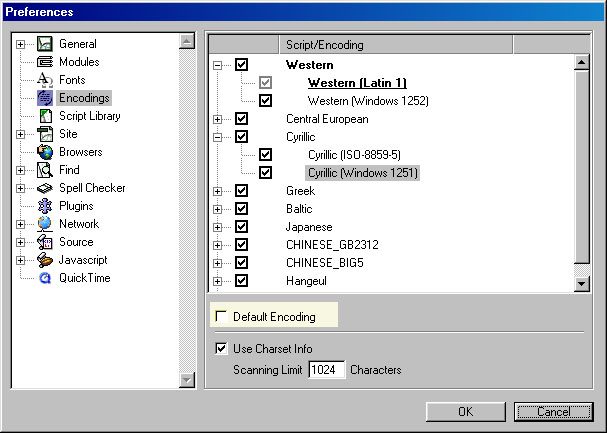
Select Cyrillic (Windows 1251) encoding and click Default Encoding checkbox (see yellow highlighted field).
Step
6
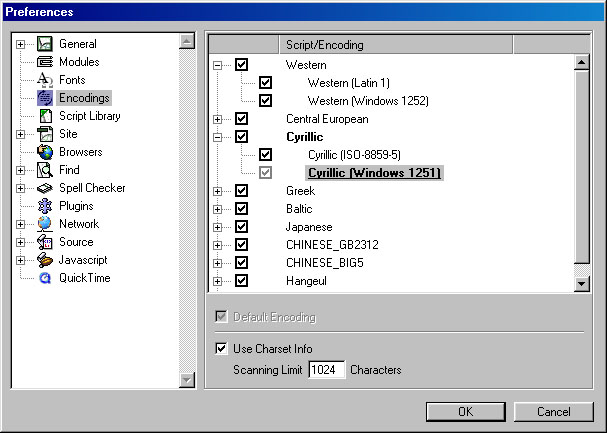
Now, Cyrillic script is selected
as a default script for all Web documents that you will create using Adobe
GoLive application.
Step 7
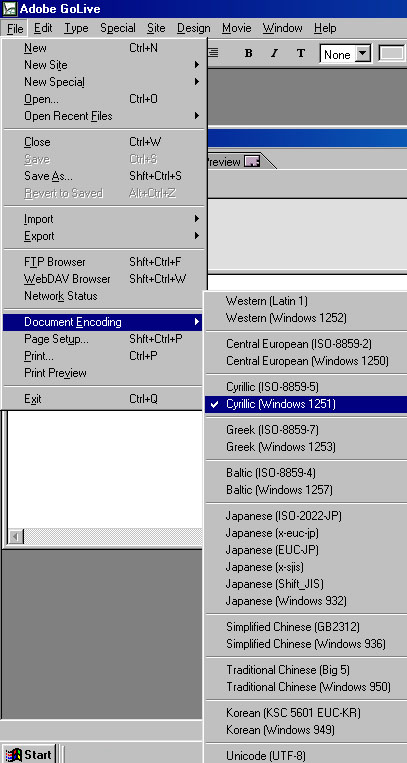
The last Adobe GoLive's setting that you need to adjust before you start typing, is to select Character Set encoding for your document.
You will select Cyrillic encoding if you want your Web site's visitors to see Cyrillic characters in your documents.
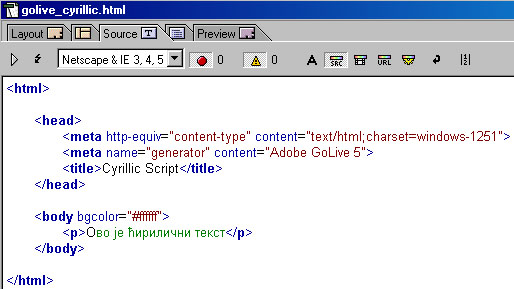
Cyrillic (Windows-1251) selected as a Character Set encoding will insert a "charset=windows-1251" code as the meta code in the head of your HTML file:
<meta http-equiv="Content-Type" content="text/html; charset=windows-1251">
which defines that your document is supposed to be encoded with Cyrillic characters on visitors' browsers.
Step 8
Having Cyrillic font encoding selected for your current document will add a new charset meta tag into HTML code of your document. You can check it by viewing the source (HTML) view of your document (click Source tab at the top of your GoLive document window).
Step 9
To start typing Cyrillic characters in your GoLive document activate Cyrillic (Serbian) keyboard language settings by clicking the keyboard indicator icon in the lower right corner of your computer monitor.
If Serbian language is not provided in the list of languages within an indicator, install it by following the procedures for keyboard language setup.