|
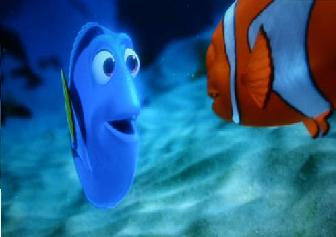
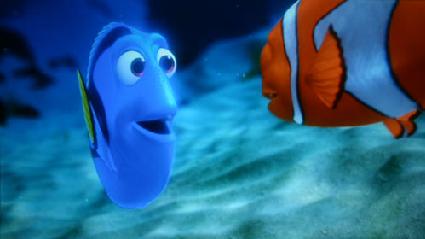
And now we come back to DVD. The reason for this is so we can analyze how the picture is encoded on the DVD. As stated before, DVD resolution is 720 by 480 pixels, and this is very few pixels. The resolution of modern displays is generally 1920 by 1080 pixels, which is 6 times the resolution of standard DVD. Each of these TVs has an inbuilt scaler that converts all incoming signals to 1920 to 1080 pixels. In other words, the TV upsamples an incoming DVD to 1920 by 1080. However, most of the time, a TV has a very poor scaler, so this upscaleing of DVDs looks very poor. A good upconverting DVD player can solve this problem by outputting a higher quality signal. Either way, there is going to be upscaling, but in general, a DVD player will do it better. Now we come to the fun part. Anamorphic DVD! Remember, the pixels are not square. Nonanamorphic DVD is like this: (Finding Nemo, 1.85:1 aspect ratio) And, there are black bars in the picture! This causes a loss of resolution, because some of the 720 by 480 is used on black bars. Someone had the bright idea of anamorphically stretching the DVD, and then letting the DVD player expand it back before sending it to the TV. An anamorphically enhanced DVD is encoded on the disk like this: As you can see, it is stretched, but it keeps the whole resolution of the DVD. The DVD player will output this at the correct aspect ratio: Inexplicably, 2.35:1 aspect ratio movies are not anamorphically enhanced to the extent that 1.85:1 DVDs are. There are still black bars present in the picture, though not as much as are on nonanamorphic DVDs. Pretty much, black bars are good on TVs, but they are bad when encoded that way on the disk. |
|
About DVD resolutions |

|
DAV Home | Movie Aspect Ratios | DVD specs | HD-DVD/Blu-Ray specs | About DVD resolutions | About HD-DVD/Blu-Ray resolutions | 2.35:1 aspect ratio | Directory of Related Links |