http://apd2.tripod.com/catweasl.htm
The Television Series "Catweazle" is here
The grower's shop is here

Catweasel Advanced Floppy Controller
CATWEASEL can read and
write Amiga, Commodore, MacIntosh, Atari and Sinclair floppies!
also available
Buddha & Idefix IDE controllers for AMIGA
with ATAPI Drivers
MPG
and AHI SOUND CARD
November 2002:
PC-ISA BOARDS are still available
and ready to ship.
The Catweasel uses standard 3.5inch and 5.25 inch floppy drives
and reads the following formats:
These File-systems are supported:
-
CBM 1541 (DOS 2A)
-
CBM 1571 (DOS 2A), single-sided & double-sided
-
Amiga OFS DD/HD
-
Amiga OFS localised DD/HD
-
Amiga FFS DD/HD
-
Amiga FFS localised DD/HD
-
IBM PC FAT12
-
IBM PC FAT16
-
IBM PC VFAT12
-
IBM PC VFAT16
via disk-image file (and therefore also sector by sector)
-
CBM 1541, 5.25" single-sided 170 KB (Commodore C64 etc)
-
CBM 1571, 5.25" single-sided 170 KB
-
CBM 1571, 5.25" double-sided 341 KB
-
CBM 1581, 3.5" double-sided 800 KB
-
Amiga, 3.5", double-sided 880 KB
-
Amiga, 3.5", double-sided 1760 KB
-
Amiga, 5.25", double-sided 880 KB
-
Amiga, 5.25", double-sided 1760 KB
-
IBM PC, 3.5", double-sided 720 KB
-
IBM PC, 3.5", double-sided 1440 KB
-
IBM PC, 5.25", double-sided 360 KB
-
IBM PC, 5.25", double-sided 720 KB
-
IBM PC, 5.25", double-sided 800 KB
-
IBM PC, 5.25", double-sided 1200 KB
-
Atari ST, 3.5", double-sided 720 KB
-
Atari ST, 3.5", double-sided 800 KB
-
Atari ST, 3.5", double-sided 1440 KB
-
all Atari 800XL MFM formats, but not the FM formats. Single-sided "normal
density" and "enhanced density" disks can be read. In other words, 130K
and 180K disks can be read. To read those formats, a standard 1.2M drive
or a 360K drive is necessary. No need to search for an old atari drive!
-
Catweasel-Extra, 3.5", double-sided 1160 KB
-
Catweasel-Extra, 3.5", double-sided 2380 KB
-
Apple Macintosh, 3.5", single-sided 400 KB
-
Apple Macintosh, 3.5", double-sided 720 KB
-
Apple Macintosh, 3.5", double-sided 800 KB
-
Apple Macintosh, 3.5", double-sided 1440 KB
-
Apple IIe, 5.25", single-sided 140 KB (from DOS 3.3)
-
TRS-80 -- any format (& possibly other CP/M! untested)
ALL OTHER FORMATS: Catweasle just needs a software update. We
need documentation and sample floppies! You need patience :-(
(sector access only) Sinclair QL
(soon:) Atari 800XL (amiga catweasel can, read-only in the moment)
(not yet) Armstrad 3" (please send us a drive and some floppies)
(not yet) 8 inch Floppy (new Jun2000: TRS80) (If
you have, send us a drive, best if it doesn't need 24V supply, and floppies)
(not yet) Any other Shugart floppy (please send us a drive and floppies)
Currently the Amiga version can write most formats (except Atari800XL,
Apple IIe)
LINUX versions can read and write Amiga disks.
The DOS/Win95 driver for the PC-ISA Catweasel can only read (all of
the above formats), but will be able to write in the future ... only a
software update is needed!!
Of course there are some sub-formats of the above, and certainly
other strange formats abound.
IF YOU ARE NOT SURE whether Catweasel can read your particular floppy
format, and you have a spare disk (with data on it), you should snail-mail
the floppy to us, so we can find out!
The software for the PC-ISA Version can handle 4 controllers (8 Floppy
Drives!)
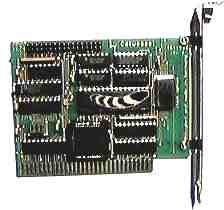
(~85US$)
|
PC-ISA- Catweasel Windows, DOS
and Linux advanced Floppy Controller. Uses no DMA, no IRQ, no
drivers in config.sys!. Connects two floppies (3 1/2 & 5 1/4 or
mixed), you cannot boot from these floppies! DOS/Win95 and LINUX software
Win95 Software runs in a win95-DOS-box!
|
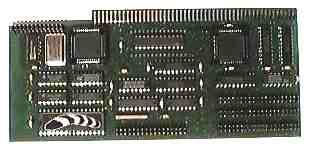
photo shows old version
(~130USD)
|
Buddha & Catweasel combined controller, (similar to picture)
Zorro board for Amiga ZORRO (A1500, 2000, 300, 4000) supplies
3x (6x) IDE, 2xFloppy
Now with Flash memory and 3 LED connections |
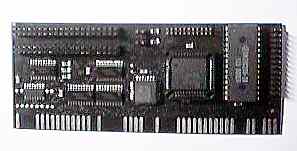
(~85 US$)
|
Buddha Flash, Zorro board for the Amiga 1500, 2000, 3000
and 4000
with Clock Port, like A1200 (for connection of cheap A1200 hardware
to the A2000) Flash-rom 32kB (for later updates) -- 2 LED connections
-- New design (black PCB) |
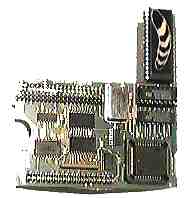
(~85USD)
|
Catweasel advanced Floppy Controller for the Amiga 1200 and 4000(similar
to picture) connects to A1200 clock port or A4000 IDE port (A4000:
supplies IDE-through-connector, A1200: IDE-through connector inactive).
Supplies local expansion port ("Individual Computers" expansion port) for
use with optional I/O module (only for A1200!, 2serial, 2parallel) |
|
(no picture yet)
|
IDEfix IDE Controller (4-drive adapter) for A1200:
plugs into A1200 IDE port ... supplies 2xIDE (for 4 IDE devices)
with
software
upgradable to Express-version!
|
|
(no picture yet)
|
IDEfix IDE Controller (4-drive adapter) for A
4000:
plugs into A4000 IDE port ... supplies 2xIDE (for 4 IDE devices)
with
software |
|
(no picture yet)
|
IDEfix IDE Controller EXPRESS UPGRADE for A1200 |
|
(no picture yet)
|
IDEfix EXPRESS IDE Controller (4-drive adapter):
(fast version 5-6mB/sec)
needs A1200 supplies 2xIDE (for 4 IDE devices). |
QUICK ORDERING INSTRUCTIONS:
-
Exchange rates vary. Please email. CreditCard payments are in New
Zealand Dollars.
-
Packaging and Postage will be $10-20 extra. Delivery is via (registered-)
air-mail.
-
If ready to order, CLICK
HERE for secure transmission of your VISA/MC details or check other
payment methods.
-
Don't forget to email norbert and tell
him 1) your delivery address 2) what exactly you want 3) what you have
done about payment. (Let's not have misunderstandings, please!)
For more info, please browse through these links:
THE CATWEASEL
FAQ
Catweasel is ideal for emulators! check
out the emulator-FAQ!
The
NEW ENGLISH QUICK AND DIRTY MANUAL ... Almost
Complete Manual is here!
The italian manual
(thanks
to Stefano Grigoletto)
The german installation
manual (for the Amiga version)
and finally .. The
english installation manual (Amiga)
mdisk.zip
(Amiga, 22k) download
The german read-me file ... the "manual"
how to use the software.
The LINUX drivers for the PC-ISA Catweasle are here....
TRS and other Formats can be read with Tim
Mann's Tools
The latest DOS/Win drivers are always available for
download, but only for Catweasel Users! email norb!
TRS-80
FAQ ... AmigaEmulators
... Linux Format reviews
... 30
links to us (interesting people!) ...
PLEASE BE SURE to search through the whole web-page here, to find
your information.
MPG & AHI SOUND CARD for the
AMIGA
MPG 1 Layer 1 and 2 and 3 (!) playback !!!
This is an Announcement! This card is not yet available.
Please email and register your interest
5 July 2001
My efforts in bringing out a 56K DSP soundcard have not been successful
so far, so I made a cooperation with Petsoff from Finland. Now I will produce
a Zorro board with similar specs to the Delfina PRO soundcard. It has a
56K operating system and it will be shipped with an MP3 player for the
Amiga, so the 56K does all the decoding (no accelerator needed!).
I am working closely together with Petsoff to finish the board in time
for the show in Germany (September 20th to 22nd). With a little luck, I'll
have some samples ready in August.
11may2001 SOUND CARD ANNOUNCEMENT
It will not be an add-on for the Catweasel, it's a separate Zorro-card.
Production is scheduled to start this summer, it will be announced in a
few days on my website. The board can:
- playback AHI (standard 16-bit and 24-bit HiFi)
- emulate the Toccata board
- playback MP3 without CPU load
- sample HiFi
- transfer up to 5.6MB/second through a standard Z2
(revolutionary transfer technology without need to modify the
computer!)
OLD INFO:
The MPG & AHI SOUND CARD for the AMIGA can be connected
to either
a) external 23 pin floppy connector or b) a 26
pin "Individual Computers" expansion port.
(available on every controller made by Individual
Computers, such as CATWEASEL and BUDDHA floppy/IDE controllers)
a) allows data transfer rate of 1.7megabyte/sec
b) allows data transfer rate of 48kilobyte/sec
since MPEG needs only 16kilobyte (128 kilobit) per second
you can play MPEG audio files through the floppy port!
AHI drivers are also supplied and allow the use of our
card together with games. This is just like the MELODY, PRELUDE and DELFINA-Lite
sound-cards. Our card is better value for money at a lower price. Our card
is the only card in its class which features a 20-bit codecs for recording
and playback. With a 110dB signal to noise ratio and 99dB dynamic
range, this is superior to most home-CD-players. The codec is a sigma-delta
type, usually only found in 1000+ dollar HiFi and studio equipment.
The DSP is a Motorola 56k 24bit type. It can decode MPG
audio streams in real-time without CPU load. Even an unaccelerated AMIGA
500 can playback MPEG layer 3 audio streams.
Its housed in a metal case, as big as a 3 1/2 inch floppy
drive and has a LCD display for arbitrary short information, such has artist
and title of the currently playing song.
Ready to use for:
-
MPEG I, layer 1, 2 and 3 decoder
-
AHI interface for game sound-effects etc
other future or DIY custom uses:
-
real-time sound effects like reverb, echo, phaser, delay
etc.
-
u-LAW and a-LAW decoding
-
analogue synthesizer emulation (like the TB 303)
-
DSP assembler may be shipped sometime.... for DIY applications
with sample sources on how to use the on/board codec, how to utilise the
DSP pipelines and especially how to download new programmes into the DSP.
> I would like to know more about the mpg card
and the
> price in canadian dollars if possible!
>could it also be used as a sound prossesor for other
> programs or sound types or only mp3 ?
Since the DSP is freely programmable, you can think of
thousands of sound formats like MP1, MP2, MP3, Real Audio, toolvox
and more. The software shipped with it is only MP1-2-3 and a DSP assembler,
so if you want to implement Real Audio, go ahead! The card is not shipping
yet, had lots of other things to do. |
Here some older texts ... to jump to latest
news click here
WHAT THE HECK IS CATWEASEL?
(info for PC users)
information for Amiga a bit further down...
Catweasel is a new floppycontroller that works with standard PC-diskdrives.
The controller handles MS-Dos and Amiga-disks, no matter if they're DD
or HD formatted. A strength of the Catweasel controller is reading and
writing extraneous formats: Macintosh, Atari 10/11 sector disks and commodore
1581 disks can be used in a standard 3,5" low-cost drive (*).
The controller is a standard 8-bit ISA card that fits into any PC you
like: It has been successfully tested in old XT computers as well as in
double-pentium pro boards. The BeBox and the Dec Alpha AXP 064 board with
EISA bridge also work fine.
Here's two people who are working on _very_ interesting catweasel software:
Christian Bauer - frodo (64 emulator on Linux/BeBox)
Stephan Kanthak - UAE (Amiga emulator on Linux/Dos, he's also using
the Alpha AXP)
WHAT THE HECK IS CATWEASEL? Amiga info
Catweasel is a new floppycontroller that works with standard PC-diskdrives.
The controller handles Amiga and MS-Dos disks, no matter if they're DD
or HD formatted. The HD formats are even handeled in higher speeds: PC-HD
disks are 2.15 times faster, and Amiga HD-disks are speeded up 1.3 times.
This can be achieved, because the Amiga-HD drives spin at 150 RPM as soon
as you put a HD-Disk into the drive. The PC-drive on the other hand spins
at 300 RPM, no matter what kind of disk you insert.
Additionally, a strength of the Catweasel controller is reading and
writing extraneous formats: Macintosh, Atari 10/11 sector disks and commodore
1581 disks can be used in a standard 3,5" low-cost drive (*).
If you're connecting a 5,25" drive, even more formats can be handled:
MS-Dos disks with 360K and 1200K open up to the Amiga-world, and the good
old '64 disk is honoured in a special way: A filesystem for the Amiga OS
is shipped with the catweasel, so you can copy the files from a 1541-disk
using the shell or Directory Opus. Copying files for Emulators is no longer
a problem, because a full disk is read within 12 seconds. A virtual file
"disk.info" shows an icon on the workbench, and another virtual file holds
the .d64 image of the disk, as as it's a standard in '64 emulators.
With a software update that's available in early '97, you can use floppystreamers
with the Catweasel controller. With this sequential device you'll be able
to backup your harddisks with AmiBack, Quarterback or Diavolo Backup. The
speed will be about 2MB/minute. Naturally, this softwareupdate is free!
The controller is connected to the IDE port of the Amiga 1200/Amiga
4000. You can still connect 2 harddisks or 1 harddisk and 1 CD-Rom. To
be compatible to the common 4-drive adaptors, a special adaptor is available
for the clock-connector port in the Amiga 1200, and it's fully compatible
to all known turboboards and harddisks. No problems with the clock on the
accelerator cards occur.
We're already working on a Zorro-II version of the card. It will include
some additional features, as there are: 3 (three!) IDE-Ports for cheap
CD-Roms and harddisks, a bootrom for booting from Catweasel drives or a
harddrive, and a local expansion port. This expansion port can carry an
optional I/O module with 2 serial and 1 parallel interface. A special sysop's
I/O module will carry 8 (eight!) serial ports. Each port has a 16-byte
fifo to keep the interrupt-load low.
(*): Due to the bad quality of the drives, we don't guarantee the function
with Mitsumi D359Tx drives.
BUDDHA IDE CONTROLLER for Zorro-II Amigas
Let me tell you about my new IDE controller for Zorro-II Amigas:
The controller is called "Buddha", but I don't want to tell the story
for this name by now. the technical data is more interesting: It's got
two IDE-ports, a bootrom, and Software by Elaborate Bytes
(Oliver Kastl). The whole Elabporate bytes' IDE package is shipped with
the controller: Atapi drivers, the CacheCDFilesystem, CD-Changer software,
Autopark commands for the newer harddisks, and a configuration utility
for the controller itself, because the controller has got some special
capabilities: The IDE timing can be programmed by software, so even the
eldest harddisks can be run on the controller. It is also compatible with
every known Atapi-CD Rom drive, and even the NEC CD-changer is supported.
For the Amigas with AA-Chipset, a CD-32 Emulator is shipped with the card!
Hey! Don't mess around with the name of the controller. Everybody knows
that there's a guru working in each Amiga. Time to employ a Buddha!
History of the catweasel:
I had the idea for this controller in summer '96, so I started to build
a prototype. 6 weeks later, the prototype worked in my 486/66 computer,
so I started the version for the Amiga 1200, Amiga 4000 and finally the
Zorro-II version. One Friday night when I was hand-routing the A1200 PCB
(no money for a Specctra at that time!), I just forgot time. When the sun
rose, and the birds began to sing, it was definately too late (or too early?)
to go to bed. I switched on the TV, and went on working. Some hours later,
children's program began on the German TV station "SAT 1". They were showing
the XXth repitition of "Catweazle" (the guy with the electric-trick!),
and I thought "cool name". COOL NAME! That's it, I finally had a name for
my project. I decided to change the spelling a little bit, so nobody's
copyrights are touched. I saved the file under "catwsl.brd" and went to
bed. I thought about a name for the product the following weeks, and we
have spent hours and hours to find a name. Suggestions were "Vario con",
or "Flexicon", sub-titles like "the last word spoken for floppy controllers",
but nothing sounded as cool as "Catweasel". The "sub-titles" are different
for the PC and the Amiga versions. For the Amiga, this controller is "only"
an enhancement, because the only difference is, that the bit-rate can be
software-configured. Therefore, the Amiga versions are sold as "advanced
floppy controller". The PC-version is useless to people only using their
diskdrives for installing some drivers, it's only interesting if you want
to exchange data with professional systems (Mac and Amiga), or if you're
into nostalgia and love your 8-Bit machines to death. I think the PC-version
should be labeled with a sticker, something like
Technical description Buddha IDE controller
-
* bootrom to boot from harddisks even under Kick 1.3! * two
IDE-ports for up to four IDE-devices * compatible with nearly every IDE
device: + harddrives + Atapi CD-ROMs (any speed!) + Atapi CD-Changers (e.g.
Nec, Sanyo) + Syquest changable media + Compaq LS120 (the 120MB-Floppy)
+ IDE ZIP drives +! prepared for IDE-CD writers!
-
software-configurable IDE-timing: Even old devices (mode
0 devices) are compatible with the Buddha
-
High speed: Even with slow harddrives like the Quantum Bigfoot
transfer rates of 2,2MB/sec are reached.
-
Raw data transfer only limited by Zorro-II bus: up to 3,58
MB/second.
-
local expansion slot can carry I/O module (2 serial, 1 parallel
port) or a sound-expansion. This is gonna be a real surprise!
-
Plugs to any Amiga with Zorro slots: A1500, A2000, A2500,
A3000(T), A4000(T), Eagle tower, Draco, A500(+)/A1000/A1200 with Zorro-Adaptors.
-
IDE-cable included!
-
Software by Elaborate Bytes: Cache CD-filesystem included!
Harddisk autopark included! CD-Changer drivers included! CD-32 emulator
included (AGA chipset only)! easy installation by installer-script! HDtoolbox
compatible! even mounts Apollo-formatted IDE harddisks! also mounts GVP-formatted
IDE harddisks! (try this with other IDE-controllers...)
-
also boots under Kick 1.3! (2.0 or higher recommended) ultra-low
price! small size: only 129x61mm! cool name, nice logo!
-
Buddha - beats the guru!
Technical description of the Catweasel controller
Uses standard PC-diskdrives for every format:
-
3,5" disk formats: (standard 1,44MB drive)
-
* PC DD and HD disks * Amiga DD and HD disks * Atari 10 and
11 sector disks * Mac HD-disks *! Mac DD disks planned for the next software
update - we're working on it! * Commodore 1581 disks * XTRA high density
with 2380 KBytes per disk on a standard 1,44M drive!
-
5,25" drive formats (standard 1,2MB drive): * PC 1200 KB
and 360 KB *! Commodore 1541 disks * Amiga 880 KByte disks
-
Enhanced Error correction algorithm introduced on 7-apr-97:
Checks for impossible bitcombinations on the disk to correct checksum errors.
Even 15-year old C-64 disks are readable again! software compatible with
programs like DMS, ReOrg, Shapeshifter V3.7, Frodo, CrossDos, CrossMac,
file-based programs, any program using the mfm.device for HD disks. Diavolo
Backup using 2,3MB disks with the next Diavolo Backup update!
-
Three Amiga versions: A1200: connects to the IDE-port, not
compatible with IDE-splitter! A4000: connects to the IDE-port, not compatible
with IDE-splitter! Zorro-II: plugs to a Zorro II or Zorro III slot.
-
Use the A1200 clock-port adaptor to connect the Catweasel
to A1200's equipped with 4-way adaptors.
-
+ all cables shipped with the card! + 1541-filesystem shipped
with the card! + EEC recovers bad disks! + formats 1,44MB disks to 2,3MB!
+ Quick access to 1541-disks: 12 seconds to read or write a complete disk!
+ Quick access to Amiga-HD-disks: speedup factor 1,3! (*) + Quick access
to PC-HD disks: speedup factor 2,15! (*)
-
** important **: correct function not guaranteed with mitsumi
diskdrives!
-
(*): compared to a 150 RPM Amiga-HD drive.
Technical description Catweasel Zorro II/III card
* All Buddha functions PLUS one IDE-port for up to six
IDE-devices! * All Catweasel functions PLUS bootrom * same local expansion
connector as Buddha * same software package as Buddha * same Catweasel
software package including EEC * fits next to a scandoubler in the A4000
* one IDE-cable included! * floppy cable included! *+ free power connector
adaptor for 3,5" diskdrives for all Z-II controllers sold after 1-aug-97
until Xmas!
FAQ: Is the Catweasel Z-II really a combination of the
Buddha and the Catweasel? A: Yes, it is! It has even got one more IDE-port,
and each of the three IDE-ports is individually buffered, so you don't
have to worry about the length of the cables.
Latest news
If you need the latest drivers for the ISA PC Catweasel... email
norbert
dec1997:
version 3.25 of amiga software: WRITING to CBM 1541 and 1571 works again..
sorry folks.
PC software version 1.10 now has FAQ. CatCopy can now handle virtual
floppies.
ESC now stops execution of commands. The Hardware version of catweasel
is now displayed correctly. The Catimage command now also shows the media-format
even if the filesystem wasn't recognised. This is nice for floppies whichs
file-system is not yet (not for long) supported, such as MAC 1581 and so
forth.
Amiga: I/O module for Catweasel Zorro II is not yet available.HyperCom3Z
will be slower.
topic : PC-drivers V1.06
date : 15.10.1997
time : 11:40:20
All commands:
If there's no disk in drive, correct error messages are displayed.
Catbase-driver:
The commands MoveHead and Calibrate as well as the functions HasdiskChanged
and IsDiskInDrive are executed correctly now.
topic : Apple IIe and Mac 800K disks!
date : 15.10.1997
time : 23:19:20
The Apple IIe docs have arrived today. They also contain some missing
parts of the Mac 800K docs - I have spent the last seven hours writing
an Apple IIe decoder in Pascal on my PC, and that decoder has read an Apple
IIe disk some minutes ago - without any checksum errors! The Apple II docs
seem to be errorfree then. Looking at the Mac 800K disks I can tell that
we're *very* close on decoding them!
topic : Multidisk V3.0
date : 17.10.1997
time : 14:21:41
Finally, here's the new version of the multidisk.device.
changes:
New format: Flags = 22 reads Apple IIe disks and other Apple- disks
from Apple DOS 3.3 and up. The only test-disk I have is about ten years
old, contains programs from school
and is only single-sided (16 sectors with 256 bytes each). If anybody
out there has got double-sided Apple-disks, send them to me, it'll be easy
to implement them double-sided.
Support of the Catweael MK2: The formats 0-3 (Amiga and pC DD; HD
formats) are speeded up again. A complete Amiga HD disk is read in less
than 50 seconds, so the MK2 Catweasel is 26% faster than the "old" Catweasel.
Using the device on the old catweasel won't change anything on the speed.
Writing to disks is also the same speed.
Some minor bugs removed that stopped the computer completely under
certain test-conditions. These test-conditions were simulated defects of
the hardware, so no customer or betatester could recover these bugs.
There are no news on the Mac 800K disks until now, we still don't
know how to calculate the sector checksums. But we already have the sector
headers...
topic : Multidisk V3.1
date : 17.10.1997
time : 22:58:35
Two updates on one day, that's what we like!
Changes:
060 CPU support. Well, not really support, only non-usage of the
unimplemented assembler commands, which always caused mouse-pointer hickups.
The device's date is today's :-)
topic : Multidisk V3.2
date : 24.10.1997
time : 00:14:51
Hello again!
This device is only meant for beta-purposes. It supports two new
formats:
Flags = 23 reads Atari 800 XL disks with 130Kbyte (26 sectors with
128 Bytes each). Flags = 24 reads Atari 800 XL disks with 180 Kbyte (18
sectors with 256 bytes each).
There's a small bug that keeps the device from reading the last
track, will be removed in V3.3.
We have put together all the docs that we have on Mac 800K disks,
and finally, we discovered how to read & write them. Hopefully, the
new device that will support the "variable speed" disks will be available
by the end of next week, Christian Bauer has also promised support for
his Mac-Emulator "Shapeshifter".
Don't panic! Everything will be done with standard PC-diskdrives.
You won't have to buy these expensive "auto-eject, variable-speed" drives
by Sony.
Some words on the length of the multidisk V3.2:
Almost the whole decoder has been doubled with cut&paste -
this can be done much shorter, but today we've hacked out the Atari disks
in order to be fast. I know this is Windose-like, won't do this again :-)
Now that the 128-Byte and 256-Byte sectors of the old NEC/WD chips
are decoded we expect more 8-bit formats to be easily decoded. Does anyone
have disks from his spectrum? Or any MSX system? Didn't Sony also try to
make home-computers in the 80's or were they MSX systems? Again: We need
more disks!
If anyone happens to have docs for the Atari 800XL single-density
disks (FM style storage), please forward them to me. These disks don't
seem to be any standard, and we don´t even know where to start decoding.
We don't even know the bitrate or the size, so any basic help is appreciated.
What about double-sided Atari 800XL disks? Are there any? If so,
send them to me for decoding, your disks will be definately returned!
topic : PC-driver V1.07
date : 24.10.1997
time : 09:54:59
Hello!
There are some major updates for the DOS-commands in V1.07:
A bug in V1.06 that kept the second drive from working is removed.
Furthermore, the rotation speed of the drives is not measured any more.
You can issue the speed of the drive in the command line now, and even
read disks that have been formatted using the wrong speed (old drives weren't
quarz-oscillator stabilized!).
The number of retries can also be set in the command line, so anything
that's readable on the disk will be recovered.

>FIREBALL 8GB HARD DISK to ide connector of catweasel but results are:
>
>1) Sometimes the computer don't boot
>2) If the computer boots no one device is available on the 2nd.scsi.device
>(that is the device where i see HD connected to catweasel)
>
>3) Replacing the HD with a 2GB Western Digital all seems OK.
>
>4) Adding a second HD with the 8GB QUANTUM FIREBALL, the quantum is
now
>working...but when i format it i have the message "Can't format cylinder
0"
>for every partition that i try to format.
Argh! Formatting the partitions without the "quick" option of the format
command may destroy other partitions, since no "format" command uses TD64
commands. Check if a) your ROM version has got TD64, b) if your FastFileSystem
is patched to TD64 (patch available on www.elaborate-bytes.com) and last
not least if the jumpers on the Quantum are set correctly. Sometimes it's
even necessary to remove all jumpers, although it's not a documented setting
(reported by a customer, I haven't been able to check it here). Also, check
the Quantum web page for jumper settings.
If you want areally fast and low-noise harddrive, buy the IBM 8.4 gig.
One last thing regarding Amiga DOS: Partitions mustn't be bigger than
2GB, that's a DOS limit. If a partition is bigger, data may be bestroyed
if something is written to that drive. Always remember to use the "quick"
option when formatting the drive!
A bit of help for Commodore C64 people
Re: CATCOPY. I must put "0:" in front of the source file name
to identify the drive.
This was not necessary in the previous version.
The command "catcopy 0:01-21-96.prg a:" does work.
The response is:
CatCopy, V1.1. ...
CBM 1541, 170 KB, DOS 2A SS
0:01-21-96.PRG > A:01-21-96.PRG
1 Datei(en) kopiert
(Datei means file ... kopiert means copied)
Using *.seq does not work, although the files are actually Sequential files.
CATDIR shows *.prg. Omitting the extension also does not work, but
gives no error message.
However, specifying 0:01-21-96.*
does work.
CATCOPY will not let me rename the files. If I specify a destination
file name, it treats it as a
directory name as in the previous version. But I can rename them
on the Commodore.
>I have Amiga 4000 060 50mhz, 2 x HDD and 1x CDrom all IDE
>I have IDE-fix97 software disk.
If that one is licensed (registered), you can also buy the hardware
only.
Please notice your name, so we can cross-check with the author Oliver
Kastl.
>What do I need for best possible system to run all 3 IDE units:-
>1.Hardware ?
The IDE-fix 4-drive adapter. This connects to the internal IDE of your
4000 and gives you two instead of one IDE ports.
>2.Software -upgrade ??
If your software is registered, it'll work with the 4-drive adapter.
No update necessary.
>3.Cable/s? I have one cable for the two HDD.
Just one additional IDE cable, as you can buy it in every PC shop. You
can still use your existing cable and keep the master/slave config as it
is. The second port is a fully-featured IDE port, without limitations.
>Please advise cost.
40us$ with software ... 15us$ for hardware only. plus shipping.
(email Norbert for latest prices)
>I will probably wait for the 'Extra' model.
I suppose you mean the "express" model, but this one is still under
developement. It'll take another 8 weeks until it's out, and you will also
have to buy a new software version in order to utilize the higher speed.
This will be much more expensive for you ... around 100 US$
I'd suggest to take the standard version now, and buy the express version
later on if you want to speed up your system. We won't have an "upgrade"
possibility, because the express version is a completely new product. And:
It looks like the Express version will only be available for the
desktop 4000's. Amiga International still didn't manage to send
me the Tower Schematics, so if you have a tower, you'll be tied to the
standard version.
MPG_AHI news, January 1999
> well if you include some type of digital access port (hell make it
a USB
>interface all you need is 1 with all these USB hubs out there!!) i
was
>planning on releasing the following software (freeware)
It won't be a USB (due to no final USB specs available), but the serial
port of the 56K will be on an expansion port. The specs have slightly changed:
The base version will only have a D/A converter (18 bit), and the 20-bit
CODEC will be available as a add-on for the serial expansion port.
> also $300 is a great price, for the tech specs ive seen so far! if
you
>can leave it open/general based alittle more for programmers/coders
im
>sure it will catch on like wildfire!! ( a PeeCee card based with a
general
>based motorola 56002 at 80mhz runs $700 easy glad my miggy has something
>nice PeeCee's cant touch!)
The DSP code shipped with it (like the MPG decoders) won't be free (only
shipped as a binary). If you want to do your own code, go ahead, all the
programming specs are free, and even a small DSP assembler is shipped with
it.
> also will there be a way to run two cards in tandem (lets say two
>Catweasels with two DSP cards attached) guess it could be left up
>to software but if a daisy type chaining cable can be built =)
Yes, you can connect as many cards to your computer as you have 26-pin
expansion ports. I addition, you can connect one card to the floppy port
(with limited bandwidth, about 48K per sec from computer to DSP and some
bytes per sec from DSP to computer, half-duplex). I'm working on it...
Nicolas asks..
>I've seen your great site about CatWeasel...
>Apparently, you have some knowledge in Amiga Hardware..
>Here is my question : I would like to have, if possible, the hardware
specification of the standard good old A500' floppy drive (880Kb)
> By specifications, I mean the equivalent physical drive parameters
we could find on PC drives (sectors,tracks,heads,sides,stretch,step1,fmt
gap, etc...)
>This way, I could try those parameters on a PC floppy drive controller
in order to read raw sectors of my old A500 floppies...
The catweasel team answers:
I have tried this over and over again and I can tell you: save your
time!
The Amiga uses MFM, but that's the only thing PC and Amiga disks have
in common.
There is no gap between sector header and sector. The sector header
starts with only two sync words ($4489, same sync as the PC uses). Since
there's no gap between header and sector, there's no additional sync for
the sector itself. There is no CRC-16 checksum, neither in the header,
nor in the sector itself. The checksum is just a logic XOR of the data
being checked, so if you really manage to get the data from the PC floppy
controller, it'll always tell you it's faulty.
The basic data is: 80 tracks, two sides, 11 sectors per side, every
sector is 512bytes, and there's additional 16 bytes of data in the sector
header.
The bitrate is 505KBits/second. No problem for a 500KBits controller.
The Amiga floppy controller works track-wise, not sector-wise, that's
why there's only one gap per track. I don't know any PC floppy controller
(except the Catweasel) that can handle this. If you know one, tell me!
Steve asks, the catweasel team answers:
>Can I use the Catweasel ISA card with the Amiga Forever emulator?
Yes, the Catweasel will make ADF files that can be used with Amiga
forever.
>Do I connect an external Amiga floppy drive to the Catweasel?
No! Don't buy the expensive Amiga drives, the Catweasel only works
with PC floppy drives. Save that money!
>Will Catweasel allow me to run my old copy protected Amiga floppy
>disk games with the Amiga Forever emulator?
This depends on the copy protection. If you can copy the game with
XCOPY, you'll also be able to make an ADF file, and that will work with
the Amiga forever.
>If Catweasel is used with the Amiga Forever emulator, can floppy games
autoboot?
Since you have to start the Amiga forever manually and tell it which
ADF file to boot from, it'll not be "auto" boot, but yes, it'll boot off
the ADF files.
18.11.1999
>Does the current version support (reading and writing images):
>Amstrad 3"
>Apple IIc/e
>Atari XL
Amstrad 3": No support (yet, see forther below)
Apple IIe: reading, not writing. Apple IIc: No sample disk here, so
support
yet. Please send a sample disk plus all the information you have.
Atari XL: 800XL 130K and 140K disks (mid- and high density. No FM disks
yet). All formats read-only.
24June99, answer to Wil Haslup:
> I bought an (old style, non flash) Buddha. It worked fine,
thanks.
>
> My question is does the IDEfix IDE Controller for the 4000 provide
> a similar fix to the incompatabilities of this port in the Tower?
>
> I'd like to free up a Z III slot in my tower and move my Buddha
card to
> an old 2000 I have.
>
> Will this controller do the trick. I've been toying with
using the
> software IDE fix but I still won't be able to boot the machine
if
> the drive hangs the bus, right?
If the IDE-fix software (demo available on aminet) doesn't help, the
IDE-fix adapter won't either. If it does, the IDE.fix adapter will only
give you the opportunity to connect more than just two IDE devices: It'll
double the port, so you can connect up to four devices: Two masters and
two slaves.
Maybe you can free up a port by using the Hypercom3 card. This thing
can be connected to the 26-pin local expansion port of any Buddha or Catweasel
version, and gives you 2 highspeed serial ports, and one parallel port.
This way you can get rid of an interface board that may occupy one of your
Zorros.
>> this: what exactly do I need (equipment) to save downloaded Amiga
>> program files on my PC and read them on my Amiga? Do I need
to have
>> a controller for both machines? Any assistance would be
beneficial.
First of all, you'll need at least Kickstart V2.0 or higher. If you
have Kick 1.3 or 1.2, you'll have to upgrade to ROM chip. Call Software
Hut, they have roms in stock.
Since your downloaded files are about 900.000 bytes, they do not fit
on a PC DD disk (it only takes 720K), so you'll have to use 1.44M disks.
The standard Amiga floppy controller cannot read these disks, but you already
found the solution: The Catweasel. With this controller, you can connect
a PC diskdrive, and read the 1.44M disks that have been written by the
PC. You do not need a controller for the PC, only for the Amiga.
If you have transferred the file (presumably an adf file) to the Amiga,
use the internal diskdrive of the Amiga to write the disk image to a DD
disk, then you can enjoy the program. Usually, the old programs do not
need a harddrive or the workbench disk, they simply start by inserting
the disk at cold start, and the computer will recognize it automatically.
>> Does this controller also allow reading
>> Tandy Color Computer disks better?
>> The emulator is supposed to allow it but I get read
>> errors. Maybe this
>> controller would correct the problems...
The read errors may have several reasons:
1.) misaligned read head
2.) misaligned disk rotation speed
3.) old disks have lost data
case 1: The Catweasel won't help. If your Tandy drive was misaligned
when writing the disks, you won't have a chance other than buying expensive
equipment and find the correct alignment for reading the disks.
case 2: The Catweasel can adapt it's bitrate, so you won't even notice
that the software is correcting errors.
case 3: The Catweasel drivers can find places where bits are missing
and can interpolate them. This has helped me reading some C64-disks
that even the old 1541 drive itself could not read any more. Same with
some of my eldest Amiga disks.
The Catweasel software does not support Tandy disks directly, but if
their physical layout is comparable to a special PC disk drive format,
you'll be able to read the disk image. If you want us to implement them
in the drivers, please send us a sample disk of each possible format (single-sided
or double-sided, single/double/enhanced density).
>> Is Amiga, 3.5", double-sided
1760 KB a disk if so how
>> much dose it cost in the USA and if
not what is the high
>> capacity disk you have and how much
dose it cost. If it
>> is reasonable then I will buy some
buy master card.
Your question is somehow incomplete, I don't know what you want to buy
(disks, a drive or a controller), and I don't know what computer you have,
so if this answer doesn't cover what you want to know, please ask more
precise.
Yes, an Amiga 3,5" disk with 1760K is a standard Amiga HD disk. Initially,
only A3000's had drives that could use HD disks, but then, 2nd source vendors
made HD drives. They all have one thing in common: They're slow and they're
unsafe. The higher capacity is reached by spinning down to half of the
standard rotation speed. This makes it more difficult for the drive electronics
to locate the bits properly, and since the disk spins at half speed, you
can't expect very much from transfer speed and access times.
If you're looking for a fast and safe solution for your Amiga, the Catweasel
is your choice. It uses standard PC diskdrives, so you can choose the vendor
of your diskdrive - use the cheapest if you only want to read disks, use
the one with the best reputation if you want to store data securely. The
Catweasel utilizes the standard rotation speed of the drives. Together
with it's highly optimized software, the speedup compared to a regular
Amiga HD drive is 2.6 (this applies to reading a PC HD disk). Speedup factor
for Amiga HD 1760K disks is 1.8 - eighty percent faster than the regular
Amiga HD drives.
If you already have the Amiga 1760K disks and want to transfer the data
over to the PC, the ISA Catweasel (PC version of the controller) is your
choice. The controller core is the same as the one for the Amiga, so you
can use standard PC diskdrives for the Amiga disks. Copying the data is
as easy as unsing the copy command in the DOS box of the PC. The files
you read can be used in an emulator without any problems, no further converter
programs necessary. If you have more questions, feel free to ask
21mar2000
> I own a PC on which I have many ADF files.
> I also own an Amiga 1200 with HD.
> I wish to write the ADF files back onto an Amiga disk to use with
the A1200.
Although I'm talking "against money in my pocket", your solution is
to do a network or nullmodem connection between the Amiga and the PC. The
A1200 has got a PCMCIA port, so you can use a PCMCIA network card to transfer
the ADF files to the Amiga.
To write the files back to a disk, use the tool "trackdos", available
on the fred fish public domain disks.
If you don't have a possibility to transfer files between PC and Amiga,
disks may be a solution: The Catweasel for the Amiga can handle 1,44M PC
disks, enough space to transfer an ADF image. With the supplied "image"
tool from the Amiga Catweasel, you can write the images back to a disk
that
can directly be used in the Amiga floppy.
26mar2000
>Should
>I also have the drive connected to my onboard controller?
No, Just connect it to the Catweasel. Make sure the drive is jumpered
for use in a PC, that means, it uses "Select 1" line, and it spins at 360
RPM.
Now just insert a formatted disk, and enter this command (first start
the drivers in the DOS box):
CATIMAGE test.dat
the controller will start to identify the disk, and then read it into
an image. Depending on what type of disk it was, the test.dat file now
contains a standardized archive of the disk:
.d64 archive for C-64 disks, .adf archive for Amiga disks, and so on.
If you want some translation for the messages you get from CATIMAGE, just
mail
again.
28.03.2000 00:08:04
> Could you tell me if floppydisks, formatted with New-Dos80 are
"readable"
New-DOS80 is a different file system. Since no TRS-80 filesystem is
supported, you also have to read the images (.dsk files) and use them with
emulators.
29.Mar.2000
>I hate to be a burden, but I'm simply not having any luck here.
It always
>says False Parameter no matter what I do.
>I'm beginning to think I just don't have something jumpered properly.
It must be a small thing that you might have missed in the manual, but
did you start the driver? Befor you can use the CatImage program, start
the driver by issuing the command
CATBASE /p320
This will start the base driver for the Catweasel and tell you if the
controller was found. After you have done this, the CATCOPY, CATIMAGE and
other commands are available in the DOS box of your Windows 95/98 until
you close it. By closing the DOS box, the driver is also deleted from the
system, so if you want to use the commands again later, you'll have to
start the base driver again.
Do not start the CATBASE driver in two DOS boxes at a time, this will
not work (maybe even crash).
This is everything I can tell you from this point. I can help better
if you give us the full error message, maybe some info gets lost in your
translation.
13.06.2000
> Sirs,
> I have 5-1/4" floppy diskettes from a SEIMENS telephone PBX system
that I
> need to copy. I have no information about the file/disk structure,
but do
> have a floppy drive (it is a NEC FD1155C) which is recognized by
a IBM PC
> clone.
> Would one of your products be capable of copying these diskettes?
or what
> would be the cost of writing software for one of your controllers
to copy
> this software.
> We recently had lightning damage to several of our PBX systems and
during
> the reboot process, the drives damaged the diskettes. Now all
we have are
> some backups, most of which are questionalable.
I expect the Siemens PBX system to use a standard NEC765 compatible
controller, meaning we can backup the images of the disk to a harddrive,
and write it back to disk with the Amiga versions of the controller. The
PC version would also be able to write to disks, but the software does
not exist. If you are willing to pay for the developement of that software,
I can start looking for a programmer who writes a quick-and-dirty solution
for you.
I cannot say what the developement of the software will cost. This will
be much easier if we have a sample disk. Even the "questionable" disks
will help, because they will be good enough to take a look at the low-level
layout of the disk. The Catweasel may even read those flaky disks without
any problems, because it's totally digital (no analog PLLs that may be
confused by several wrong bits).
Send the disk!
Make sure that your address is written TO THE DISK, not the envelope
of the 5,25" disk. The disk will move several times between laboratory
and software developement department, and envelopes may be exchanged.
Try to protect the disk against magnetic fields: Cheap steel plates
(1/5" thin plates) will do the job. They will also protect the disk from
being bent.
If just a couple of copies of the disk will do, we can see if this is
already possible with the Amiga versions of the Catweasel. Maybe the cheapest
solution for you.
29jun2000
Subject: Re: Early 8" results with Catweasel on LS-DOS disks
> The main disks I tried reading were copies of Model II/12 LS-DOS
...
Glad to hear it -- I was worried about the age of the media and the
age of the drives (and the Model 12) that wrote them. The drive that
wrote
them, in fact, has a heat problem -- I made several copies of my boot
disk, and the fourth or fifth copy wouldn't take due to write errors.
07.08.2000
>Some minor issues...
>I'm trying to read an Apple2E disk using IBM 1.22 drive. With no success.
>Can you please email me the latest drivers and some hints on hot to
get it going for Apple2E.
The driver on the disk is the latest one. it has not been updated since
1997. If your Apple 2e disks are not readable, check if they are DOS 3.3
or higher, because that is the only format the Catweasel can read. The
DOS3.2 and earlier formats are not supported, because we don't have any
documents about that format.
01.09.2000
>Everytime I try to do a "catimage file/xyz.adf: 0:" I get the message
<Zieldate
>Is this expected?
>I use standard PC HD-formatted disks.
You have messed up the order of the parameters. The correct command
must
be:
catimage 0: xyz.adf
WITHOUT a colon after the filename. This works with all supported formats,
including PC and Amiga formats.
23.10.2000
>is this to do with catweasel? if so, can you supply specs?
If you supply specs for TI99/4A disks, we can implement it in the drivers.
Any hint and sample disks are welcome, as the TI was not very popular in
Germany (although I remember the name, so it has sold some units here).
25.11.2000
>I have some old 5.25" disks used with an Epson QX-10. Did you
ever use
>such a beast? The OS was a CPM variant called TPM, if memory
serves.
>Can your ISA card/software product retrieve the data?
The board can read _any_ data. We just have to implement it in the drivers.
Many formats are similar or even the same regarding the sector format.
For example, an Atari 180K disk has the same sector layout as some other
computers from that era, for example the MSX systems. The difference is
mostly "only" the filesystem, but that will be handled by your emulator.
14.01.2001
>Can you please tell me more about what is avail. for a A4000
>IDE interface/splitter (Zorro card?)
All the boards that have been developed for the 4000 are in stock, that
is:
- Catweasel Z-II S-Class (6xIDE, 2xFloppy)
- Buddha Flash (4xIDE)
- X-Surf Ethernet (plus 4xIDE and expansions)
- 4-drive interface for internal IDE
- Catweasel for IDE (not compatible with 4-drive interface)
- ISDN Surfer Zorro (for digital telephone lines)
All the Zorro boards let you connect additional interfaces like serial
and parallel ports, and they are also in stock.
27.01.2001
Re: writing to Amiga floppies
>Which catweasel do you recommend I buy?
Go for the Amiga version, as the PC version can only write to disks
under Linux. It can read and write Amiga ADF's and C-64 .d64 files.
07.02.2001
>Hi i hav an old wifac 8 inch floppydrive and some old floppies that
>needs to rescue the data on. Is that something that can be done with
>your cards??
If that drive has a 34-pin shugart interface, it'll work. Otherwise,
Norbert is working on a machine with an 8" drive that will provide the
service.
10Feb2001
>samples as well as more technical specs as needed. So, first,
can it do the
>hard sectored disks? Second, what are the chances of getting
the drivers
>done in the next year (those bits start evaporating after 20-25 years
<g>)
Yes, the hardware of the Catweasel can do the hard-sectored disks. As
you already guessed, it's a matter of software to make the Catweasel read
the
floppies. If you can supply sample disks, that would be great. I cannot
promise anything about the drivers being finished any time, because I only
have limited time for this project. I hope I can finish the DOS-based reader/writer
soon, and that thing will also be able to read a disk-image without knowing
the format. It's like scanning a piece of paper with chinese letters and
show it to somebody who can decode it later. The important thing (restore
the data to a medium that does not fade away that fast) can be done without
waiting for the programmer!
Description of 5 1/4 and 3 1/2 inchCP/M formats
from herne.com
Bob wrote April2001:
I've received the catweasel and will try it out this afternoon. My
credit card has been
charged the correct amount. So far, everything is great.
I'll email you once I make a few adf files.
And the next day:
It works great! I could have used a few command line examples, but
after
connecting it and loading the drivers, I typed:
catimage 0: c:\hdboot.adf
and it worked! I was amazed that it detected the Amiga format automatically.
I was looking for a command to tell the Catweasel that it was an
Amiga 880
disk, but couldn't find one. When I saw that it didn't need one,
I thought
"Wow! This is super!"
You've made an amazing product. Thank you so much.
>I recently purchased a Catweasel with Buddha. I'm not fully understanding
how
>to properly install the software to run my Compaq LS-120 drive. Do
you have
>basic manual install instructions. I'm using OS 3.9, so my existing
Cache
>CDFS is having trouble being subverted by the Buddha version of Cache
CDFS.
>Thanks for your help.
The CacheCDFS that comes with the Buddha/Catweasel is limited to that
controller only. If you have OS3.9, you should use the file that came
with
it.
The LS120 drive does not need installation procedures. It is mounted
automatically on bootup as df4: or pc4: respectively.
>what processor are you bases this off of? just curious since im looking
to
>support anything under the MOT_DSP 56x family
It'll be using the DSP56002, clocked at 73,728Mhz. Memory is 96Kbyte.
>also any thought into have a IO passthru (something like the atari
falcon
>has with it's DSP serial port connection (then the dsp could be loaded
up
>with modem software and used as a modem (phoneline interface has to
be
>added also (but thats 3rd party)))
There is a port that carries the 56K serial port. That serial is very
well
software-configurable, you can think of many things on this port. The
CODEC
is directly mapped into the 56K memory space, and has its own fifo,
this
simplifies programming.
>also will the card support multi-cards of the same make?
Yes - depending on the free Zorro space you have. The board occupies
192KBytes in the autoconfig space. That means a maximum of three boards
in
one computer.
The DSP has a small operating system, and development tools will be
included. The MP3 player is included with source (freeware).
Norbert:
You don't want my code, I don't think, because it
is written for a very
particular problem and is poorly documented. Tim Mann did the really
good
stuff. His web site has all his stuff at: http://www.tim-mann.org/
The RX-02 was an 8" floppy disk drive on the DEC
11 series that was
converted to 5.25". One variation (the one I've been fighting with)
used
single density FM for the track and sector headers and DEC modified
MFM
double density for the sector data. As a consequence the format is
totally
beyond normal floppy controllers. The Catweasel ISA with Tim's software
reads and writes this format quite nicely. He has written two separate
programs, cw2dmk and dmk2cw, which go from the Catweasel to the DMK
format
and back. The info on the DMK format is available thru links on Tim's
site
and was developed to support TRS-80 emulators, I believe.
I needed a way to repair a disk from a DEC LSI 11/23
based OEM system
that had locked out normal utility OS access. This hardware/software
combination allowed me to do this task on a PC with a few small QBasic
routines.
I'm happy to answer any other questions, if I can.
Richard.
oct 2002
Norbert-
The Catweasel ISA card arrived yesterday. I installed it, and
it seemed to be
working but I couldn't read TRS-80 floppy disks. I started to
wonder if this
was going to work out. Finally I tried downloading a program
called cw2dmk
from Tim Mann's web page here
http://www.tim-mann.org/trs80resources.html
cw2dmk runs by itself, directly accessing the Catweasel card.
It worked, and I
was able to read all the old TRS-80 floppies in my 1.2MB floppy drive.
So the
experiment was a success!
I'm glad I found cw2dmk on the web. And glad the Catweasel card
is still
available!
-MW
> > > My Pet CBM 200 is out of order and I want to read its old disketts in
> > my PC.
> > > They are made in a PET floppy 8250 and there is files in ASCI-cod,
> > > series of numbers I would like to reuse in statistics.
>
> The Catweasel can read and write any disk, if you ask for the
> lowlevel-possibilities. What we need is a sample disk, and all the
> documentation you can find. Especially compatibility of those disks with
> other drives, the type of controller chip that's been used in the drive (if
> any), capacity, number of tracks, number of sectors and so on.
> This will hopefully be enough for us to generate an image file of the disk.
> If you want to salvage files from the disk, you need additional information
> about the filing system on it. Again, any information/documentation is
> useful. We can't promise anything, but it's more likely to happen with
> precise documentation at hand.