

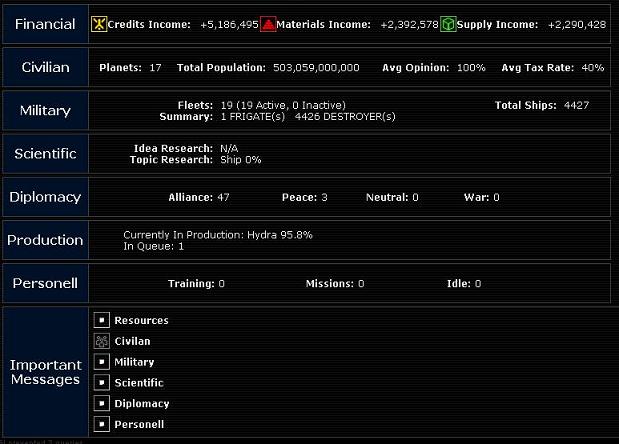
Just below this information, but still in the top blue bar, is the amount of resources one has accumulated to this point: Credits, Materials and Supply. These resources are used to colonize planets, a process that will be described later. Beyond this the only other thing such resources are used for is the upkeep of fleets, as each ship requires a certain amount of Supply and Material to remain in fighting condition.
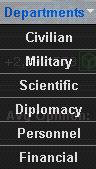
Below these resource numbers are the pulldown menus that allow one to navigate thoughout the rest of the game pages. Each one is described below.
Civilian: Will display a list of all planets currently owned by the empire. Each planet can then in turn be accessed to alter the tax rate, building percentages and to build ortibal platforms.
Military: Will allow the design and construction of ships of varying sizes and functions. Also one can issue orders to all fleets from the military pages, from where to move, what fleets to attack and what planets to invade.
Scientific: Will allow one to set the specific areas the scientists should research for the empire. From here one can set the speed in which such research is accomplished at, as well as monitor how far along towards a breakthough the scientists are.
Diplomacy: Allows one to view their current rank, as well as search for a particular empire's information and view all discovered planets.
Personnel: Currenly under developement
Financial: Currently under development
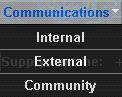
Internal: Shows all incomming transimission dealing with issues such as planets disovered, empires encountered and fleets spotted.
External: Shows all transmissions from outside the emipire, such as telegrams from other players, progress of any colonization attempts and reports of battles begun.
Community: A link to the public forums area.
Summary: A link to the main page
Star Map: A link to a visual map of the currently explored galaxy. Also one of the most useful tools of the game.
Battle Room: A link to the list of previous and current battles that the empire was involved in. Clicking on any of the names in this list will show the final (or current) results of the battle.
Help: Currently under development
Financial: Displays the current income of the empire per tick. One tick of the game lasts 10 minutes real time, so this is the amount of income per ever ten minutes. These values can be altered from the Civilian Department menu.
Civilian: Displays the amount of planets in the empire as well as the population that inhabits those planets. This population is the source of the Credit income, the larger the population the higher the Credit income, assuming the tax rate is unchanged. Also displayed here is the current opinion of the population. At 100% the workers will be 150% efficient, at 50% opinion the workers are 100% efficient and at 0% opinion the workers are 50% efficient. All values in between work as a sliding scale from the give above values. Therefore an opinion of 75% opinion will allow the workers a 125% efficiency value. This efficiency value affects Material and Supply income, as well as production of orbitals and ships. The last piece of data this summary displays is the current average tax rate, from which the Credits are gained.
Military: Displays the amount of total fleets under control of the empire. The most one may have is 100 fleets at one time, however on certain Windows computers an amount higher than 37 will not allow one to give these fleets any orders, so it is best to stay below 38 fleets. Also displayed is the total amount of ships present in each fleet and a breakdown of how many ships of each type.
Scientific: Displays what specific idea is being researched currently as well as how far along the scientists are with the concept research.
Diplomacy: Currently under development
Production: Displays how far along the current ship is to completion, as well as how many other production orders are waiting to be fullfilled.
Personell: Currently under development
Important Messages: Currently under development