|
After
you've prepared your piece, you can now start colouring it. Here's a step
by step account on how I usually colour my pieces. Okay, it's not exactly
detailed, but I think it should cover almost everything *:D Here, I'm
using my friend Raz's drawing to demonstrate this. Actually, colouring
artwork takes practice and some artistic knowledge. It does help to know
what your art program can do, so playing around with your art program and
experimenting is highly encouraged :)
|
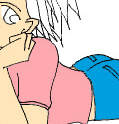
1. Start with basic colours
Fill in your drawing with your basic colours, you can
work on the other details later. I usually start off with the skin. Create
a new layer for every colour you use. This would make further work on it
easier. This way, you can paint a section without affecting the other sections.
|
|
|
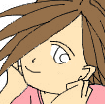
2. Change
For this piece, I shifted the position of the eye, added
a mouth and adjusted the nose. You can do this before you start colouring,
and not after, like what I did! Look, I even added socks!
|
  |
|
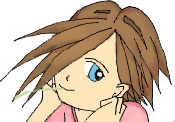
3. Darken and Lighten
I create a new layer for every effect I make. For
instance, after painting the base colour for the hair, I create a new
layer, choose a darker shade of brown and paint so it looks 3D. After
that, I create another new layer and use a lighter shade of brown. When
you've created all the effects you want, you can merge down (Ctrl - E) the
layers and burn or dodge them.
|
|

Burn tool
|

Dodge tool
|
|
|
4. Special effects
Now comes the exciting part. Choose the colour. At the
brush section (AP6.0), choose the option Colour Dodge, adjusted the
opacity I wanted and voila. A nice sparkling eye.
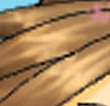
Create a new layer for the hair shine. Choose the colour
you want, and airbrush it with a lower opacity, maybe 30% to 60%. Use the
smudge tool and smudge it whatever way you like. Burn and dodge it for
desired effect.
Continue to add your special effects and add a
background. I used Filters > Lighting effects >Lens flare for the
light.
The grass? I painstakingly smudge it :)
There you have it! Here's the finished
product.
Want to learn how to burn and dodge?
|

|
-
Back to top -
Preparing -
Painting -
Dodge & Burn
- Tips -
Paper DeLights!
© 2003 Alicia C.
All rights reserved.
|


