Lab Report
|
|
|
|
Week III
Labs Covered:
- Open SSL Labs (Cryptography lab)
- Windows Log Analysis
- Linux Log Analysis
- Baseline System (GSEC Baseline)
Lab Selected: Open SSL Labs
Title: Open SSL Labs
Explanation:
It this particular lab, we will learn how to encrypt a file. The process of encrypting is similar to the process of having a secure locked box and store that particular file inside the box. Of course, in order to extract the file, we need a key to unlock the box. In the technical term, the process of unlock the box is called decrypted. Similar to unlock the box you need a key, to decrypt the encrypted file you also need a key. There are two different keys that are available to be used, private and public keys.
Tools:
- Knoppix Live CD (Konsole command line)
Procedure:
- Create a file using Kwrite and name it as Testing and save it in Knoppix home. Next open the konsole window and type "openssl rand �out des_key 8" to create a file named des_key with a random number of 8 bytes.
- Next we will generate the encrypted file by typing this command: openssl des �e �a �kfile des_key �in Testing �out Testing.enc. Testing.enc is an encrypted output file for Testing file.
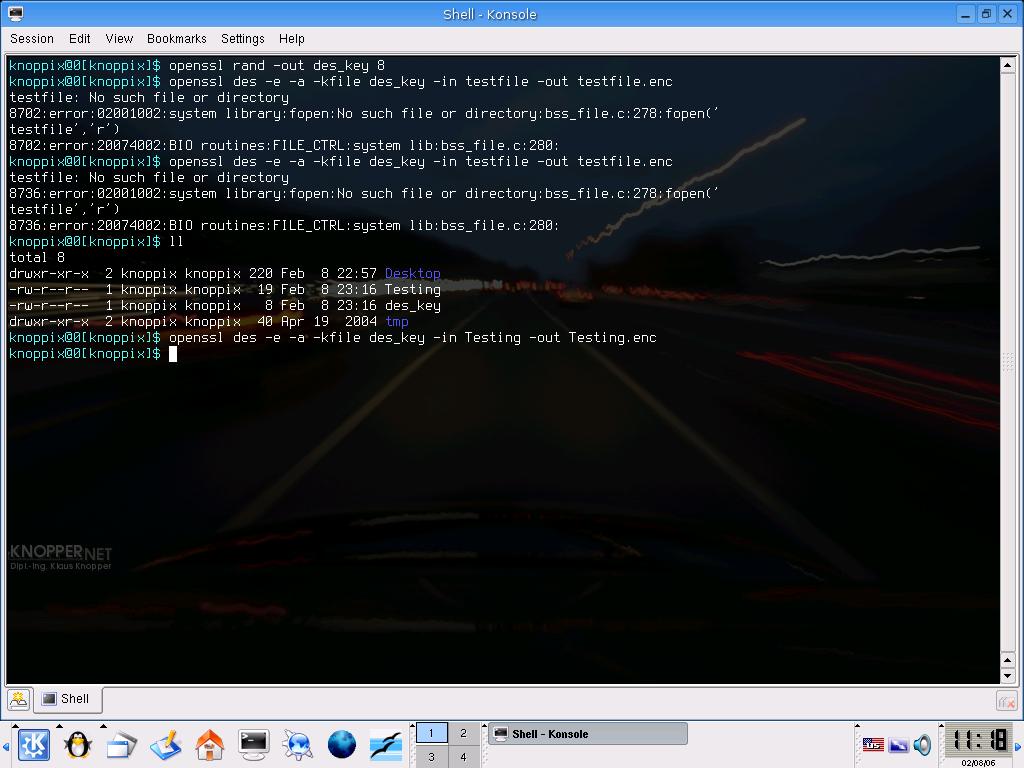
Figure 1 � Showing how to encrypt the Testing file.
- If you type vi Testing.enc, you can see what is inside Testing.enc
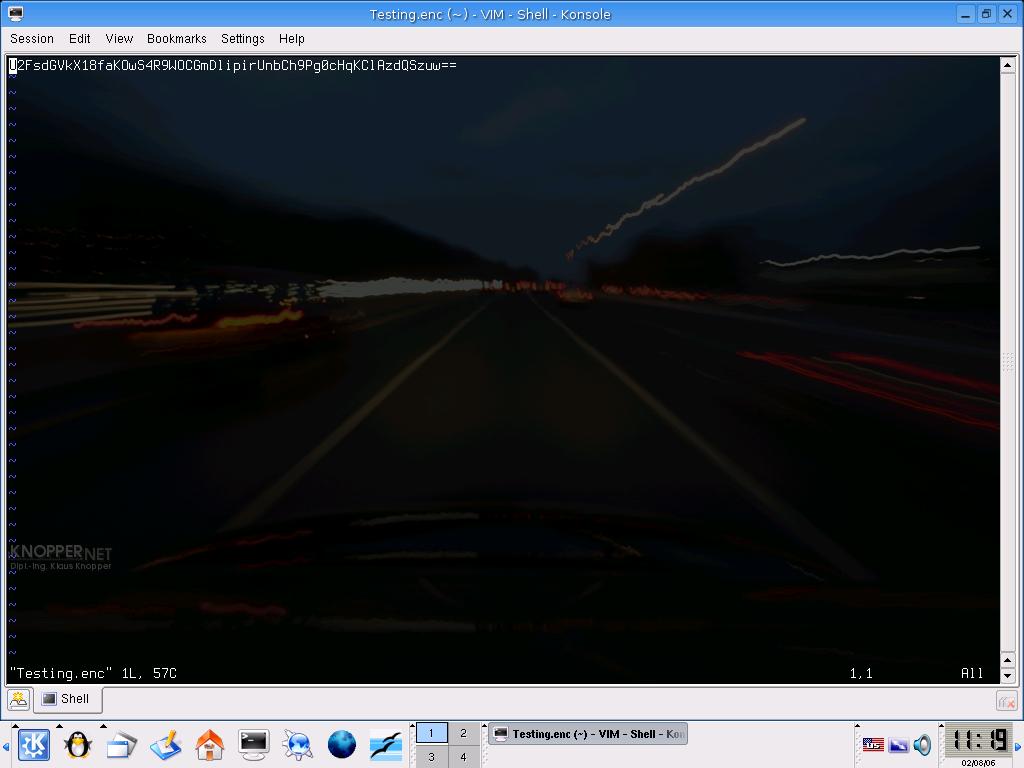
Figure 2 � characters inside Testing.enc
- To decrypt the file, type "openssl des �d �a �kfile des_key �in Testing.enc �out Testing.dec." The command simply means to decrypt the file in Testing.enc and store its contents into Testing.dec
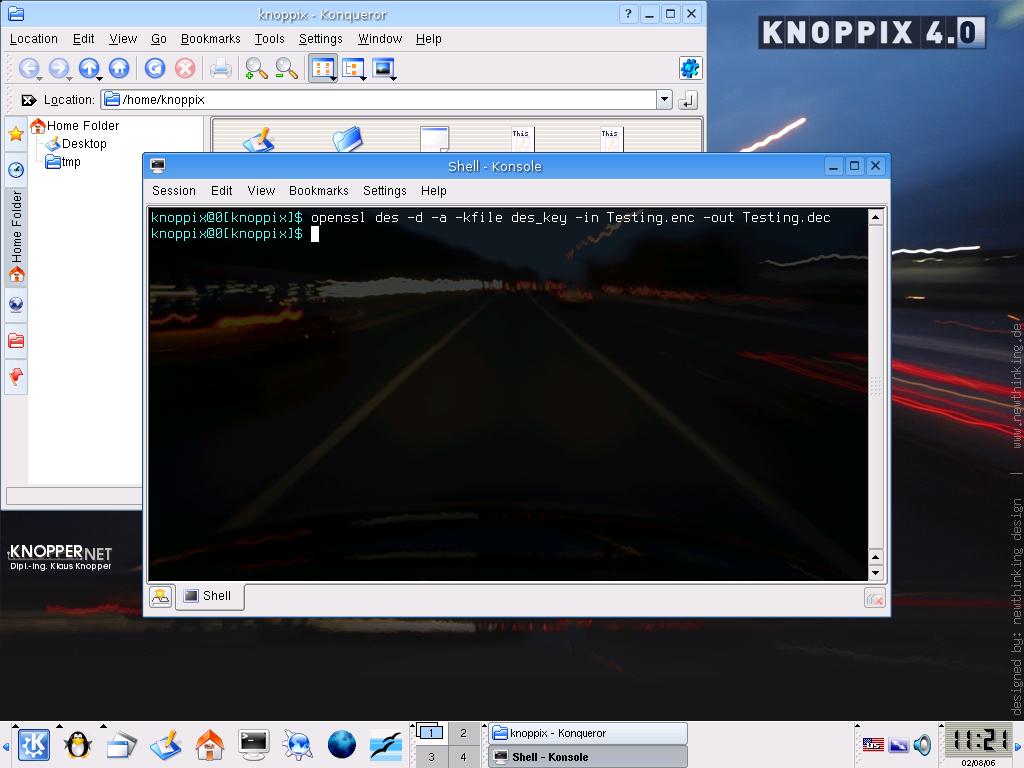
Figure 3 � command to decrypt the Testing.enc
- To view the content of Testing.dec, type �vi Testing.dec�
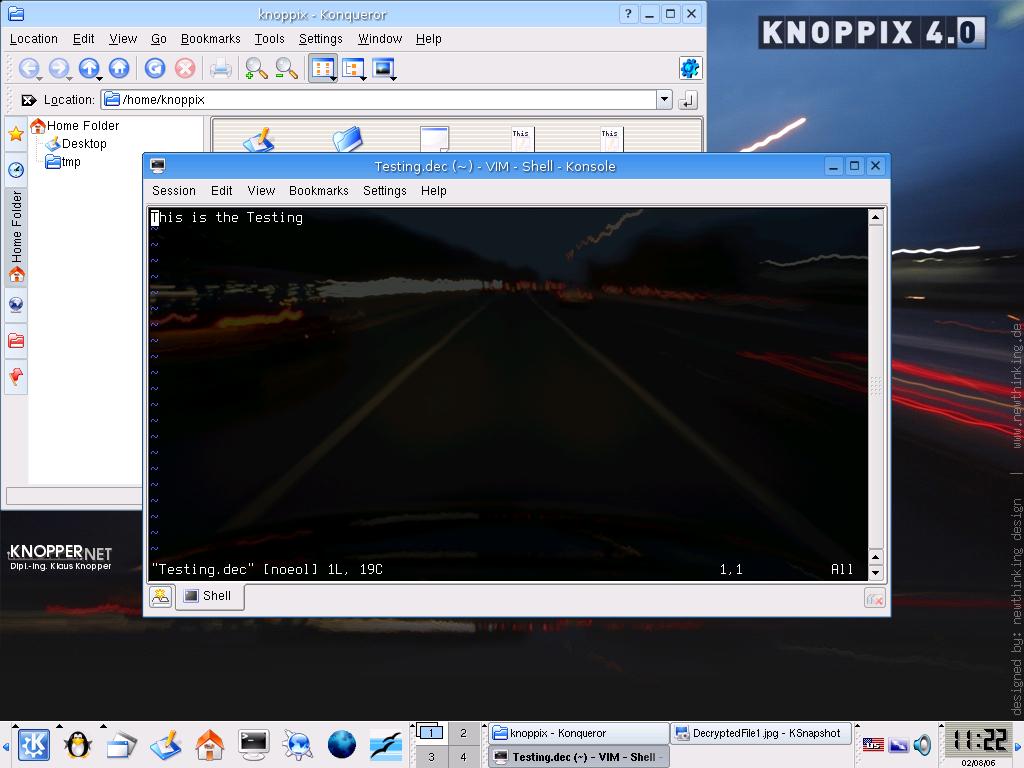
Figure 4 � The content of Testing.dec
Reflection:
We did not have many opportunities to play around with Openssl command. However, by doing simple practices in encrypt and decrypt the file, we have some basic understanding how these two methods work. Hopefully, in the future we will have more chances to explore more about encrypt and decrypt and be able to deal with more complicated command.
|
| |