Lab Report
|
|
|
|
Week I
Labs Covered:
- Web Reconnaissance
- DNS Interrogation with Linux
- Network Reconnaissance with Linux
- Linux File System Access Control
- Web Browser Security and Configuration
- Windows O/S Hardening and Local Policy
- Windows Access Control/ Encryption
Lab Selected: Web Reconnaissance
Title: Gathering WHOIS with Linux
Explanation:
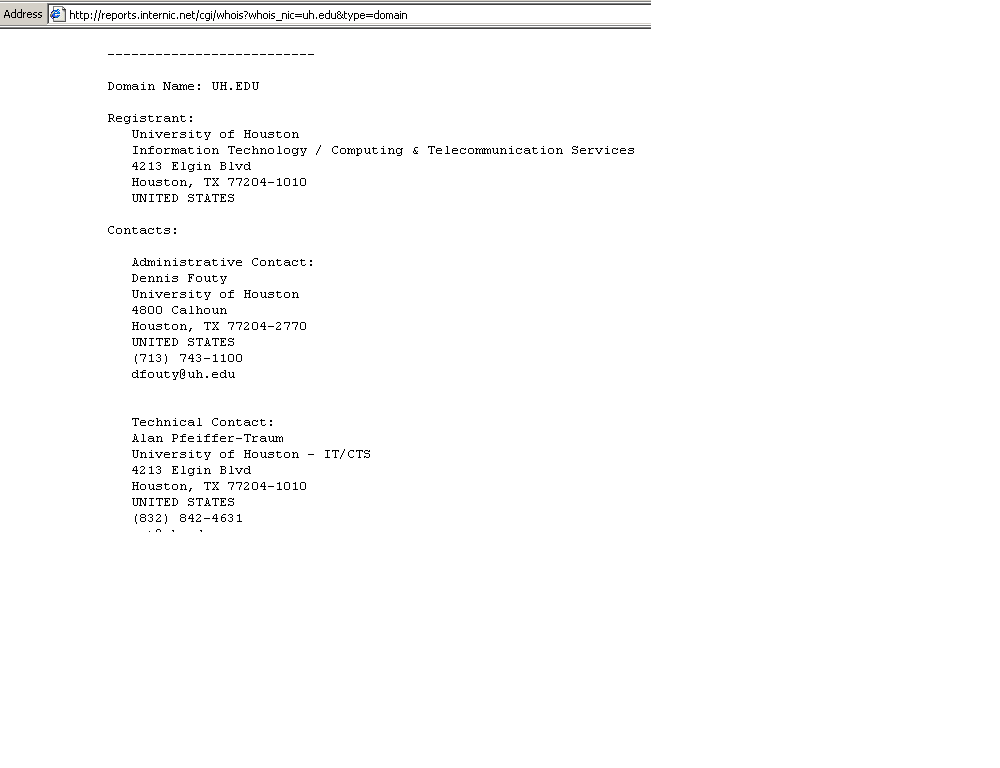
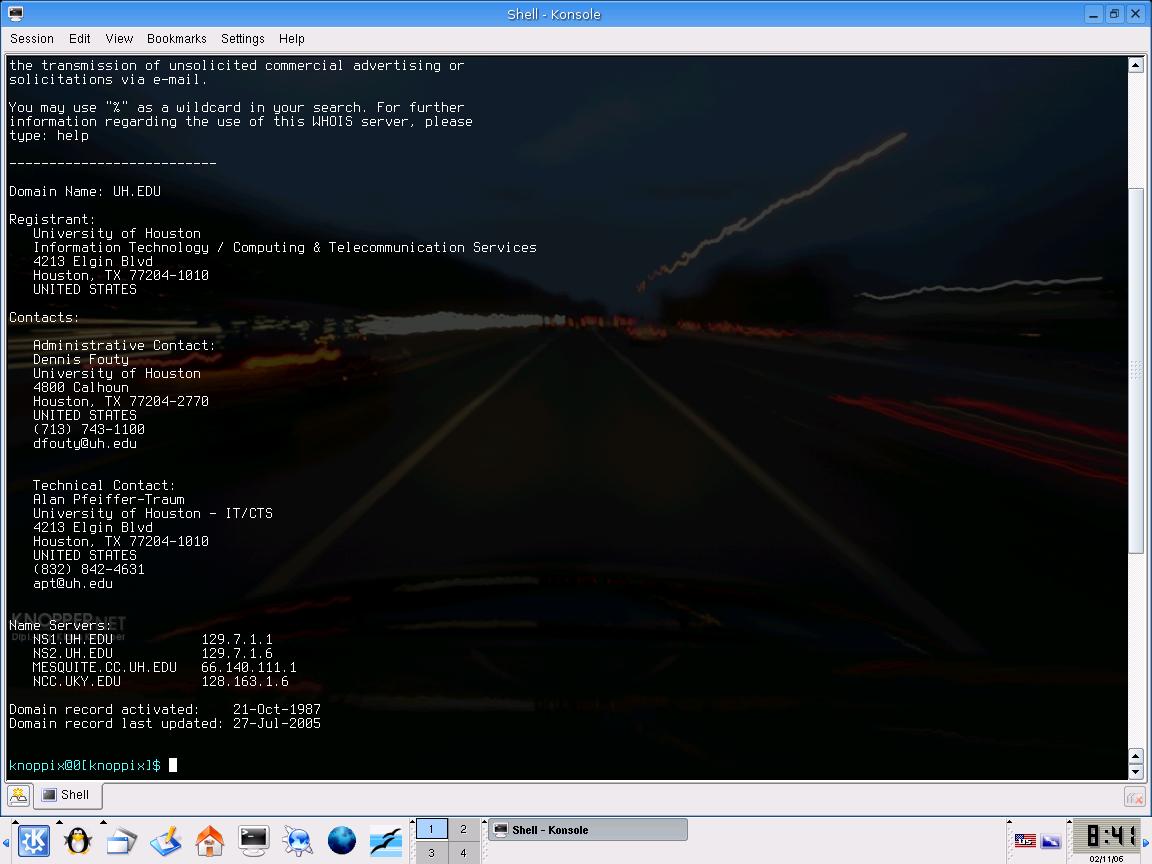
WHOIS is a particular service that allows you to look up people's names on a remote server. By executing WHOIS, we can gather the information about a domain name, such as IP address, who the technical and administrative contact and name of the servers.
Tools:
- Using WHOIS command line in Linux Konsole Window.
WHOIS (assigned domain address) can be IP address or URL
- Using Internet Network Information Center (InterNIC) at rs.Internic.net. It is a database that stored the most common Internet name server.
Procedure:
Reflection:
Since WHOIS is a powerful tool used to generate information out of one URL or IP address, you have to be careful in maintaining the information listed. Make sure to protect the critical information and only give people access to the general or public information.
|
| |