 |
 |
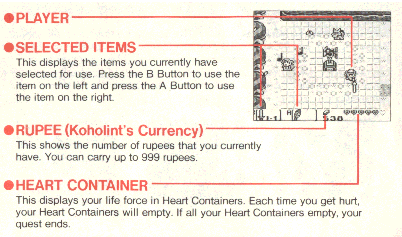 |
| Main Screen |
| This is the screen you will use to explore the mysteries of Koholint Island. |
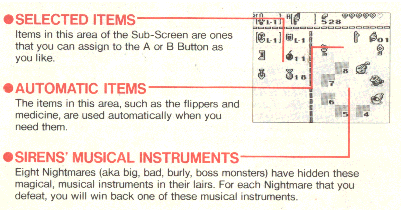
| Sub-Screen |
| This screen allows you to select different items or check your inventory. The display changes slightly when you are in a dungeon. (Changes are shown below.) |
 |
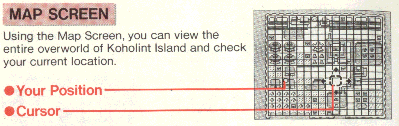
| Map Screen |
 |
 |
 |
 |
 |
| Dungeons |
| The overworld map will give you information on all places that you have explored. Move the cursor to a location using the Control Pad and press the A Button. The name of the place or dungeon in that location will appear on the screen. (Press the B Button to remove a name.) If you move the cursor to a location that you should explore during the game, a sign marking the place will appear. Use these symbols as a guide to important locations during your quest. The signs that appear on the map are described below. |
| Rumor has it that the Sirens' Musical Instruments are hidden in dungeons. there are eight dungeons on Koholint Island. |
| !? Marks |
| These "mystery" marks show important locations that you need to visit to proceed through the game. You will have to actually visit these places to find out what they actually are. |
| There are many different shops on Koholint Island. These shops sell a wide variety of goods and services, so be sure to visit them all. |
| Shops |
| Message |
| This sign marks a location where you heard an important message. Press the A Button to make the messages appear again. |
| Dungeon Map Screen |
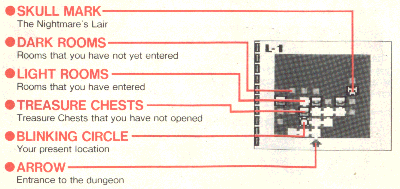 |
| When you have acquired the Dungeon Map Item, you will be able to see a complete map of the dungeon on the Sub-Screen. this Map will help you search every inch of the dungeon. |
 |
| Still feelin' a little woozy, eh? ---Tarin |
 |
 |
|
|
|
 |
 |
 |
 |
 |
 |