Assignment 3
Bumps in NTU: Can You Feel It??


The Scene BEFORE Bumpmapping


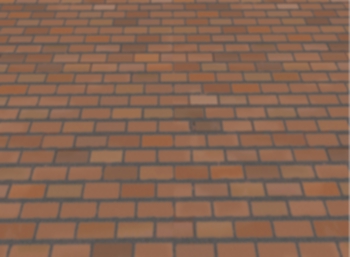
A view of the floor (User looking down) before bumpmapping


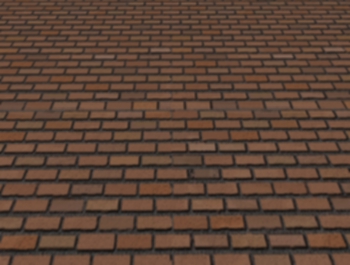
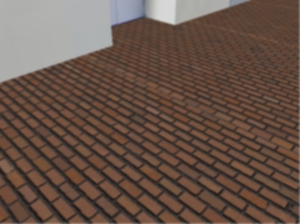
A View of the floor (user looking down) after BumpMapping


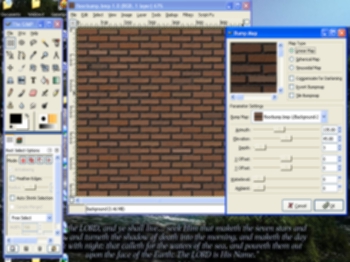
Gimp 2.0 Bumpmapping Plug-in: The tool I used for Bumpmapping


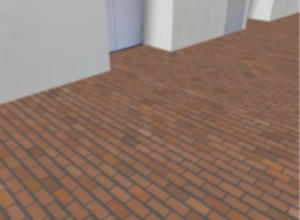
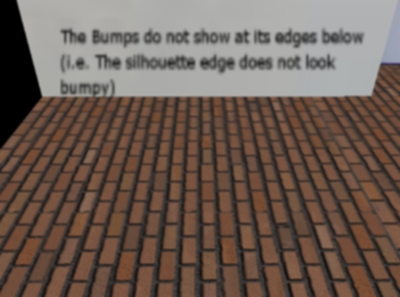
The limitation of Bumpmapping is shown here:
Notice that the top edge of the floor near the wall does not look bumpy at all.


Textures Involved In This Assignment:


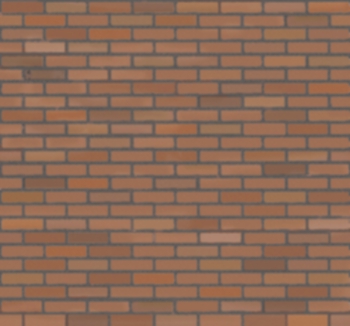
Before Bumpmapping


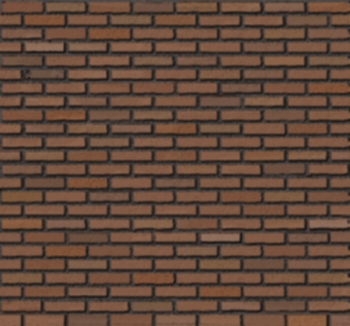
After Bumpmapping


The Scene AFTER Bumpmapping
(Notice how the tiles 'jut out' in this scene)

NTU looks more beautiful by adding surface features. And with surface features like bumps and 'uneven' textures, we can add realism to the scene's texture.

Therefore, in this assignment, we are now supposed to extend Assignment 2 by doing Bumpmapping to a polygon of our choice in our NTU scene.

Hence, I have decided to choose the polygon that should have a patterned roughness: The Tiled Floor! :) With its 'brick-like' texture, a bump map was applied to the original texture to make us feel like we are 'walking' on a realistic texturised floor in the scene.

Some quick facts of my project:
1. Language and APIs used: OpenGL in C++
2. Number of polygons in the screen: 46
3. Modelled after: Corridor outside LT 12 and 13
4. Tools to Create Bump Map from Texture: The Gimp 2.0
5. Polygon Chosen for Bump Mapping: The Floor of the Scene.

Key Controls in the Executable:

Bump Controls (NEW!!!!!)
Turn bumpiness ON/OFF: Press down button 'B' once.

Movement Controls
The movements here are modelled like those from a First Person Shooter game.
Look Around/ View Direction: Mouse Direction
Move Forward: Up Arrow
Move Backward: Down Arrow
Move Left: Left Arrow
Move Right: Right Arrow

Lighting Controls
You may wish to change from day to night or vice versa. When the environment is dark, you may also wish to turn on or off the lights.
Gradual Day to Night: Press down button 'N'
Gradual Night to Day: Press down button 'D'
Turn Lights ON: Press 'L' button once
Turn Lights OFF: Press 'O' button once

Approach Used

The bumpmap of the floor polygon was created by the Bump Map Generator plug-in in the Gimp 2.0. With this generator tool, I was able to create the relevant bump map from the brick-like original texture by adjusting the depth and other relevant parameters in bump mapping as shown in the picture on the left.

This "Bumpy" texture can then be loaded into my Assignment 2 OpenGL code as an extension of my previous code and pressing the 'B' button will toggle the bumpmapping on and off.

Interesting Observations:

As mentioned in lecture notes and in the book 3D Computer Game Programming by my professor (Dr. Edmond Prakash), bump mapping is not able to show the bumpiness on the silhouette of the texture.

In other words, the silhouette follows the edge of the floor and is therefore not perturbed like the rest of the texture. This is demonstrated by a screenshot I captured from my scene on the left.

However, besides this small limitation, bump mapping can allow us to have a much detailed and realistic texture information of a texture mapped onto a polygon compared to the original flat-looking texture.


Conclusion:

Through this assignment, I gained a better understanding of the concepts and the benefits of bump mapping and normal mapping taught in the lectures.

Through this assignment I also witnessed the limitations of realism (especially in the silhouette region) bump mapping inherits compared to other alternatives like Displacement Mapping.


Hope you enjoy touring my updated 'bumpy' scene! ;)


<---Download Code and Executable--->


Credits and Acknowledgments:

1. I wish to thank Dr Edmond C. Prakash for this opportunity to do some hands-on on the concepts learned in lecture. Reading his text (3D Computer Game Programming, Chapter 3 pg. 27) also deepened my understanding of the concepts of bump mapping.

2. To Jeff Molofee (NeHe), the creator of the NeHe Website and Ronny André Reierstad of Morrowland.com APRON Tutorials.
Kudos to them for without their well-explained tutorials and sample codes, I may not have gone so far. Parts of my code on initialisation of the window and OpenGL was coded with close reference to their sample codes.

3. Some additional textures that are used in both Assignments 2 and 3 were obtained from the following website: http://textures.forrest.cz/

4.Bump Mapping Tutorials for the GIMP Bumpmap Plug-in
Bump Mapping on The Gimp 2.0
GimpGuru Tutorial on Texturing

5. Other Important References I could not do without:
The OpenGL Redbook
OpenGL Website


Best viewed in 1024x768 :: Sitemap
Copyright© Ryan Ko Kok Leong 2004.All Rights Reserved.

Hosted by www.Geocities.ws

1