Visitors
Run Installation:
7. Click Start/Programs/Windows Explorer (Figure 7) to run Windows Explorer.
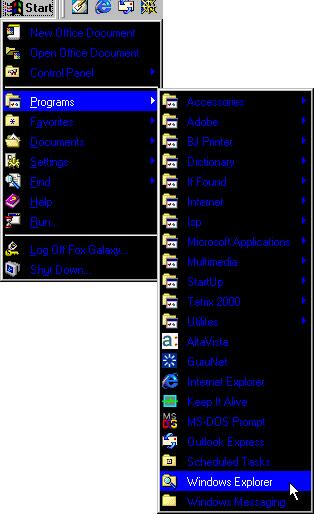 Figure 7
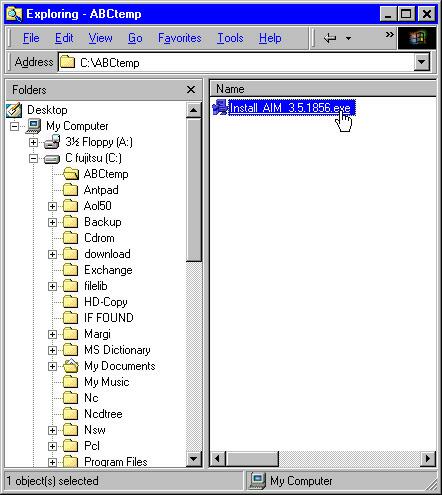
8. By double clicking on the icons in the left panel (if you can't see the
tree of icons, double click Desktop/My Computer/C
fujitsu (C:)), you browse to C:\ABCtemp\
folder. In the right panel, double click on the file "Install_AIM_3.5.1856.exe".
The software will lead you step by
step during the installation process.
For AIM installation: Follow the rest of the installation with clicking Yes/Next/Next/Next/OK button. Click NO when you are ask "Do you wish to register an additional screen name...". Installation is done. Sign on your ISP (AOL, AT&T...) then sign on AIM with your registered screen name and password. ENJOY!
END