This section will cover some of the questions and answers sent into this site. Some of it is general information that I will be posting to help others, so feel free to have a look and see if there is anything that will help you.
General
Creating or using music and sound clips on the net must be one of the most frustrating parts of web design to date.
There is not a lot of information readily available to the armature web designer, that is of any help when first looking for information on this topic.
There are three main file formats for using music on the web at the moment: Wav, Midi and MP3 files.
Having said that trying to find some sort of package to play these on your site can be a pain.
If these are small files and by that I mean really small not more than 1 MB then it is usually quite easy to use these files when your page start ups or is opened.
But they are very limited as the larger they get the longer it usually takes to open the page they are used on.
Midi isn't bad as long as the music being recorded is only using 1 instrument. If it is for example, lets say you wanted to record an orchestra then it will come out all garbled in playback.
If you want to use Midi then JavaScript is probably your best bet to getting it on you web page.
Try www.javascriptsource.com for pre-made pieces of script that can be used to add interesting features to your site.
This is one of the latest music file formats and has become very popular and widely used. With the proper software you can download whole songs off the net or create your own music CD's, though you do need a CD Burner.
The only problem with trying to use this on your site though is that many servers wont let you upload this file type, mostly because of all of the copyright issues surrounding it at the moment.
In addition to which you really don't want to try and upload a 2 to 3 MB file, it really does take forever.
You might say why bother its all a lot of hassle and not worth it.
But there are programs out there than can be used to put music on your site. On top of which your site will look better and be more interesting if you add some sound.
Real producer is one such program, there is a free download available at:
www.geocities.yahoo.com/members/addons/streaming/index.html though I must warn you now that it is a little tricky to get used to.
You can also use MP3 if you are any good with Flash.
Most of the decent 3D graphics packages available today are ridiculously priced. You see some of the nice graphics in some of these PC magazines and say hay Id like to do that.
Then you find out that some of the decent packages are in the £1000 and over category and that's starting cheap.
True you can get ones that cost around a few hundred pounds and aren't to bad, but the majority of them are not all that good.
And don't expect the ones they give away on PC magazines to actually do what they claim. Many of the tutorials never work and you get bogged down in annoying user interfaces with no undo option.
I mean come on a program without an undo option, I think that should be made against the law.
Having said that Im still searching for a decent package that is fairly cheap and if anyone know of one please e-mail me as soon as possible.
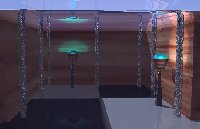
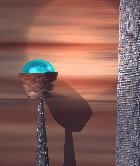
Here is an example of what a low cost package can do:
There are quite a few animation packages out there for creating your own animated text boxes or banners. One such package that is very useful is Swish which only costs around the £20 pounds and is really very easy to use.
Go to www.swishzone.com to find out more and see what the program is capable of.
How do you do the rocket jump in Star Treck Elite Force?
Easy just do the following:
Get a hold of the photon torpedo launcher.
Make sure that you have some armour.
Make sure that you are at full health.
Make sure there is plenty of head room for the jump.
Point the rocket launcher at a slight angle to the ground, not directly beneath you but just slightly in front of you.
As you move forward try to fire and then jump almost at the same time.
If done correctly you will go sailing up into the air far higher than a normal jump will take you.
Main N64 Playstation Dreamcast
Created by [email protected]