Why can't I see other people nearby?
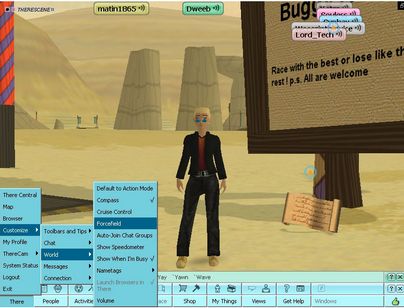
By default, your nametag view is set to Show 10 Nearest nametags as shown below:
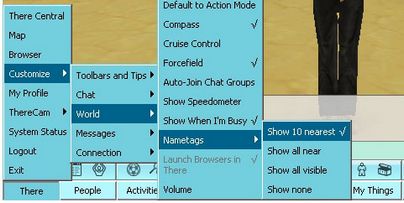
This is what people are talking about when they type There/Customize/World/Nametags. This shows Show 10 Nearest selected.
Below is what a very busy funzone looks like from the outside with only 10 Nearest nametags on:
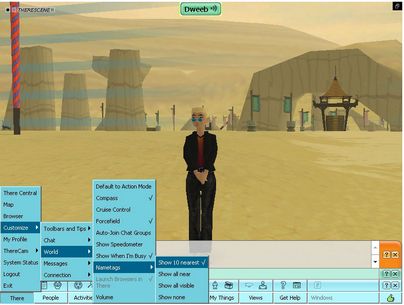
Looks like I'm the only one around, doesn't it? Or am I?
Below is the same shot with Show All Visible nametags selected. Now you can see there are quite a few people behind me.
The music is too LOUD! How do i fix it?
There are two ways. You can mute the music source for yourself, or change your own volume level.
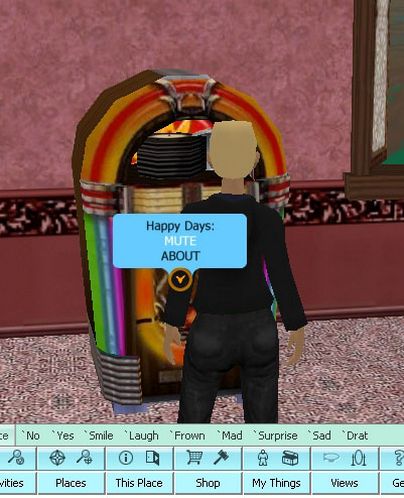
To mute the sound source, (and it only affects you, not others around you), walk up to the jukebox, radio, or loudspeaker and click on the action tag in the center. Select Mute. You can also use the action tag to find out more about the station if you like the tunes. See the screenshot below.
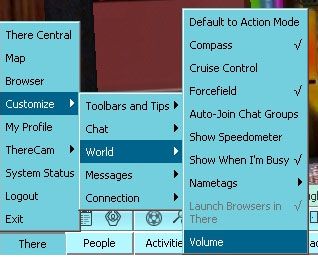
To adjust your own volume, go to the bottom left of your screen and select There, then Customize, then World, and Volume as shown below:
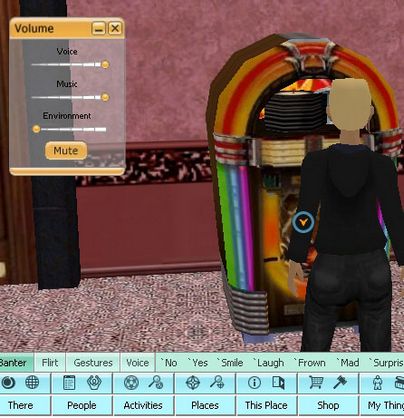
Then you'll see your volume controls. In the picture below, the music is turned up to full. Just pull the slider to the left until you're comfortable, or pull it all the way back to turn music everywhere you go all the way off.