Samples  


Bookmarks and gift tags created in Print Artist 3.0
Templates available for download


Page 1: ** New **
Cards with 'shadow effect'
** New **
Cards using PCX graphics
Basic Thank You card
and Note paper

Page 2: ** New **
"Frame It"
"Simply Classic" A Set of Flowered Notecards
Page 3:
Previously displayed holiday items
Christmas Bookmarks
Download Template File
Assorted Gift Tags
Download Template File
Additional Gift Tags
Page 4:
Miscellaneous
Previously displayed
Valentine's Day Swap '97
** New **
Pet Swap '97
A sample of combining
PA graphic with a gif graphic
Page 5:
* New *Hints and misc. tech info
Print Artist Clipart Editor
PACE
Creating Startup Disks Vector & Rastor graphics


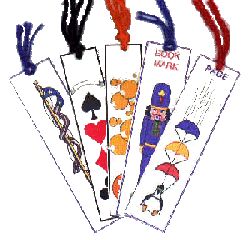
Bookmarks can make a nice extra little gift or stocking stuffer.
For extra protection, consider laminating them.
Enhancing can be done using tassles and glitter.
 
Bookmarks
 
Back to Top
of Page


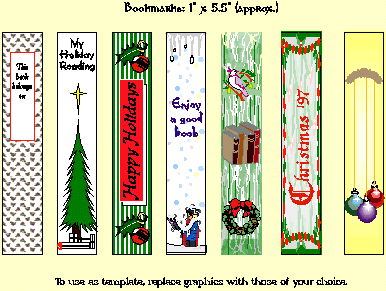
Christmas Bookmarks
These bookmarks are designed on a 'Sign' layout. You may download this file to use as a template. Click here.
Remember that you will have 'blue squares' for many of the graphics I used.

 
Bookmarks  
 
 
Back to Top
of Page


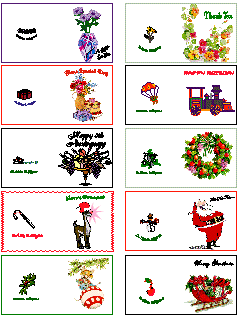
Assorted Gift Tags
These tags are designed on a 'Sign' layout, but are the size of a 'Business Card'. After printing, cut out the cards, and fold in half. You may download this file to use as a template. Click here.
Remember that you will have 'blue squares' for many of the graphics I used.

 
GiftTags  
 
 
Back to Top
of Page


Additional Gift Tags
Gift Tags can be all shapes and sizes. Sometimes it is interesting to cut around a graphic.
Here are a few examples.

 
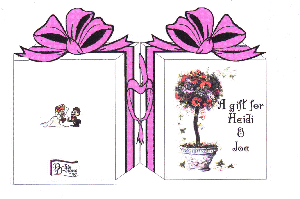
Example 1: The finished gift tag is approx. 3 7/8" by 2 3/4".Of course you can create any size you like. It is displayed on a colored background to show the cutting around the graphic.

Gift Tag Front

Designed on a 'Sign', using the same 'Giftbox' graphic for the front and the back. Insert the first graphic, then 'Select' and 'Duplicate' for the second graphic, to be sure to have the same size. This particular graphic, on the left, is also 'Flipped' since it is not symmetrical. Position both graphics close together. This might be easier by 'zooming' in. Select both graphics and ' Align Vertically'. After printing, fold on the center line. Carefully cut around the design of the graphic.
Sign Layout
Example 2: The finished gift tag is approx. 2 1/2" by 2 3/4". It is displayed on a colored background to show the additional effect of trimming with Fiskars scissors.

Gift Tag Front

Designed on a 'Sign', similar to Example 1, however, graphics are placed 'top' to 'top'. To line up, select both graphics and ' Align Horizontally'. After printing, fold on the center line. Carefully cut around the design of the graphic.

Sign Layout


Back to Top
of Page


TurnPage


Page designed by


This page hosted by Get your own Free Home Page


Hosted by www.Geocities.ws

1