|
Main page My Q3 maps Radeon 8500 stuff PCmods kit review Video cooling mod |
|
Introduction To those of you who don't know what case modding is (what rock have you been living under? lol), it's basically tricking out your computer case, such as adding neon lights or windows for the sake of looks, or by adding case fans and blowholes to increase case cooling. It's kinda like tricking out your car with neons, chrome rims, and awesome paintjobs, although its much cheaper to mod your case, and just as fun. Case modding has taken off in a big way in the last couple of years, with magazines such as MaximumPC posting pics of peoples custom rigs, and stores such as PCmods that cater to the case-modding community. Today i'm going show you two products PCmods offers, their red cold cathode light kit and smoked oval window kit. |
|
|
|
|
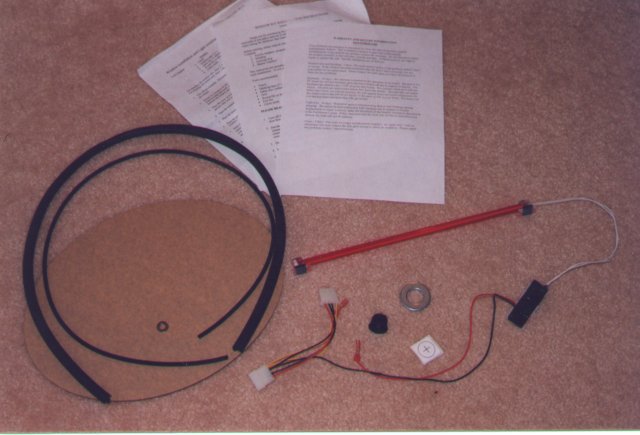
Shipping took about 5 business days, and everything came in a brown cardboard box, packed with syrofoam peanuts to keep everything in one piece. The cold cathode was in its own triangular box, wraped up in bubble wrap. The window, molding, locking strip and washer were together in a zip-lock bag. The inverter for the cathode, washer, sticker template, and switch was also in its own little baggie. Nothings getting lost here! Also included were the invoice, clear instructions on how to install the parts (which I recommend you read befor installing these kits), and warranty information. But enough of that, lets get started!! Window Kit Installation Here are PCmods' specs for the oval window kit: Notice that you have to cut a hole bigger than the window, this is becuase the window molding is a few millimeters thick (so if you cut a hole the same size as the window and put the molding on, you would not be able to get the window in becuase the hole would be too small). This is why PCmods provides a washer with their window kits. You put the washer up the the window's edge, and trace alone its inside edge. This will give you the correct size hole. |
|
|
|
|
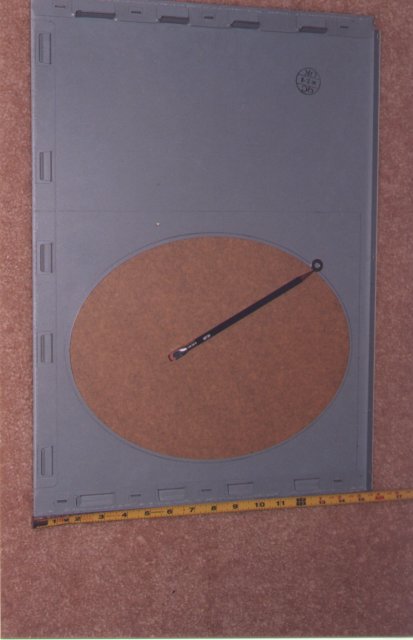
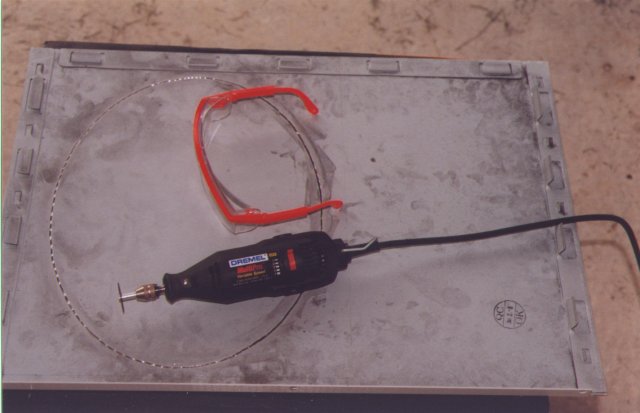
Once you've figured out where you want your window, your next step is to trace around it. As you can see, i chose to trace on the inside of my panel. You'll want to make sure you're at least a half-inch (about 13mm) from the edge of the panel or any other obstruction (this is to make room for the molding). Once you're done with that, its time to fire up the power tool of your choice (i'll be using a Dremel rotory tool). Please use common sense while handling any power tool. If you have long hair, it would be a good idea to put a hat on or tie it back. And ALWAYS wear safety glasses, especially when handling a Dremel. Those cut-off discs do break off, and it only takes 1 shard to blind you. Only yourself can be held responsible if you injure yourself or others, or damage any property. Now that that's out of the way, we can get started. I'll be using the fiberglass reinforced cut-off discs, as they are much more durable than those smaller ones (and are much less prone to shatter and gouge your eyes out lol). You cannot cut circles with a Dremel (otherwise the disc would jam and break off). Instead, take a bunch of small, straight cuts. If you look closely in this next pic, you should see what im talking about. I'm half-way done here... |
|
|
|
|
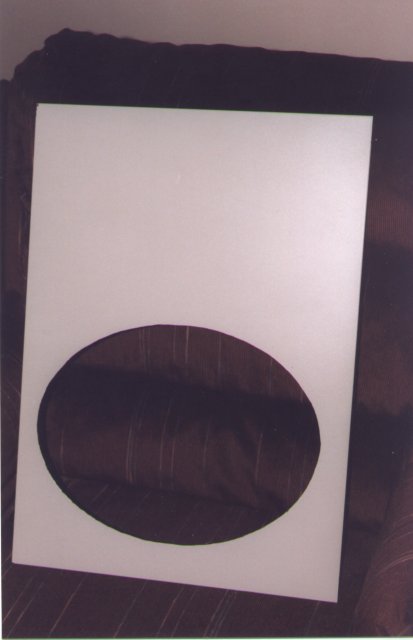
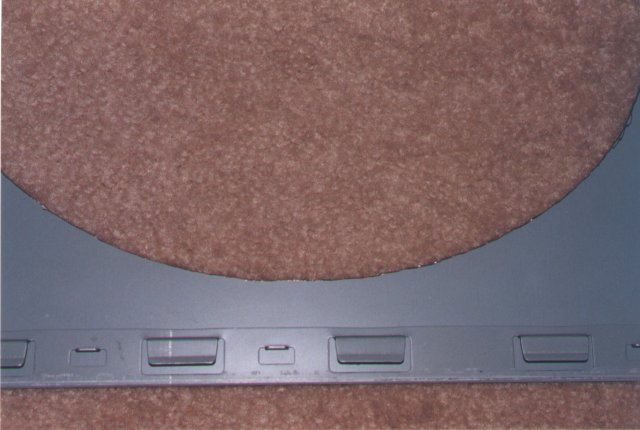
It took me about an hour and a half to cut the hole, and I only want through one cut-off disc. The trick is to let the Dremel do the work; if you force your way through it you'll waste all of your discs. Once you're done cutting, use the grinding wheel to smooth the edges of the hole (unless you like jagged edges and sliced hands that is). A curved metal file would be good to finish it up if you've got one. It doesnt have to be perfect; the window molding will cover it up (good thing too eh? lol). Here's what my panel looks like all cut and washed off and a close-up of my cut: |
|
|
|
|
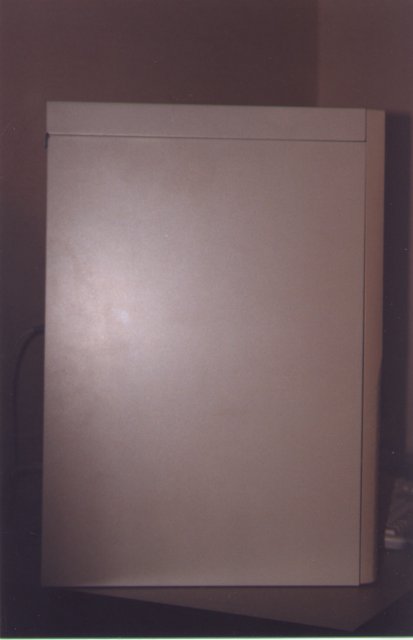
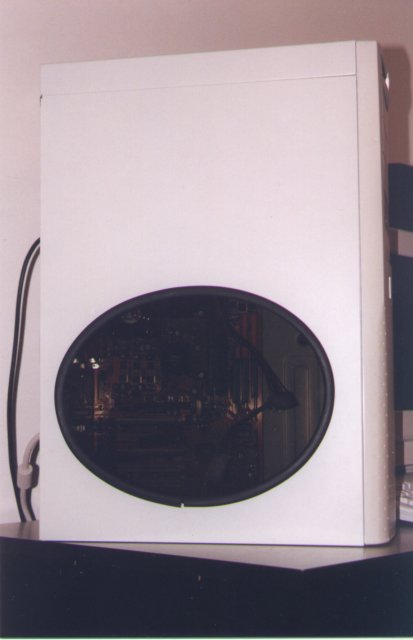
Now all you have to do is put the window molding on. If you have too much, just cut it to length (but make sure not to make it too short). I actually didn't get enough molding; it was about half and inch too short! Good thing this stuff is made of rubber, and stretches out a little. Anyhow, once you have the molding in place (you may want to use some glue to keep it on), comes the hardest part: installing the window itself. I didn't even bother to put it in all the way (since im painting my case and would've had to take it back off anyway). You'll just have to play with it until it finally goes in. Try using a butter knife to pry the molding over the window. Once that's done, you place the locking strip (the thin piece of rubber) into its channel. This locks the window in place (no duh right??). To help get it in, stretch the locking strip out as you put it in. This will cause it to contract, making it easier to install. You can also use some glue to help keep it in if it's giving you problems. Now all thats left is to sit back and admire your hard work! Some befor and after shots: |
|
|
|
|
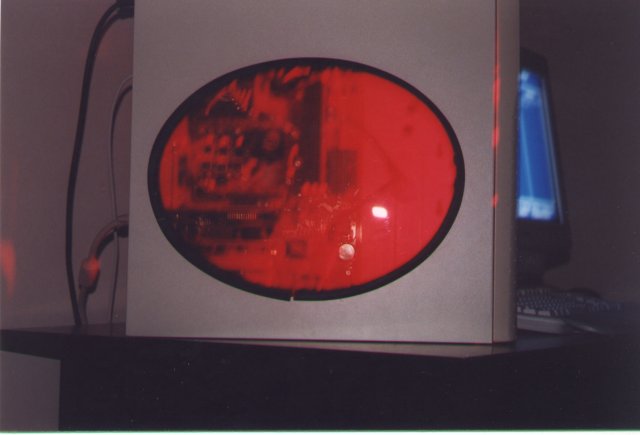
Cold Cathode Installation The red cold cathode I received from PCmods was very well finished. It measures a total of 12.5 inches (32mm) long, and a mere half-inch (13mm) wide making it much easier to place than a normal neon. The actual bulb is incased in a red acrylic tube for protection, and all connections are covered in heat-shrink tubing or crimped. The inverter (that black thing that you plug into your PSU) has been sprayed with some sort of coating, which will prevent it from shorting out and also prevent you from shocking yourself should you accidentally touch it. Velcro pads are preapplied for you on the ends of the cathode, and on the inverter, so you can stick it anywhere making installation of the cathode a snap. The only real work you have to do is find a location for the on/off switch, and drill the hole for it (its about 13/16" or about 21mm). PCmods again supplies a very large washer that has the correct inside diameter; they also supply a sticker that you could also use as a template. I didn't bother with that though, i wanted to see what this thing looked like!! I mounted my cathode vertically, as this casts a more even light on the MoBo and other cards. |
|
|
|
|
Conclusion The PCmods kits were very easy to install with the exception of the window. I don't know why i didn't get enough molding, but I doubt this is the norm. The cathode is BRIGHT! Anyone whose got one knows what i mean, these things could light your whole room if you wanted. The only fault i can find is the price; at $40 USD its not exactly cheap, but you do get top-notch quality. I guess thats something you'll have to decide on; it was worth it to me. Overall these are top-notch kits worthy of your green. |
|
|
Questions? Comments? E-mail me! |
|
![[H]ard|OCP](../images/hocp_logo.gif)


