introduction
guide


* PC to PC network *

CrossOver Cabel/Straight Cable

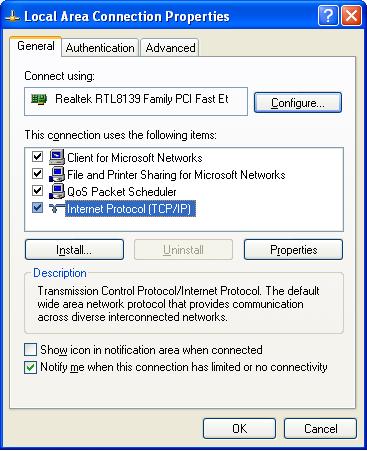
13. Double click Internet Protocol (TCP/IP)

Wireless Router

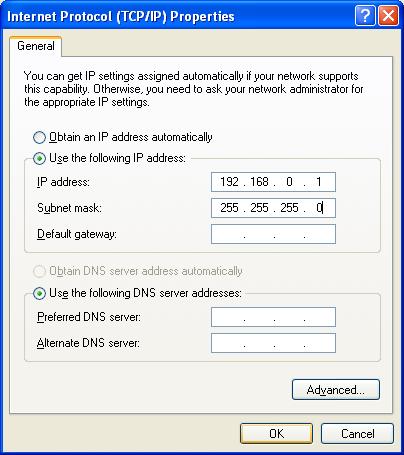
15. Set everything exactly as the picture

Switch

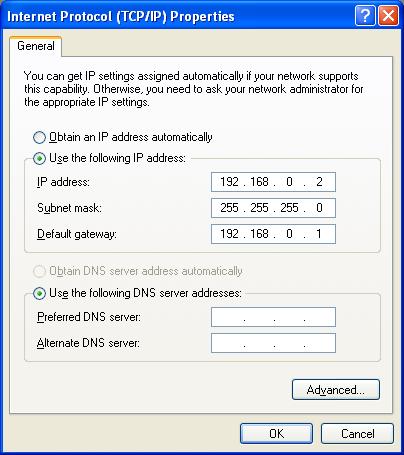
16. Set everything exactly as the picture.


17. Click OK and finish !!!

BackNext
Copyright(C) by Cyberfly
for more inquiries please e-mail to the web master
Hosted by www.Geocities.ws

1