|
|
|
|
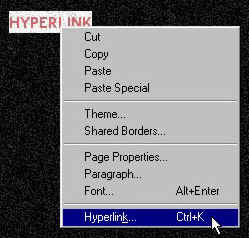
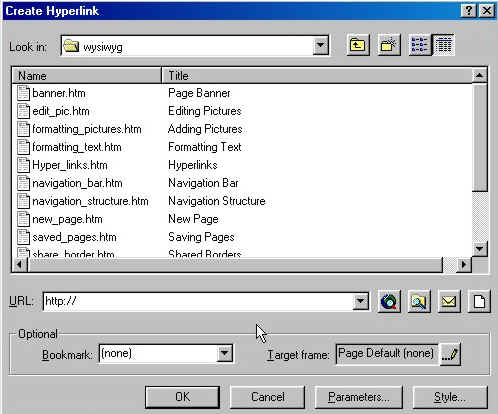
Hyperlinks are what makes the internet. They allow you to navigate in and out of web sites for a plethora of information. Creating hyperlinks are very easy to create. To hyperlink text, highlight the text that you want to be your hyperlink, right click on the highlighted text and choose "Hyperlink." To create a graphic hyperlink, just right click on the picture and again choose "Hyperlink."
A box, as always, will open with all of your options.
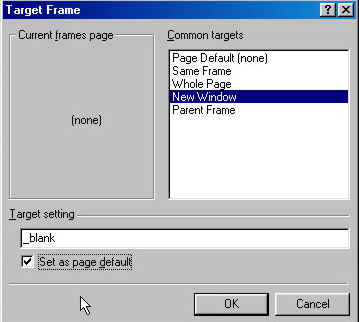
At "URL" you can type in an external (outside of your own site) hyperlink or double click on an internal (inside your web site) page in the top box. In "Target Frame," you can choose how you want the new window to open. Click on the pencil icon next to target frame to get the menu box.
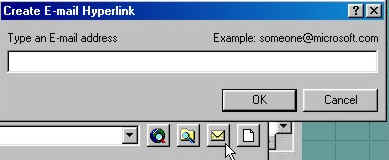
The only time you really need to worry about this is when you want a "New Window" to open. New windows will keep visitors inside your web while allowing them to view pages outside of your web. To create an E-Mail link, click on the mail icon. A box will open in which you can enter your E-Mail address for visitors to send you mail.
Now that you can format and hyperlink text and you know how to add hyperlinks to graphics, lets learn how to add navigation bars.
|
| ||||||||