A.R.T. Tutorial
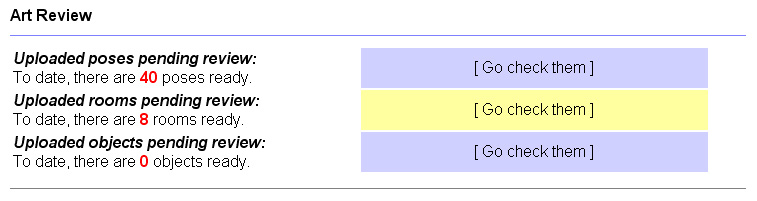
Now you will be in the room reviewer. This looks very similar to the pose reviewer, with some differences. We've already looked at how to review poses, and the concept here will be similar. The room reviewer lacks the number of filters that the poses do. There is only one filter at the top left of the page, under to logout link.

This is where you can type in a name, or a few letters to jump to, or past to a user name. This is helpfull if you have a lot of rooms in the reviewer, and need to get past ones that are under discussion. If you would like to view the next page of rooms, there is a link at the bottom of the page that will take you to the next set of rooms.

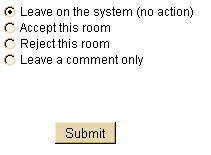
| Like poses, you have several action options. The first is the default, which is to leave the room as it is in the reviewer (no action). Next the accept, then reject, and finally to leave a comment option. In here you can accept, reject, and leave comments on as many rooms that you can view on one page. Once the desired actions are selected, scroll down to the bottom of the page and click the submit button. If there are rooms that are to be rejected, or commented on, you will be taken to a new page. There, to-be rejected rooms are on top of the page, and to be commented on are at the bottom of the page. Please remember, rejection reasons are seen by the users! The leave comment option is only to be seen by other ART members. If you are uncertain on what to do with a room, feel free to leave a comment! |
 |
When you are reviewing an image that is to become a room, you will want to check and become familiar with the Wolfhome room standards to make sure that the image meets the standards. In general, there are not as many restrictions on these images. As they are generally for personal private use. The major thing is generally copyright concerns, weather the person has permission to use it or not. Other things would be making sure there aren't any forground (animals, people, etc) in the image, that it isn't exsisivly gorey or suggestive, offensive, and the image is of the correct ratio to avoid extreme stretching (9 by 5 is prefered).
If a room cannot be quickly accepted or rejected, it is a good idea to leave a comment. Comments can be extremly useful. Like poses, things need to be verified before accepting or rejecting. If a NG is sent to the user for a request of information, review delay, or any reason, or action, it is a good idea that you leave a comment on the room stating what you did and the date. This way another member does not repeat the action, and we can track it's progress. Generally, after a week of a room having been in the reviewer, action needs to be taken. If you cannot verify that the person has permission to use the image, reject the image with a warning, and asking them to forward information to the ART e-mail. If the feelings amoung the ART lean towards allowing the image, then accept the room. Each room needs to be judged case by case. If ever in doubt about the room, you can always post to the ART forums to document the case. This will make it easier to track later if anything arises.
Also, if a room is accepted and later needs to be revoked. One of the Alphas will need to be contacted. ART members cannot, and do not have access to this tool. Once a room is revoked, it is a good idea to make a notation on the forums, and send approprate NGs to the user if needed.
Other tutorials:
Basic pose review
Changing species label
Revoking and adjusting species on an accepted
pose
Rooms
Room Objects
Art Theft
Sending a NG
Banning a user, or uping a ban
IP work ups
Putting it all together on the forum
Admin tools are by and belong to Wunderwood, LLC, content of this page is strictly for training and reference material for the Administration team of WolfHome.com
Last updated: August 2009