A.R.T. Tutorial
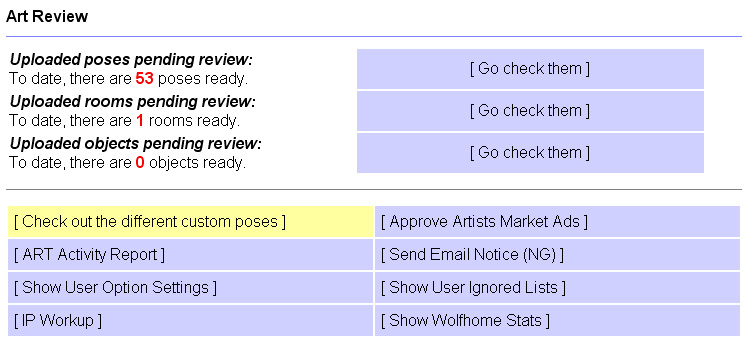
From there you will be taken to a new page. On this page will be a list of names, starting with the first availble name, and displays only about the first 20 names. On the top right, there is a section to type in the desired user name, or first few letters. Or you can use the letter filter to jump to that letter. Though, if you are looking for a specific person, typing in their name works best, rather then searching through pages of names. If you do need to search through pages, you can click the "Next Page" link at the bottom of the page.
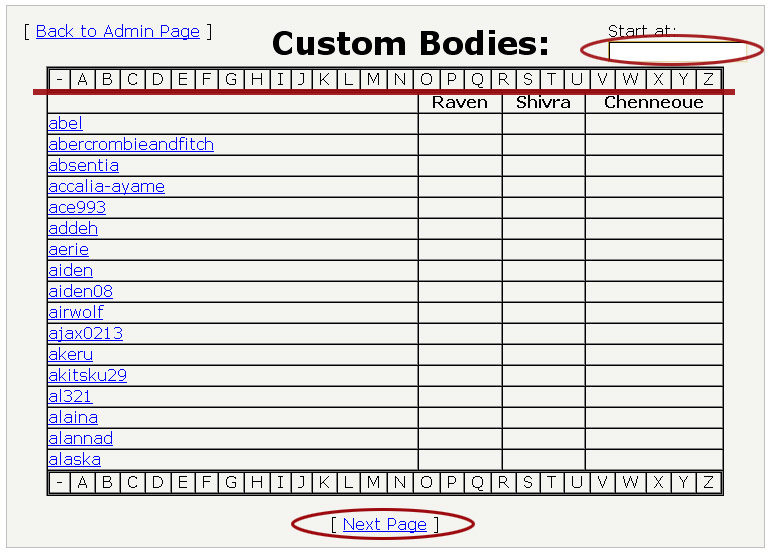
To the right of the user names are the ART member's names who have left comments on users' poses. Right now this is of little concern, but it does allow members to express concerns about a user's pose list. Now, in the name search (start at), type in the name of the user you wish to view. Then click on their name to go to their pose list.
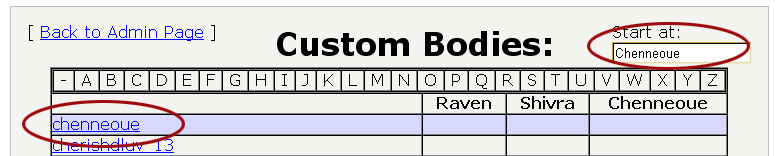
Now look for the pose that needs to be adjust or revoked. Here we find a pose that is mislabled. This pose should actually be labled under domestic canine and not the wolfhome default set. This may not be a large concern for some, except for those that may not want certain species displayed in their room, and this species is not allowed in this set. So it is improtant to get the most approprate label on each pose. To adjust the label, click on the pose or the species link on the left.

Now you will be taken to a new page. Here you can adjust the labeling, or even revoke the pose. To relable, click the species label name. This will then bring up a small pop up window. You will need to click the drop down menu and select the aproprate species.
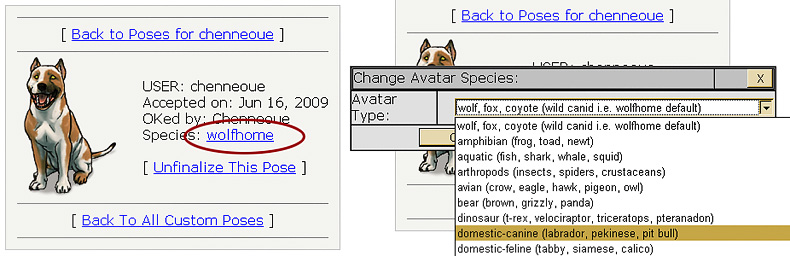
Now it should look like this:
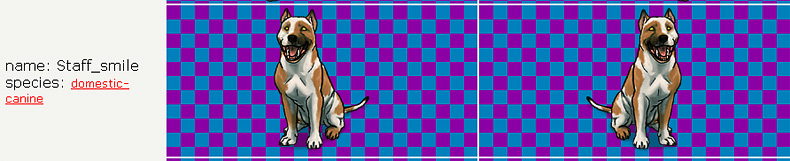
The pose is now correctly labeled and ready for use. If at any time a pose is not properly labeled, and a user is useing it in public rooms. They will need to be asked to discontinue to do so. If they continue to use the pose, a kick and wanring will usually do. But make sure to change to species label so they cannot continue to do so!
Now, continuing through their list. You may find things like, loose pixel, too large or small pose, or any given number of things. If you find this, the pose will need to be revoked. You can also revoke poses if someone does not have permission to use a pose. Which will probably need to be reported for art theft.
In this list, we find a pose that is a bit undersized according to the standards. To revoke the pose, you will need to click on the pose.

This will take you to another page. Here you will need to click "Unfinalize This Pose" link, below the species label.
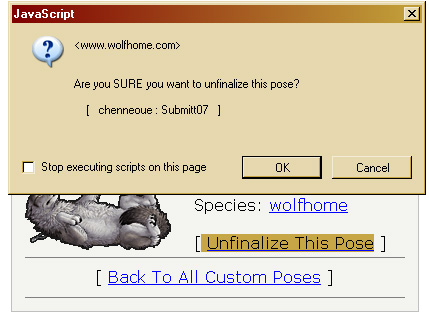 |
To unfinalize, click OK on the new pop up window. Now the pose is removed from this user's pose list, and will be back in the pose reviewer. To get back to the main area, go to the top or bottom of the pose list and click on"Back to Custom Poses." Then on the next page, click "Back to Admin Page." Now you will be back at the main beta page. From there, you will need to enter the pose reviewer. The pose has been revoked, but not rejected. The user needs to know why their pose has been revoked. It is best to reject these poses quickly, as they tend to dissapear, or not show up (the pose) in the pose review after a little while. This makes it difficult to remember or know why the pose has been revoked. To complete the revoked pose process, click on the reject |
| pose dot, scroll down and click submit. On the new page, either select or type in the reason for the rejection. In this case, select the Undersized option from the drop down menu. Then click submit. The pose is now revoked and rejected. | |
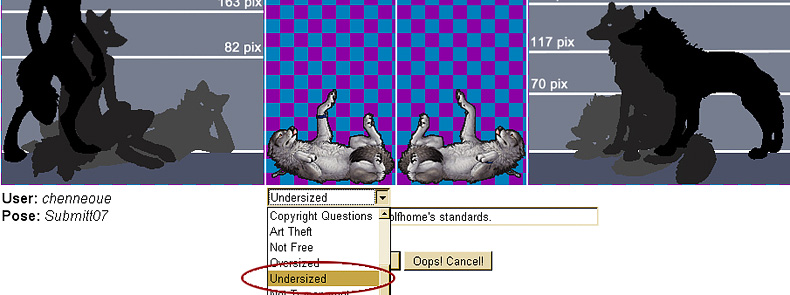
For things like this, there is nothing else that needs to be done. However the user may inquire more through a problem ticket, e-mail, PM, or on the forum. If that is the case please make sure they understand why the pose revoked. Though the rejection reason should be clear enough that this should not be an issue.
In the case of art theft, more will need to be done. To see how to deal with art theft, please check out that tutorial here.
Other tutorials:
Basic pose review
Changing species label
Revoking and adjusting species on an accepted
pose
Rooms
Room Objects
Art Theft
Sending a NG
Banning a user, or uping a ban
IP work ups
Putting it all together on the forum
Admin tools are by and belong to Wunderwood, LLC, pose examples © Chenneoue, sizing charts by Kesame, content of this page is strictly for training and reference material for the Administration team of WolfHome.com
Last updated: August 2009