Bookshelf Contents Previous Next Glossary Index Search

Starting VizPaint2D

To start VizPaint2D:

  1. Log on to your workstation and open a window.
  2. Make sure the system prompt is displayed and the pointer is in the window.
  3. Type paint and press the ENTER key.

    While the program loads, VizPaint2D displays an hourglass.

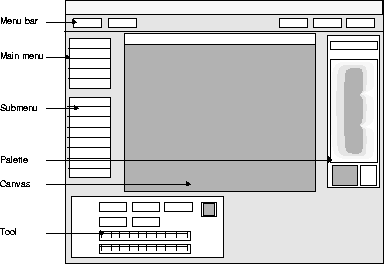
  4. The VizPaint2D window appears and you are ready to begin painting on the blank canvas provided.

    To find out how to load, select, or create a new canvas, see "Using VizPaint2D."

    Figure 1 VizPaint2D window


Bookshelf Contents Previous Next Glossary Index Search

[email protected]
Copyright © 1998, Alias|Wavefront, a division of Silicon Graphics Limited. All rights reserved.