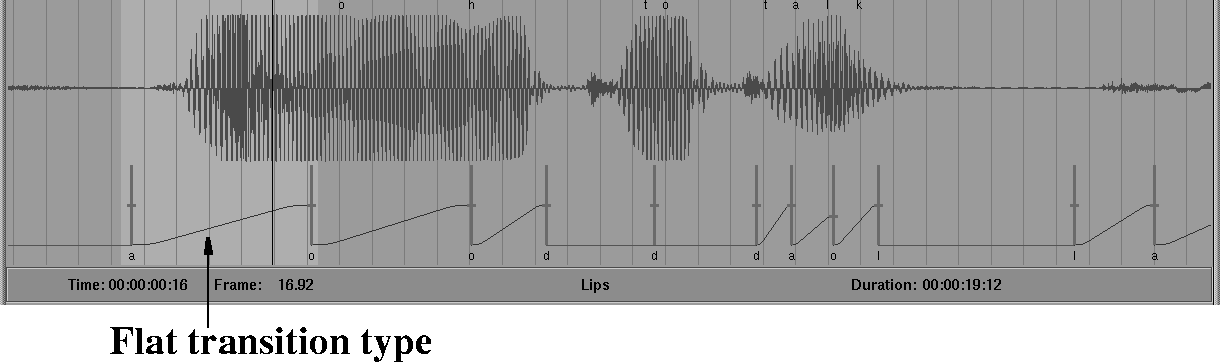
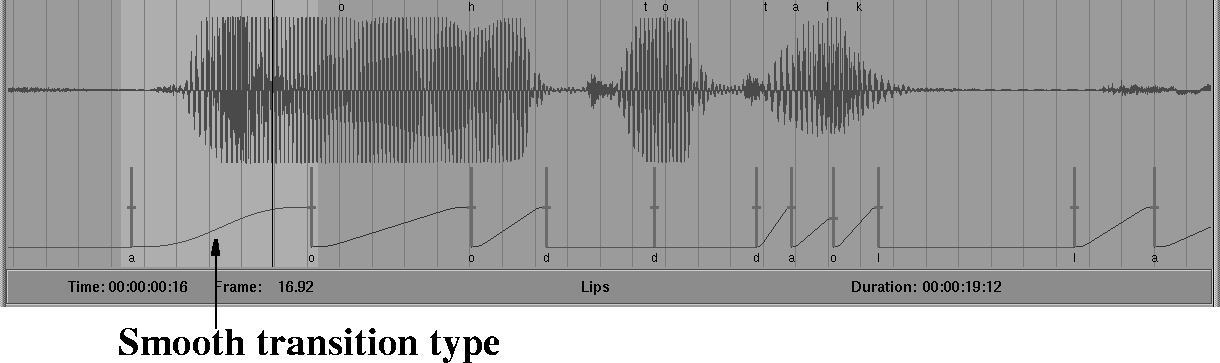
As keyframes are added, the transitions between them are given the default smoothing type Flat. The Flat transition type is appropriate for most facial and vocal animation. Linear and Smooth transition types are also available and are appropriate for some facial animation, especially broad changes such as mood.
To change the smoothing type of a keyframe:
The Key Smoothing buttons are in the soundtrack edit controls area and appear as follows:
The keyframe smoothing type is shown both by the color of the line connecting two keyframes as well as the shape of the curve. You may need to zoom the view to see these indicators.
The keyframes in the keyset you loaded have Flat transitions. The Flat transitions appear as follows:
The Flat transition type button appears as follows:
To change the smoothing type of the keyframe transition to Linear transition:
Notice that only the incoming smoothing type changes in the selected area.
To change the smoothing type of the keyframe transition to Smooth transition:
Notice that only the incoming smoothing type changes in the selected area as follows:
The keyframe smoothing is saved with your track file and is used in setting the tangents when the animation is applied to a wire file.